e-Dharah Gujarat 2026 |
Land Records, 7/12, Mutation & AnyRoR Guide
Access 7/12 Utara, 8A extract, land mutation status, and digitally signed property records for all 26 districts of Gujarat step-by-step guide for farmers, landowners, buyers, and NRIs.
Quick Answer
e-Dharah Gujarat is the Revenue Department of Gujarat's digital land record system, managing 1.5 crore+ land parcels across 26 districts. Citizens access records online via anyror.gujarat.gov.in viewing 7/12 Utara, 8A extracts, mutation history, and property cards free of charge, 24 hours a day. Land mutation and certified copies are processed at Taluka-level e-Dharah Kendras.
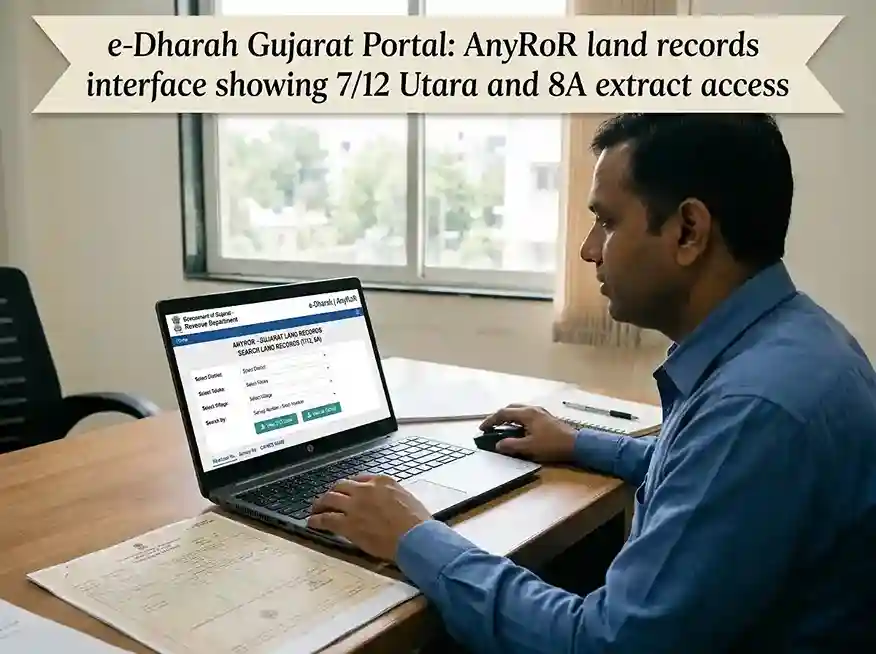
e-Dharah Gujarat, AnyRoR portal providing digital land record access for all Gujarat districts
| Official Portal | anyror.gujarat.gov.in |
| Full Name | e-Dharah (Electronic Dharah) | Gujarat Land Record Management System |
| Also Known As | AnyRoR Gujarat, iORA (Integrated Online Revenue Application), Bhulekh Gujarat |
| Managed By | Revenue Department, Government of Gujarat in association with NIC |
| Records Available | 7/12 Utara (VF7), 8A Khata (VF8A), VF6 Mutation Register, 135-D Notice, Property Card |
| Coverage | 26 Districts, 225 Talukas | all rural & urban land in Gujarat |
| Kendra Services | Land mutation, certified copies, digitally signed RoR | at Taluka e-Dharah Kendras |
| Cost | Online view: Free | Digitally Signed RoR: Nominal fee | Kendra services: User fee applies |
| Language | Gujarati (primary), with English interface on AnyRoR portal |
What Is e-Dharah Gujarat?
The Digital Backbone of Gujarat Land Records
e-Dharah Gujarat is the state government's flagship land record digitisation initiative, launched by the Revenue Department of Gujarat in collaboration with the National Informatics Centre (NIC). The name "Dharah" (ધારણ) means "to hold" in Gujarati, reflecting its role as the authoritative holder of all land ownership data across the state.
Before e-Dharah, land records in Gujarat were maintained manually in handwritten registers at every Talati (village revenue officer) office. These registers were difficult to access, easy to tamper with, and frequently the source of disputes. Mutations the official process of updating ownership after a sale or inheritance could take months and required multiple visits to government offices, often through middlemen.
Today, e-Dharah operates through a network of Taluka-level e-Dharah Kendras, where trained operators maintain all land records in a centralised digital database stored at Gandhinagar using GSWAN (Gujarat State Wide Area Network) connectivity. Data is stored in Unicode format, ensuring compatibility across systems and permanent preservation.
The public-facing component of e-Dharah is the AnyRoR portal (anyror.gujarat.gov.in) short for "Any Records of Rights Anywhere." Through AnyRoR, any citizen can check their 7/12 Utara, 8A Khata details, mutation history, and property cards online for free, 24 hours a day, from any device.
Why e-Dharah Was Needed
Gujarat was among the first Indian states to systematically digitise its land records at scale. The initiative addressed three critical problems: opacity (citizens couldn't access their own records without visiting offices), manipulation (manual registers could be backdated or altered), and inefficiency (mutations took months with no tracking). By digitising 1.5 crore land records and putting them online, the Revenue Department reduced fraud, resolved pending disputes, and made it possible for farmers to obtain agricultural loans quickly using digitally signed records.
e-Dharah vs AnyRoR | Key Difference Explained
Think of it this way: e-Dharah is the database the master record kept at the Kendra. AnyRoR is the window into that database. Legal changes to ownership (mutation, inheritance, sale) are processed and verified within e-Dharah first. Once approved by the Mamlatdar, the update becomes visible on AnyRoR. This synchronisation gap is why AnyRoR may show the previous owner's name when a sale is still being processed.
Village Forms (VF) in e-Dharah
VF-6
Mutation Register | records every ownership change
VF-7 (7/12)
Survey details, owner name, area, crop records
VF-8A
Khata (account) | all land holdings of one owner
VF-12 / 135-D
Mutation notice | 30-day objection window
🏛️ e-Dharah Kendra Services
Services Available
What Can You Do on AnyRoR / e-Dharah?
All land record services, both online and at Kendra organised by service type.
Check 7/12 Utara (Satbara)
View complete survey number details, owner name, area, land type, crop records, and water source. The most important document for agricultural land.
Free OnlineView 8A Khata Extract
See all land parcels owned by one person within a village. Shows complete ownership portfolio all survey numbers, total area, and classification.
Free OnlineUrban Property Card
Access property cards (Mool Card) and unit property cards for urban areas TP numbers, building details, ownership, and City Survey Office records.
AnyRoR PortalDigitally Signed RoR
Download legally valid, digitally authenticated Record of Rights accepted by banks for loans, courts for legal proceedings, and all government offices.
Mobile Login RequiredLand Mutation
Update ownership records after sale, inheritance, gift, will, or court order. Submit at nearest e-Dharah Kendra takes 15–30 days after 135-D notice period.
e-Dharah KendraMutation Status Check
Track pending mutations (135-D notices) online via AnyRoR. Get your Mutation Entry Number from the Kendra acknowledgement receipt.
Via AnyRoRe-CHAVDI (ઇ-ચાવડી)
Digital village chavdi, access village-level land maps, boundaries, and related records through the e-Chavdi section of AnyRoR portal.
AnyRoR PortalProperty Search
Search by owner name across a village or taluka. Useful when you know the owner but not the exact survey number. Available in both rural and urban sections.
Free OnlineStep-by-Step Guide
How to Check 7/12 Utara Online in Gujarat
Access your land records on AnyRoR Gujarat portal in under 5 minutes completely free, no login required for basic view.
-
1
Open the AnyRoR Portal
Visit anyror.gujarat.gov.in on any device mobile, tablet, or desktop. No app download needed; the portal is fully mobile-responsive.
-
2
Select Land Record Type
Click "View Land Record – Rural" for agricultural or village land (7/12, 8A). Click "View Land Record – Urban" for city property cards and unit records.
💡 Not sure? Agricultural land in villages → Rural. Apartment/plot in a city → Urban.
-
3
Choose Document Type
For rural records, select from: VF7 – Survey No. Details (for 7/12 Utara), VF8A (for 8A Khata), VF6 (Mutation Register), or 135-D Notice (for pending mutations).
-
4
Enter Location Details
Select your District from the dropdown, then Taluka, then Village. All 26 districts and 225 talukas of Gujarat are covered.
-
5
Enter Survey Number or Owner Name
Type your exact Survey Number (from old documents or Talati records), or use the Owner Name search if you don't have the survey number.
📌 Survey numbers are written in Gujarati script on physical records. Use the English transliteration on the AnyRoR portal.
-
6
View and Download Record
Click "Get Record Detail". Your 7/12 Utara will appear on screen with all ownership, crop, and land details. Use your browser's print or save function to keep a copy.
⚠ This free view is for informational purposes only and is not legally valid for official use.
For Legally Valid Copy
Digitally Signed RoR
A Digitally Signed RoR carries official digital signature and timestamp accepted by banks, courts, and government offices.
- Click "Digitally Signed RoR" on homepage
- Enter registered mobile number
- Verify with OTP
- Select document type & location
- Download signed PDF
🔍 What 7/12 Utara Contains
Document Reference
Gujarat Land Record Documents Explained
All four key Village Forms (VF) in the e-Dharah system | what each document contains and when you need it.
VF-6 | Mutation Register
The Register of Mutations. Maintained by the Talati at village level, VF-6 records every change in land rights: ownership transfers, gifts, mortgage entries, and inheritance. If you suspect a historic transaction exists but don't see it on 7/12, check VF-6 for pending or approved mutation entries.
VF-7 | 7/12 Utara (Satbara)
The most important land record for agricultural property effectively the "title document" for rural Gujarat. Also called Satbara Utara, it covers a single survey number and its owner, area, soil type, crops, irrigation, and encumbrances. Required for bank loans, legal cases, and property transactions.
VF-8A | Khata (Account)
The Khata document showing all land holdings of a single owner within one village. While 7/12 is parcel-specific (one survey number), 8A is owner-specific (all parcels). Provides total land area, multiple survey numbers, land classification breakdown, and tax dues. Often required alongside 7/12.
135-D Notice | Mutation Notice
The statutory public notice issued by the Talati during a mutation process. Once a mutation application is filed, a 135-D Notice is served to all interested parties (buyer, seller, neighbours) opening a 30-day objection window. If no objections are raised, the mutation proceeds to final approval.
Difference Between 7/12 and Property Card
The 7/12 Utara is used for agricultural/rural land (village survey numbers). The Property Card (also called Mool Card or City Survey Card) is the urban equivalent used for plots and buildings within city limits, town planning schemes, and urban survey areas. Both are accessible on AnyRoR Gujarat, but under different sections: 7/12 under "Rural Land Records" and Property Card under "Urban Land Records."
| Feature | 7/12 Utara (VF7) | Property Card |
|---|---|---|
| Area Type | Rural / Agricultural | Urban / City |
| Portal Section | View Land Record – Rural | View Land Record – Urban |
| Document Type | Village Form 7 (VF7) | Mool Card / Unit Card |
| Contains | Survey No., crop, owner, area, water source | Plot No., TP No., building details, owner |
| Used For | Agricultural loans, land sale, mutation | Building permission, urban property sale |
| Certified Copy From | e-Dharah Kendra (Taluka) | City Survey Office |
| Online View | Free, no login | Free, no login |
Land Mutation Guide
How to Apply for Land Mutation at e-Dharah Kendra
Land mutation is the legal process of updating ownership records after a sale, inheritance, or court order. Here is the complete step-by-step process.
Land mutation (ફેરફાર Ferfar in Gujarati) is the process of recording a change in land ownership in the official government register. It is important to understand: mutation does not transfer ownership the sale deed does that. Mutation updates the government's records to reflect who currently owns the land. Without mutation, the old owner's name continues to appear on 7/12 records, which can cause serious complications for bank loans, further sales, and inheritance.
In Gujarat, all mutation requests are processed at the Taluka-level e-Dharah Kendra. Since 2023, the e-Jamin system has introduced automatic mutation triggering upon registration of agricultural land sale meaning for straightforward agricultural transactions, mutation begins automatically when the sale deed is registered at the Sub-Registrar Office.
Mutation Process Timeline
Submit Application at e-Dharah Kendra
Submit filled mutation form with supporting documents. Operator enters details and generates computerised acknowledgement with unique Mutation Entry Number.
Document Verification
Deputy Mamlatdar reviews submitted documents for completeness and authenticity. May call for additional documents if needed.
135-D Notice Issued
System automatically generates 135-D Notice. Served to buyer, seller, and neighbouring land owners to invite objections. 30-day statutory period begins.
Objection Period Closes
If no objections received in 30 days, Mamlatdar "certifies" the mutation entry. VF-7 and VF-8A digital records updated automatically with new owner's name.
Records Updated | Visible on AnyRoR
New ownership details reflect on AnyRoR portal. NRIs and out-of-city owners can verify online. Typically 15–30 days if no objections.
📋 Types of Mutation & Required Documents
🏠 Sale (Vechan)
👨👩👦 Inheritance (Varsai)
📜 Will (Vasiyat)
🎂 Minor to Major (Age Update)
Documents
Documents Required for e-Dharah Services
Complete document checklist for both online AnyRoR access and Kendra-based mutation services.
📱 For Online Access (AnyRoR)
🏛️ For e-Dharah Kendra (Mutation)
Understanding the e-Dharah Ecosystem: A Complete Explainer
History of Land Digitalisation in Gujarat
Gujarat began its land record digitisation journey in the early 2000s under the National Land Records Modernisation Programme (NLRMP), later renamed the Digital India Land Records Modernisation Programme (DILRMP). The state set up e-Dharah Kendras at the Taluka level, placing trained computer operators and Deputy Mamlatdars in charge of maintaining digital records. By 2015, Gujarat had digitised the majority of its rural land records. By 2020, it had among the highest percentages of digitised RoRs in India.
The e-Dharah data is stored in Unicode Gujarati script on central servers in Gandhinagar, connected via the Gujarat State Wide Area Network (GSWAN). This centralised architecture means that when a mutation is approved at a Taluka Kendra in Kutch, a farmer in Surat can verify the update instantly on AnyRoR.
How AnyRoR Protects Land Rights
The introduction of AnyRoR and e-Dharah has significantly reduced a particular type of rural fraud: the "hidden sale." Previously, a person could sell land multiple times to different buyers, and without transparent records, later buyers had no way to know. Today, because every mutation requires a 135-D Notice with a 30-day objection window and because anyone can check ownership on AnyRoR at any time such fraud is substantially harder. Real-time updates mean that NRIs, banks, and buyers can verify current ownership before any transaction.
From a governance perspective, digitisation has also reduced corruption at the Talati level. Since records are computerised and centrally stored, local officials can no longer unilaterally alter entries without leaving a digital audit trail. This has reduced the harassment of landowners who previously had to pay bribes to get simple record corrections done.
Using e-Dharah Records for Bank Loans
Farmers in Gujarat can now obtain agricultural loans from banks and cooperative societies much more quickly because of e-Dharah. A Digitally Signed RoR (7/12 or 8A) downloaded from AnyRoR serves as legal proof of land ownership and is accepted by all scheduled banks, nationalised banks, and primary agricultural credit societies (PACS) in Gujarat. Before e-Dharah, farmers had to travel to the Kendra, request a certified copy, wait days for it to be issued, and then physically carry it to the bank a process that could take 2–3 weeks. Today, a digitally signed record can be downloaded in minutes.
NRI Property Verification via e-Dharah
For Non-Resident Indians (NRIs) who own ancestral property in Gujarat, e-Dharah has been transformative. Previously, verifying the status of land in a village required engaging a local agent, making international calls, and often visiting India in person. Now, an NRI can:
- Check current ownership of their land on AnyRoR anytime, from anywhere in the world
- Monitor whether any pending mutations (potentially unauthorised) are in progress
- Download a digitally signed RoR to share with lawyers or co-heirs
- Initiate mutation for inheritance from India through a Power of Attorney holder
- Track mutation status online using their Mutation Entry Number
e-Dharah and the 2023 Jantri Rate Revision
In February 2023, the Government of Gujarat revised Jantri rates (government-assessed land values used for stamp duty calculation) for the first time since 2011 with increases in some areas exceeding 100%. These revised rates are directly relevant to anyone using e-Dharah for land transactions, as stamp duty on sale deeds is calculated on Jantri value or market value, whichever is higher. When calculating the cost of a property transaction in Gujarat, always check the current Jantri rate for your specific village or city zone via the Registration Portal (garvi.gujarat.gov.in) alongside the land record on AnyRoR.
Common Problems and How to Resolve Them
The most frequent issue users encounter is a synchronisation gap: AnyRoR shows the old owner's name even after a sale has been registered. This means the mutation is still pending at the e-Dharah Kendra. To resolve this: (1) Check the 135-D Notice on AnyRoR to see if a mutation has been filed, (2) Visit the Kendra with your Sale Deed to confirm receipt of the mutation application, (3) Follow up after the 30-day notice period.
Another common problem is name spelling variations the same owner may be listed under slightly different English transliterations of their Gujarati name. Always search by survey number when possible, and use the Gujarati script option on the portal for most accurate results.
Gujarat Land Records Portal | Complete Directory
Gujarat operates multiple specialised portals for different land and property services. Here is the complete directory:
| Portal | Purpose | URL |
|---|---|---|
| AnyRoR | Rural & Urban land record view, 7/12, 8A, Digitally Signed RoR | anyror.gujarat.gov.in |
| e-Dharah Kendra | Mutation, certified copies, official corrections | Taluka office (physical) |
| Garvi (IGRS) | Property registration, Jantri rates, stamp duty, e-stamp | garvi.gujarat.gov.in |
| e-Milkat / CSIS | Urban property post-2021 records, city survey integration | emilkat.gujarat.gov.in |
| iORA | Integrated Online Revenue Application (alternate AnyRoR interface) | iora.gujarat.gov.in |
| e-Jamin | Auto-mutation on agricultural land registration | Integrated with Garvi SRO |
| PFMS | Payment tracking for government land compensation | pfms.nic.in |
Frequently Asked Questions
e-Dharah Gujarat | All Questions Answered
e-Dharah Gujarat is the Revenue Department of Gujarat's digital land record management system, established at the Taluka level through e-Dharah Kendras. It maintains computerised records of all land ownership data including 7/12 Utara, 8A extracts, and mutation registers for over 1.5 crore land parcels across 26 districts and 225 talukas. Data is stored at central servers in Gandhinagar via GSWAN connectivity. Citizens access these records online through the AnyRoR portal at anyror.gujarat.gov.in.
e-Dharah is the backend database where official land records are stored and updated at Taluka-level Kendras by government operators and Mamlatdars. AnyRoR is the public-facing frontend portal at anyror.gujarat.gov.in that allows any citizen to view those records online for free. When a mutation is submitted at the e-Dharah Kendra, it is processed and verified internally before the updated ownership appears on AnyRoR. This synchronisation gap is why AnyRoR may temporarily show old ownership details during an active mutation process.
To check 7/12 (Satbara Utara) online: (1) Visit anyror.gujarat.gov.in, (2) Click "View Land Record – Rural", (3) Select VF7 Survey No. Details, (4) Choose District → Taluka → Village, (5) Enter your Survey Number or Owner Name, (6) Click "Get Record Detail." The basic view is completely free and available 24/7 without any login. For a legally valid digitally signed copy, click "Digitally Signed RoR" and log in with your mobile number.
A standard online view from AnyRoR is for informational purposes only and may not be accepted as legal proof. However, a Digitally Signed RoR downloaded from the portal carries an official digital signature and timestamp and is legally valid and accepted by banks for agricultural loans, courts for legal proceedings, and government offices. For maximum legal validity, a certified copy issued by the Taluka e-Dharah Kendra or Mamlatdar office is used for high-stakes transactions.
Land mutation at an e-Dharah Kendra typically takes 15 to 30 days from application submission. After documents are submitted, the Deputy Mamlatdar verifies them and issues a 135-D Notice, which opens a statutory 30-day objection period. If no objections are raised within 30 days, the mutation is certified by the Mamlatdar and the digital records (VF-7 and VF-8A) are automatically updated. The new owner's name then appears on AnyRoR. Delays occur if documents are incomplete or objections are raised, requiring a hearing.
7/12 Utara (also called Satbara Utara or Village Form 7 / VF7) is the most important land record document for agricultural and rural property in Gujarat. It is named after the combination of village register forms number 7 and 12. It contains: survey number and sub-survey details, owner name(s) and ownership type (sole/joint), total area in hectares, land classification (irrigated/dry/forest), current crop and cultivation details, water source information (well, canal, rain-fed), encumbrances (mortgages, rights of way), and any pending mutation entries. It is the rural equivalent of an urban Property Card.
8A Utara (VF8A Village Form 8A) is the Khata document that shows all land parcels belonging to a single landowner within one village. The key difference: 7/12 is parcel-specific (one survey number, all details) while 8A is owner-specific (one owner, all their survey numbers). 8A shows the complete land portfolio all survey numbers, total area, land types, and tax dues. Both documents are available free of charge on AnyRoR Gujarat and are often required together for bank loan applications and legal matters.
To check land mutation status: (1) Visit anyror.gujarat.gov.in, (2) Select "View Land Record – Rural", (3) Choose "135-D Notice for Mutation", (4) Select District, Taluka, Village, (5) Enter the Mutation Entry Number from your acknowledgement receipt. You can also check if a mutation is pending by viewing the 7/12 of the concerned survey number pending mutations appear in the mutation section of the 7/12. Your e-Dharah Kendra can also provide an update using your application number.
Yes. The AnyRoR portal at anyror.gujarat.gov.in is accessible from anywhere in the world NRIs can check their ancestral land records, monitor for any pending mutations, and download digitally signed RoRs for free. To log in for the Digitally Signed RoR, an Indian mobile number is required (accessible via Indian SIM or WhatsApp). For mutation-related actions (inheritance, sale), NRIs can appoint a local Power of Attorney holder to act on their behalf at the Taluka e-Dharah Kendra.
In the context of land records, a Freeship Card is not a land document it is an education-related term used in Gujarat's scholarship system. However, in land transactions, the equivalent concept is a Khatedar certificate, which certifies that the buyer of agricultural land is a legitimate cultivator (farmer). For agricultural land sale in Gujarat, the buyer must prove Khatedar status a requirement enforced at the e-Dharah Kendra during mutation. Non-farmers generally cannot buy agricultural land in Gujarat without special government permission.
Access Your Gujarat Land Records Now
View 7/12 Utara, 8A Khata, and property details for free any district, any taluka, any time.