Digital Gujarat Portal |
Scholarship, Login & Certificate Guide 2026-27
The Digital Gujarat Portal (digitalgujarat.gov.in) is the Government of Gujarat's official online platform providing 110+ services | including Digital Gujarat scholarships (₹940–₹2 lakh/year), EWS certificate, non-creamy layer certificate, birth certificate, marriage certificate, and ration card services. Citizens can register, apply, and check scholarship status online without visiting any office. This free guide walks you through every step.
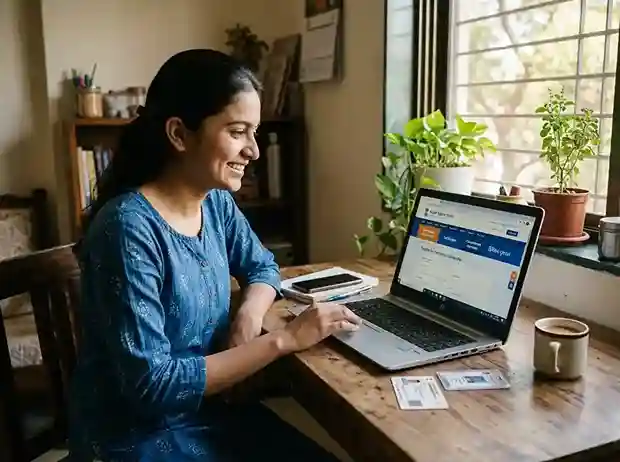
Digital Gujarat Portal (digitalgujarat.gov.in) | Official platform for scholarships, certificates & 110+ government services | Updated May 2026
Check Digital Gujarat Scholarship Status & Top Services
Check Scholarship Status
Track your Digital Gujarat application | Pending, Approved, or Payment Processed
Scholarship Last Date 2026-27
AY 2026-27 opens July–Aug 2026. All scheme deadlines in one place.
Digital Gujarat Login Guide
Login steps, forgot password, freeship card fix | all issues covered
New Registration on Portal
Step-by-step registration guide with screenshots | takes 5 minutes
Documents Required
Category-wise checklist: SC, ST, OBC, SEBC, EWS, General
MYSY Scholarship
₹2 lakh for 80%+ students | eligibility, amount, how to apply
Ration Card Gujarat (IPDS)
Apply, check ration card status, add name, change address
Certificate Verification
Verify any Digital Gujarat certificate online instantly
Digital Gujarat Scholarship 2026-27 | All Schemes for OBC, SC, ST, EWS & General
Applications for AY 2026-27 open in July–August 2026 at digitalgujarat.gov.in. All applications are free. Click any scheme for complete eligibility, amount, and step-by-step apply guide.
MYSY Scholarship 2026-27
Mukhyamantri Yuva Swavalamban Yojana | Gujarat's flagship merit scholarship for students scoring 80%+ in Class 10 or 12. Covers tuition fees + equipment allowance. Open to all categories including General.
Post-Matric Scholarship 2026-27
For SC, ST, OBC, SEBC, EWS, Minority and NTDNT students pursuing Class 11 to PhD. Covers tuition, hostel, and living expenses. Applied via Digital Gujarat portal.
Pre-Matric Scholarship 2026-27
For SC, ST, OBC, SEBC, EWS and Minority students from Class 1 to Class 10. Includes day scholar and hostel allowances. Free to apply at digitalgujarat.gov.in.
NMMS Scholarship 2026-27
National Means-cum-Merit Scholarship for Class 8 students in government schools. Renewable from Class 9 to 12. Exam conducted by GSEB. ₹12,000/year for 4 years.
EBC / EWS Scholarship 2026-27
Post-Matric scholarship for Economically Backward Class (EBC) and Economically Weaker Section (EWS) students in Gujarat. Covers tuition fees for degree programmes.
Dr. Ambedkar Scholarship 2026-27
Post-Matric scholarship for SC students pursuing UG or PG degrees. One of the highest-value SC schemes in Gujarat. Administered via Digital Gujarat portal.
Get Gujarat Certificates Online | EWS, NCL, Birth, Marriage & More
All certificates applied online at digitalgujarat.gov.in or the CRS portal. Choose your certificate for the full step-by-step guide with document checklist and processing time.
EWS Certificate Gujarat
Economically Weaker Section certificate for General category. Required for EWS scholarships and govt. job reservations.
7–15 daysNon-Creamy Layer Certificate Gujarat
NCL certificate for OBC/SEBC applicants. Income must be below ₹8 lakh/year. Needed for all OBC scholarships.
7–15 daysBirth Certificate Gujarat
Apply via CRS portal (crs.guj.nic.in). Download birth certificate online. Required for school admission and passport.
7–10 daysMarriage Certificate Gujarat
Online marriage registration via e-Nagar portal or your local municipal office. Hindu Marriage Act and Special Marriage Act.
15–30 daysCaste Certificate Gujarat
SC, ST, OBC, SEBC caste certificate online via Digital Gujarat portal. Required for all category-based scholarships.
7–21 daysIncome Certificate Gujarat
Aavak Praman Patra from Mamlatdar. Required for all scholarship categories. Apply online or at Mamlatdar office.
7–14 daysSEBC Certificate Gujarat
Socially and Educationally Backward Class certificate. Required for SEBC Post-Matric and Pre-Matric scholarships.
10–21 daysCertificate Verification Gujarat
Verify any Digital Gujarat certificate online instantly using the certificate number. Official verification tool.
InstantAll Digital Gujarat Portal Services
88 free guides covering every Digital Gujarat Portal service | scholarships, certificates, ration card, land records, welfare schemes and more.
Portal Overview
Login, registration, services list, mobile app
Scholarships
33+ schemes · Pre-Matric to PhD · All categories
Certificates
EWS, NCL, Caste, Income, Domicile & more
Ration Card
IPDS status, apply, add name, change address
Birth / Death / Marriage
Civil registration via CRS portal
Land Records
7/12 Satbara, AnyROR, e-Dharah
Welfare Schemes
Pension, Kuvarbai Mameru, disability
Employment
Rozgaar Portal, UPSC coaching stipend
Digital Gujarat App
Sugam app | download guide, features
Digital Services
DigiLocker, e-Payment, tourism
City Guides
Ahmedabad, Surat, Vadodara + 5 more
Mamlatdar Offices
All 33 districts · Address & contact
How to Apply for Digital Gujarat Scholarship 2026-27
The entire process is online, free, and takes about 30 minutes. See our complete 8-step apply guide with screenshots.
Digital Gujarat registration
Go to digitalgujarat.gov.in → New Registration. Enter mobile number, create password, verify with OTP. Free and takes 5 minutes. Registration guide →
Login & complete profile
Use your mobile number and password to login to Digital Gujarat. Go to My Profile | add Aadhaar, address, and category. Aadhaar-bank link needed for payment.
Select your scholarship
Go to Scholarship Services → select your scheme (MYSY, Pre-Matric, Post-Matric OBC/SC/ST, etc.) and the current financial year 2026-27.
Fill form & upload documents
Fill personal, academic, and bank details. Upload PDF/JPG documents (each under 200KB). See our category-wise documents checklist.
Submit & check status
Review and submit. Check Digital Gujarat scholarship status under Scholarship Services → Status column. Payment via DBT to Aadhaar-linked account.
Gujarat Scholarship by District | Find Your City Guide
District-specific guides covering local Mamlatdar offices, DSWO contacts, income certificate process, and top colleges for Digital Gujarat scholarship applicants.
Digital Gujarat Scholarship FAQ 2026-27
What is Digital Gujarat Portal? Complete Overview 2026-27
Everything you need to know about digitalgujarat.gov.in | its history, services, and how to use it effectively.
History and Vision of Digital Gujarat
The Digital Gujarat Portal was launched by the Government of Gujarat as part of India's broader Digital India initiative to transform public service delivery from a paper-based, office-dependent system into a fully online, transparent, and citizen-centric platform. The portal | officially hosted at digitalgujarat.gov.in | was conceived to eliminate long queues at government offices, reduce corruption through digitisation, and bring more than 110 government services directly to the fingertips of every Gujarati citizen.
Gujarat was among the first Indian states to develop a dedicated integrated portal combining scholarship services, revenue certificates, ration card management, land records, and welfare scheme disbursement under a single login. The portal integrates with the state's e-Governance infrastructure including IFMS (Integrated Financial Management System) for direct benefit transfers (DBT), e-Mamta for health services, CRS (Civil Registration System) for birth and death records, and the IPDS (Integrated Public Distribution System) for ration card management.
Today, the Digital Gujarat Portal serves over 5 crore citizens of Gujarat and processes lakhs of scholarship applications, certificate requests, and ration card applications every year. The portal has won recognition for its contribution to e-Governance at the national level and is frequently cited as a model for other Indian states looking to digitise citizen services.
The 5 Main Service Pillars of Digital Gujarat
The Digital Gujarat Portal is organised around five major service pillars, each covering a distinct area of citizen need:
- Scholarship Services | 33+ schemes for SC, ST, OBC, SEBC, EWS, Minority, General and NTDNT categories. Pre-matric (Class 1–10), post-matric (Class 11–PhD), and merit-based scholarships including MYSY. All disbursed via DBT directly to Aadhaar-linked bank accounts.
- Revenue Certificate Services | Income certificate (Aavak Praman Patra), Caste certificate, EWS certificate, Non-Creamy Layer (NCL) certificate, Domicile certificate, SEBC certificate, Succession (Varsai) certificate, Character certificate, and more | all applied online via the Mamlatdar/Revenue department.
- Civil Registration Services | Birth certificate, Death certificate, Marriage certificate, and Marriage Function Registration. These are linked to the CRS portal (crs.guj.nic.in) and municipal/gram panchayat systems for seamless digital records.
- Ration Card & PDS Services | Apply for new ration card, add or remove members, change address, check ration card status via IPDS portal, and manage BPL/APL/AAY/PHH entitlements online.
- Land Records & Property Services | View and download 7/12 Satbara Utara, 8-A Khata, property mutation records, e-Dharah property registration, and property tax payment via municipal portal.
Beyond these five pillars, the portal also provides access to welfare schemes (senior citizen pension, Kuvarbai Mameru Yojana, disability certificate), employment services (Gujarat Rozgaar Portal, UPSC coaching stipend), and digital services (DigiLocker, e-Payment gateway, tourism registration).
Digital Gujarat Registration & Login: Complete 2026-27 Guide
How to create a new account, complete your profile, log in, reset your password, and fix the most common errors on digitalgujarat.gov.in.
🆕 New Registration (First Time)
- Open digitalgujarat.gov.in in your browser
- Click "New Registration (Citizen)" on the homepage
- Enter your mobile number (linked to Aadhaar)
- Create a strong password (min. 8 characters, 1 number, 1 special character)
- Enter the OTP sent to your mobile | valid for 10 minutes
- Complete your profile: full name, Aadhaar number, date of birth, gender, address, district, taluka, village
- Select your category (SC/ST/OBC/SEBC/EWS/General/Minority)
- Upload a passport-size photograph (JPG, under 100KB)
- Submit the form | you will receive a Registration Number via SMS
⏱ Total time: approximately 5–8 minutes. Registration is completely free.
Full Registration Guide with Screenshots →🔑 Login & Forgot Password
- Go to digitalgujarat.gov.in and click "Login"
- Enter your registered mobile number or email address
- Enter your password and the CAPTCHA code
- Click Login | your dashboard opens
Forgot Password?
- Click "Forgot Password" below the login button
- Enter your registered mobile number
- An OTP will be sent | enter it within 10 minutes
- Set your new password and confirm it
⚠️ Account gets locked after 5 wrong attempts. Wait 30 minutes or use "Forgot Password" to reset.
Full Login Guide + Common Error Fixes →⚠️ Most Common Login & Registration Errors in 2026 | and How to Fix Them
- "Mobile number already registered" | Your number is already linked to an account. Use "Forgot Password" instead of registering again.
- "Invalid OTP" | OTP expires in 10 minutes. Click "Resend OTP" and enter the new code immediately.
- "Aadhaar already linked" | Each Aadhaar can only be linked to one account. Contact the helpline (1800-233-5500) if you've lost access to your original account.
- "Freeship card not generated" | Complete your bank details section and ensure your Aadhaar is NPCI-seeded (linked to your bank). See our Freeship Card Fix Guide.
- Portal down / not loading | Try after midnight (low traffic) or use the Sugam Digital Gujarat App as an alternative.
How to Apply for Digital Gujarat Scholarship 2026-27 | Step-by-Step
A complete walkthrough from document preparation to final submission | for all categories including SC, ST, OBC, SEBC, EWS, Minority and General.
Prepare your documents before you start
Gather Aadhaar card, caste certificate (SC/ST/OBC/SEBC), income certificate from Mamlatdar, domicile certificate, previous year marksheet, current year fee receipt and admission letter, bank passbook (Aadhaar-NPCI linked), and a passport-size photograph. All files should be PDF or JPG format, each under 200KB. Refer to our category-wise document checklist for exact requirements per scheme.
Register or log in at digitalgujarat.gov.in
First-time users must complete New Registration. Returning applicants log in with their registered mobile number and password. Make sure your profile (Aadhaar, address, category) is complete before starting the scholarship application.
Navigate to Scholarship Services and select your scheme
From the dashboard, click Services → Scholarship Services. You will see a list of schemes for which you are eligible based on your category and academic level. Search by scheme name or category. Common schemes: Post-Matric Scholarship, Pre-Matric Scholarship, MYSY, EBC/EWS Scholarship, Dr. Ambedkar Scholarship (SC), Tribal Scholarship (ST), Minority Scholarship, and NTDNT Scholarship. Click the scheme and read all eligibility conditions carefully before proceeding.
Fill the online application form carefully
Enter your personal details, academic information (institution name, course, year, admission date), income details, bank account information (account number, IFSC, branch), and hostel details if applicable. Double-check every field | errors in Aadhaar number or bank account details will cause payment failure and require a fresh application or correction request through your institution.
Upload all required documents
Upload scanned copies of each required document in the format specified (usually JPG or PDF, max 200KB each). Common rejection reasons include blurry or incomplete uploads, expired certificates, or mismatched names between documents. Use your phone camera in bright light for clear scans. Ensure the income certificate and caste certificate are digitally issued from the Digital Gujarat portal itself for the 2026-27 cycle | handwritten certificates are no longer accepted for most schemes.
Submit and get your application number
After reviewing the complete form, click Submit. You will receive an Application Number via SMS and on-screen. Save this number | you will need it to check your scholarship status, make corrections, or contact the helpline. Print or screenshot the acknowledgement receipt for your records.
Physical verification at your college (NEW for 2026-27)
Most schemes now require you to submit a printed copy of your application to your college scholarship clerk for physical verification. The college will then verify and forward your application to the district-level officer. Track this status on your dashboard under Service Requests. See our complete application guide for institution-level process details.
Digital Gujarat Scholarship Scheme Comparison Table 2026-27
| Scheme Name | Category | Level | Max. Amount | Income Limit |
|---|---|---|---|---|
| MYSY Scholarship | All (80%+ marks) | Diploma / Degree | ₹2,00,000/yr | ≤ ₹6 lakh |
| Post-Matric SC/ST | SC / ST | Cl. 11 – PhD | ₹2,00,000/yr | ≤ ₹2.5 lakh |
| Post-Matric OBC/SEBC | OBC / SEBC | Cl. 11 – Degree | ₹1,00,000/yr | ≤ ₹8 lakh (NCL) |
| EBC / EWS Scholarship | EBC / EWS General | Degree / Diploma | ₹50,000/yr | ≤ ₹6 lakh |
| Pre-Matric SC/ST/OBC | SC / ST / OBC | Cl. 1 – 10 | ₹3,000/yr | ≤ ₹2.5 lakh |
| Minority Scholarship | Muslim / Christian / Jain etc. | Cl. 1 – PG | ₹15,000/yr | ≤ ₹2 lakh |
| NMMS Scholarship | All (Govt. schools) | Cl. 8 → Cl. 12 | ₹12,000/yr | ≤ ₹3.5 lakh |
| Dr. Ambedkar (SC UG) | SC only | UG / PG | ₹2,00,000/yr | ≤ ₹2.5 lakh |
* Amounts shown are maximums | actual disbursement depends on course type, institution fees, and DBT verification. Updated for AY 2026-27.
See All 33+ Schemes with Full Eligibility →How to Track Digital Gujarat Scholarship Status & DBT Payment 2026-27
Understanding each status stage and what to do if your payment is delayed or rejected.
Pending / Under Review
Your application has been submitted and is being reviewed by your college or the District Social Welfare Officer (DSWO). No action needed | check back in 15–30 days. If it stays "Pending" for over 45 days, contact your college scholarship clerk.
Approved By Authority
Your application has been approved and sent for payment processing. The scholarship amount will be credited to your Aadhaar-linked bank account within 30–60 days via DBT (Direct Benefit Transfer) through PFMS.
Payment Processed
Payment has been processed. Check your bank account. If the amount hasn't arrived after 5 working days, verify your bank account is NPCI-seeded (Aadhaar-linked) at resident.uidai.gov.in or your bank branch. Track the exact payment at pfms.nic.in → Know Your Payments → Aadhaar number.
Rejected
Applications are rejected due to incomplete documents, income limit exceeded, wrong bank details, or Aadhaar mismatch. Check the rejection reason on your dashboard. Most rejections can be corrected and resubmitted within the application window. Contact the helpline at 1800-233-5500 (toll-free) for guidance.
📋 PFMS Payment Tracking | Step-by-Step
The Public Financial Management System (PFMS) at pfms.nic.in is the central government's DBT payment portal. All Digital Gujarat scholarship payments flow through PFMS.
- Go to pfms.nic.in in your browser
- Click "Know Your Payments" from the top menu
- Select "Track DBT Payment"
- Choose "Aadhaar Number" as the search type
- Enter your 12-digit Aadhaar number and the CAPTCHA
- You will see a list of all DBT payments sent to your account | including scholarship, scholarship year, and payment date
If your PFMS shows payment sent but your bank hasn't credited | contact your bank branch with your Aadhaar. The account may need re-seeding.
Revenue Certificates on Digital Gujarat Portal | EWS, NCL, Income, Caste & More
The most searched certificate guides on Digital Gujarat | with eligibility criteria, required documents, processing time, and direct links to full guides.
📄 EWS Certificate Gujarat
The Economically Weaker Section (EWS) Certificate is issued under the 10% reservation quota for General category citizens introduced by the 103rd Constitutional Amendment. It is required for availing the EWS reservation in government jobs, educational institution admissions, and EBC/EWS scholarships on Digital Gujarat.
Eligibility:
- General category only (not SC/ST/OBC/SEBC)
- Annual family income below ₹8 lakh
- Family should not own more than 5 acres of agricultural land
- Residential flat below 1,000 sq ft in notified municipalities
- No residential plot above 100 sq yd in notified areas or 200 sq yd elsewhere
Processing time: 7–15 working days | Issued by Mamlatdar
EWS Certificate Full Guide →📃 Non-Creamy Layer (NCL) Certificate Gujarat
The Non-Creamy Layer (NCL) Certificate is mandatory for OBC and SEBC citizens to avail of the OBC reservation benefits in education and government jobs, and to apply for all OBC/SEBC scholarships on the Digital Gujarat portal. Without this certificate, OBC students cannot access the 27% OBC reservation.
Eligibility:
- OBC or SEBC category only
- Annual family income below ₹8 lakh
- Parent should not hold a Constitutional post or Group-A/B Central/State government service
- Valid for 1 year | must be renewed annually
Processing time: 7–15 working days | Issued by Mamlatdar
NCL Certificate Full Guide →💰 Income Certificate Gujarat (Aavak Praman Patra)
The Income Certificate (Aavak Praman Patra) issued by the Mamlatdar is one of the most universally required documents for all scholarship categories on the Digital Gujarat portal. It certifies your family's annual income and is cross-verified by the scholarship authority during processing.
Key Points:
- Must be from Mamlatdar office | bank certificates are NOT accepted
- For 2026-27 applications, certificate must be dated within 1 year
- Income limit varies: ₹2.5 lakh (Pre-Matric), ₹6 lakh (MYSY), ₹8 lakh (NCL/EWS)
- Digital certificates from Digital Gujarat portal are preferred over hand-signed copies
Processing time: 7–14 working days
Income Certificate Full Guide →📋 Caste Certificate Gujarat
The Caste Certificate (Jati Praman Patra) is the foundational document for SC, ST, OBC, and SEBC scholarship applicants. For 2026-27, the Digital Gujarat portal requires digitally issued caste certificates from the portal itself | older handwritten or manually signed certificates may be rejected for scholarship applications.
Key Points:
- Apply at digitalgujarat.gov.in → Citizen Services → Revenue Services → Caste Certificate
- Required documents: Aadhaar, school leaving certificate, parent's caste certificate or ration card
- Processing time: 7–21 working days
- Once issued, download and verify at the Certificate Verification portal
Digital Gujarat App (Sugam) | Download & Features Guide 2026
Access all Digital Gujarat services on your smartphone | scholarship application, status tracking, certificate download, and more.
The Sugam Digital Gujarat app is the official mobile application of the Government of Gujarat, available on both Android and iOS platforms. It provides the same full range of services as the desktop portal | optimised for mobile screens with faster performance and offline certificate storage.
Key Features of the Sugam App:
- Apply for and track scholarship status in real-time
- Download income, caste, EWS, and NCL certificates directly to your phone
- Check ration card status (IPDS) and manage PDS entitlements
- View and download 7/12 land records (Satbara Utara)
- Access DigiLocker for all government documents in one place
- Receive push notifications for application status updates and deadline reminders
- Apply for new services and track all pending service requests
📱 How to Download Sugam Digital Gujarat App
- Open Google Play Store (Android) or Apple App Store (iOS)
- Search for "Sugam Digital Gujarat" | ensure the developer is "NIC" or "Government of Gujarat"
- Tap Install / Get | the app is free to download
- Open the app and log in with your existing digitalgujarat.gov.in credentials
- Enable notifications for real-time status updates
⚠️ Beware of fake apps! Only download the app that shows "Government of Gujarat" or "NIC" as the developer. Several fraudulent apps impersonate the Sugam app. Always verify before installing.
Other Key Services on Digital Gujarat Portal | Ration Card, Land Records & Welfare Schemes
Digital Gujarat is much more than a scholarship portal. Here are the other high-demand services citizens use every day.
Ration Card Services (IPDS)
The Integrated Public Distribution System (IPDS) handles all ration card services in Gujarat. Citizens can apply for a new ration card, add or remove a family member, change their address, surrender the card, or check their monthly ration allocation online. The IPDS portal is linked directly to the Digital Gujarat login | no separate registration required.
Popular services: New card application, status check, name addition/deletion, address change
Ration Card Full Guide →Land Records | 7/12 Satbara & AnyROR
Gujarat's AnyROR portal (anyror.gujarat.gov.in) | accessible via Digital Gujarat | allows citizens to view and download 7/12 Satbara Utara (land record extract), 8-A Khata (account details), and VF-6 Mutation Register for any land parcel in Gujarat. These records are required for income certificate applications, property sale/purchase, bank loans, and EWS/NCL certificate verification. The e-Dharah portal handles property registration and mutation.
Land Records Full Guide →Welfare Schemes | Pension, Kuvarbai Mameru & More
The e-Samaj Kalyan portal (integrated with Digital Gujarat) provides access to Gujarat's social welfare schemes including Kuvarbai Mameru Yojana (₹10,000 financial assistance for daughter's marriage for BPL families), Senior Citizen Pension (Indira Gandhi Vridha Pension Yojana), Widow Pension, Disability Certificate and disability pension, and schemes for NTDNT (Nomadic and De-notified Tribes) communities. Apply entirely online through the Digital Gujarat portal.
Welfare Schemes Full Guide →Digital Gujarat Helpline, Contact & Expert Tips for 2026-27 Applicants
Official contacts and the most important things to know before applying this year.
📞 Official Contact Information
| Helpline (Toll-Free) | 1800-233-5500 |
| Official Portal | digitalgujarat.gov.in |
| Helpdesk Email | dg-helpdesk@gujarat.gov.in |
| Working Hours | Mon–Fri, 10:00 AM – 6:00 PM |
| District DSWO | Find your district office → |
| Payment Issues | pfms.nic.in |
💡 Top 6 Tips for Successful Application in 2026-27
- Apply on Day 1 | Application windows fill up fast. Set a reminder for the July 2026 opening.
- Use digital certificates | Get your income, caste, and EWS/NCL certificates digitally from the Digital Gujarat portal itself. Handwritten certificates are increasingly rejected.
- Link Aadhaar to bank (NPCI) | Without NPCI seeding, your DBT payment will fail. Do this at your bank or ATM before applying.
- Keep files under 200KB | Compress PDFs and images before uploading. Use iLovePDF or Smallpdf (free tools).
- Submit printed form to college | After online submission, print and submit to your college clerk for physical verification | this is now mandatory.
- Renew every year | Scholarships are not automatically renewed. You must reapply each academic year within the application window.