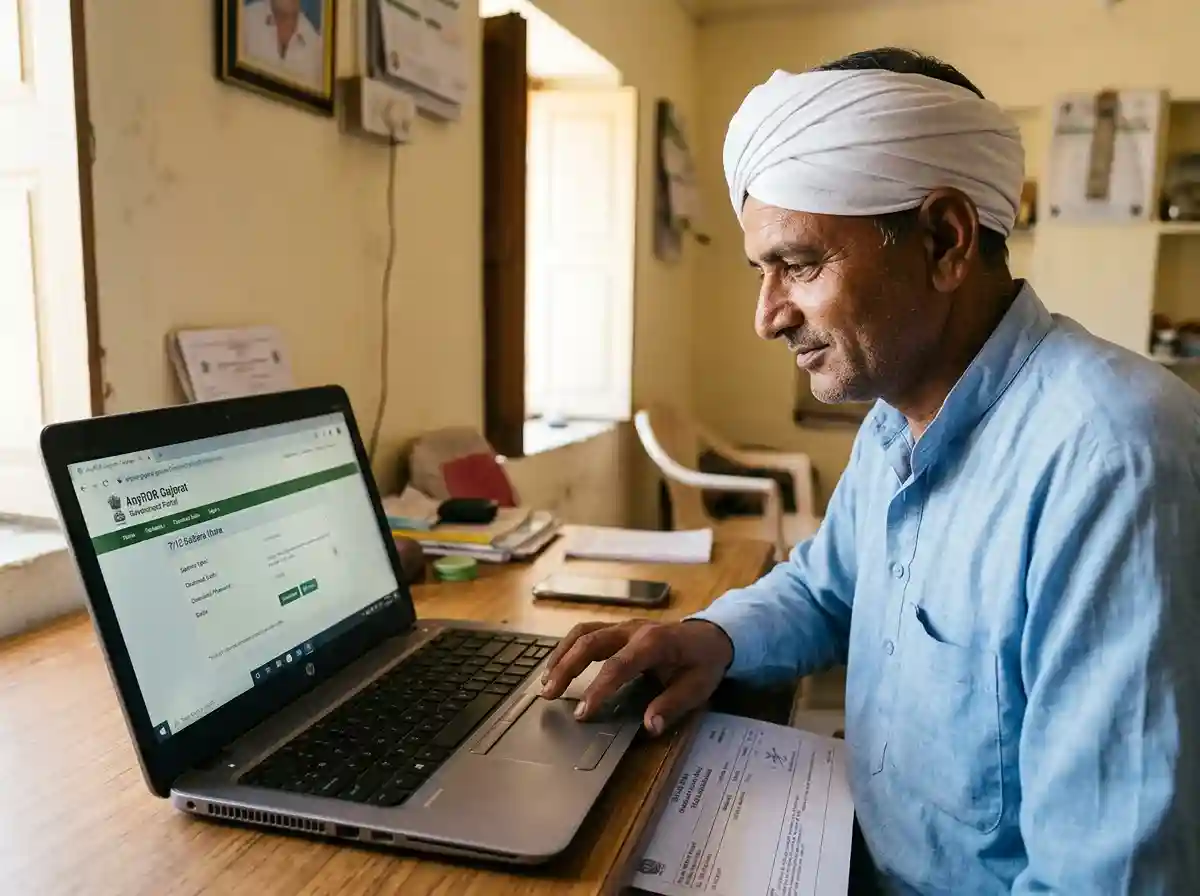
What Is 7/12 Satbara Utara?
The 7/12 Satbara Utara is an official land record for agricultural land in Gujarat. It is prepared and maintained by the Gujarat Revenue Department. The document is named after two village forms | Form 7 and Form 12 | merged into one extract.
Form 7 covers ownership rights. It shows who owns the land, their share, and any legal restrictions. Form 12 covers cultivation details. It records which crops are grown, the irrigation source, and the land use type.
Together, these two forms give you a complete picture of any rural land parcel in Gujarat. The document is also called Satbara Utara, 7-12 Utara, or Record of Rights (RoR) in common usage.
Think of it as a passport for your land. Just as a passport confirms your identity, the 7/12 confirms your land's identity | who owns it, what type it is, and whether any loans or legal disputes are recorded against it.
AnyROR Portal | What It Is and How It Works
AnyROR stands for Any Records of Rights. The Gujarat Revenue Department launched this portal to digitize all land records across the state. The official URL is anyror.gujarat.gov.in.
Before AnyROR, verifying land details meant visiting the local taluka or village office. You needed to speak with the Talati (village officer) and wait for manual records to be checked. That process took days.
Now, anyone with internet access can view land records in minutes | from home, a phone, or a CSC center. The portal covers both rural (agricultural) and urban (city property) land records across all districts of Gujarat.
What You Can Access on AnyROR
| Record | What It Shows | Use It For |
|---|---|---|
| VF 7 (7/12 Satbara) | Survey no., owner names, area, land type, loans | Ownership proof, bank loans, legal use |
| VF 8A (Khata) | All landholdings of one owner in one village | Verifying total land owned, property tax |
| VF 6 (Mutation Register) | Every ownership change | sale, gift, inheritance | Title history verification, disputes |
| VF 12 (Crop Register) | Crop types, irrigated area, kharif/rabi details | Agricultural loan applications |
| 135D (Encumbrance) | Any existing mortgage or lien on the land | Checking if land is already pledged |
| Urban Property Card | City plot ownership, area, transaction history | Urban land ownership proof |
The portal is managed by the National Informatics Centre (NIC) in coordination with the Gujarat Revenue Department. Records are updated regularly. However, very recent mutations may take a few weeks to reflect online.
How to Download 7/12 Online | Step by Step
The process is free and takes under five minutes. You do not need to register or log in for a basic view. Keep your survey number or the land owner's name ready before you start.
-
1
Open the AnyROR portal
Go to anyror.gujarat.gov.in in any browser | Chrome, Firefox, or Safari. It works on mobile phones too. If the page loads slowly, try in the early morning when traffic is lower.
-
2
Choose Rural or Urban land type
The homepage has two main options. Click "View Land Record – Rural" for agricultural or village land. Click "View Land Record – Urban" for city plots and property cards. Most 7/12 searches are under Rural.
-
3
Select District, Taluka, and Village
Three dropdown menus appear. First select your District (e.g. Ahmedabad, Surat, Vadodara). Then select your Taluka. Finally select your Village. Each dropdown narrows based on the previous selection.
-
4
Select record type
Choose "VF 7 Survey No. Details" from the record type dropdown. This is the 7/12 Satbara extract. You will also see options for 8A, VF 6, and others | but for the standard 7/12, select VF 7.
-
5
Enter the Survey Number (or search by name)
Type your Survey Number in the search box. If you do not know it, click "Owner Name" and type the land owner's full name as it appears in official records. A partial name sometimes works too.
-
6
Fill the captcha and click Get Record Detail
Enter the verification code (captcha) shown on screen. Click the "Get Record Detail" button. Your 7/12 Satbara Utara extract loads on the next screen.
-
7
Save or print the document
To save as PDF: press Ctrl + P (Windows) or Cmd + P (Mac), then choose "Save as PDF" as the destination. On a phone, use the Share or Print option in your browser. This gives you a reference copy. For a legally valid signed copy, see the next section.
How to Read a 7/12 Document | Every Field Explained
Most people download the 7/12 but struggle to understand what each field means. This section explains every part of the document in plain language.
The 7/12 extract has two main sections. The upper part comes from Form 7 | it covers ownership. The lower part comes from Form 12 | it covers cultivation and crops.
Header | Location Identifiers
The top of the document shows four fields: District, Taluka, Village, and Survey Number. These four details uniquely identify every land parcel in Gujarat. Always cross-check these against your sale deed or property document before doing any transaction.
Form 7 Fields | Ownership Section
| Field Name | Gujarati / Common Name | What It Means |
|---|---|---|
| Survey Number / Khasra No. | Bhumapan Kramank | The unique number given to this land parcel by the Revenue Department during the original survey. |
| Khate Number | Khate Kramank | Account number from the Khate Pustika (land revenue account booklet). Each landowner has a khate number in the village. |
| Khatedar Name | Khatedarna Naam | The registered owner(s) of the land. This is the most important field for legal purposes. Multiple names mean joint ownership. |
| Cultivator / Tenant Name | Kudana Naam / Kabjedaar | The person actually farming the land. If this differs from the Khatedar, a tenancy arrangement exists. This can have legal implications if you are buying the land. |
| Area (Hectares/Ares) | Kshetra | Total land area. May include sub-categories like cultivable area, pot kharab (wasteland), and gairan (grazing land). Subtract pot kharab to get usable farmland. |
| Pot Kharab | Pot Kharab | Area within the survey that is unfit for cultivation | rocky patches, ponds, or roads. This area is deducted from usable farmland calculations. |
| Land Type / Nature of Possession | Kabja Swroop | Whether the land is privately owned, leased, or government land. For most agricultural land it shows "Khatedar" (owner occupier). |
| Loan / Encumbrance (Boja) | Boja | Any bank loans, mortgages, or legal liens on the land. If this field is NIL, the land is clear. Always check this before purchasing. |
| Dispute / Court Order (Dakhal) | Dakhal / Vivad | Any active court orders or disputes on this land. If this shows an entry, investigate before any transaction. |
| Mutation Number (Ferfar) | Ferfar Kramank | Every ownership change in the land's history is recorded as a mutation entry. Higher mutation numbers mean more recent changes. |
Form 12 Fields | Cultivation Section
| Field Name | What It Means |
|---|---|
| Crop Season (Kharif / Rabi / Summer) | Which season the land is actively used. Kharif = monsoon season (June–October). Rabi = winter season (November–March). Summer = April–June irrigation crops. |
| Crop Name (Pivat / Jirayat) | The specific crops grown. Pivat means irrigated crops (paddy, sugarcane). Jirayat means rain-dependent crops (cotton, bajra, wheat). |
| Irrigation Source | How the land is watered | well, canal, bore well, or rain-fed (jamin paani). Irrigated land generally commands a higher market value. |
| Area Under Each Crop | The area in hectares or ares under each listed crop. Used by banks to assess agricultural production capacity for loan purposes. |
Digitally Signed vs Unsigned Copy | Key Differences
This is where most people get confused. Not all 7/12 copies are equal. There are two types: a regular (unsigned) view and a digitally signed RoR.
| Feature | Regular (Unsigned) View | Digitally Signed RoR |
|---|---|---|
| Where to get it | anyror.gujarat.gov.in | free view | AnyROR → Digitally Signed RoR section (redirects to Digital Gujarat) |
| Cost | Free | Rs 15 per document |
| Login required | No | Yes | mobile OTP on Digital Gujarat |
| Legal validity | Reference only | Legally valid | accepted in courts, banks, and government offices |
| Digital signature | No | Yes | signed by the issuing authority |
| QR code for verification | No | Yes | scannable for instant verification |
| Use for bank loans | Not accepted | Accepted by banks |
| Use for court cases | Not accepted | Accepted as evidence |
| Use for reference / quick check | Fully sufficient | Not needed |
| Use for scholarship income proof | Sometimes accepted for informal income declaration | Preferred by Mamlatdar for income certificate verification |
How to Download a Digitally Signed RoR
The digitally signed copy is available through the AnyROR portal with a redirect to the Digital Gujarat platform. Here is the exact process.
-
1
Go to anyror.gujarat.gov.in
On the homepage, look for the "Digitally Signed RoR" section or button. It is usually displayed as a distinct option on the main landing page.
-
2
Log in with your mobile number
The portal redirects to the Digital Gujarat login. Enter your registered mobile number. An OTP is sent to your phone. Enter the OTP to log in. If you are new, register first at digitalgujarat.gov.in | it takes under five minutes.
-
3
Select the Village Form you need
Choose the document | for the standard 7/12 Satbara, select Village Form No. 7 (VF-7). For the combined ownership + crop record, you may also select Village Form No. 12 (VF-12). For the full account record, choose Village Form No. 8A.
-
4
Select location and survey number
Choose your District, Taluka, Village, and Survey Number from the dropdowns | same as the regular search process.
-
5
Pay the fee | Rs 15
A fee of Rs 15 applies for each digitally signed document. Pay using UPI, debit card, or net banking. The payment is processed through the Gujarat government's e-payment gateway.
-
6
Download the signed certificate
After payment, the digitally signed PDF is available for download. Save it. It carries an official digital signature and a QR code. Any bank, court, or government department can scan the QR code to verify its authenticity instantly.
Other Land Records on AnyROR | 8A, VF6, VF12
Beyond the 7/12, the AnyROR portal gives access to several other important land documents. Each serves a specific purpose.
Village Form 8A | Khata (Account Record)
The 8A is owner-centric. While the 7/12 is plot-centric (one survey number), the 8A lists all land owned by one person across the entire village. It shows the owner's total landholding, revenue obligations, and account number.
If you want to see all land parcels owned by one person in one village | use the 8A, not the 7/12. Banks often ask for both the 7/12 (to verify the specific plot) and the 8A (to verify the owner's full holding).
Village Form 6 | Mutation Register (Ferfar)
VF-6 is the register of all day-to-day changes in land ownership. Every sale, gift deed, mortgage, inheritance, or partition is recorded as a mutation entry in Form 6. Reading the mutation history lets you trace the full title chain of any land parcel.
Always check the VF-6 before buying land. A clean mutation register with a clear, unbroken chain from the original owner to the current seller is the sign of a safe transaction.
Village Form 12 | Crop Register
VF-12 records what is grown on each surveyed plot. It lists crop names, irrigated and rain-fed areas, and seasonal crop patterns. This document is specifically used for agricultural loan applications. Banks check it to assess the farming productivity and expected income from a land parcel.
Where the 7/12 Is Used | Income Cert, Scholarships, Loans
The 7/12 Satbara touches more aspects of daily life than most people realize. Here is a practical breakdown of where it matters most.
Income Certificate | The Direct Link
For farmers and agricultural families, the 7/12 is one of the key supporting documents when applying for an income certificate in Gujarat. The Mamlatdar's office uses it to verify that a family earns income from farming land.
When you apply for an income certificate through the Digital Gujarat portal, and your income source is agriculture, uploading a copy of the 7/12 (preferably the digitally signed RoR) strengthens your application. It proves your landholding and connects it to your claimed farming income.
The income certificate, in turn, is required for virtually every scholarship in Gujarat | MYSY, post-matric SC/ST/OBC, NSP minority scholarships, and more. So the chain runs: 7/12 Satbara → Income Certificate → Scholarship Application.
Scholarships | Indirect Requirement
The 7/12 itself is not on the standard scholarship documents list. But it matters when your family's income comes from farming. Here is how it connects to specific schemes:
| Scholarship | How 7/12 Connects |
|---|---|
| MYSY Scholarship | Income certificate required. If income is from farming, 7/12 supports the income certificate application at Mamlatdar. |
| Post-Matric SC/ST/OBC | Same | income certificate required. Farming families use 7/12 as income evidence. |
| Kisan Credit Card / PM Kisan | 7/12 is a direct requirement. Farmers must submit it to verify land ownership before getting scheme benefits. |
| Agricultural Loans (KCC / NABARD) | Digitally signed 7/12 (RoR) is mandatory. Banks verify the land parcel, ownership, and check for existing loans in the Boja field. |
| PM Fasal Bima Yojana (Crop Insurance) | 7/12 required to verify land area and crop type. Premium is calculated based on the surveyed area in the document. |
Property Transactions
Before any rural land purchase in Gujarat, get a fresh 7/12 for the specific survey number. Verify the seller's name matches their identity documents. Check the Boja field (no outstanding loans). Check Dakhal (no court disputes). Then trace the mutation history through VF-6. Do not skip these steps | land fraud in rural Gujarat almost always exploits gaps in title verification.
Legal Use and Court Cases
The digitally signed RoR is admissible as evidence in revenue courts and civil property disputes. The plain (unsigned) view from AnyROR is not. If you are dealing with an inheritance dispute, boundary conflict, or property litigation, obtain the digitally signed version.
Common Problems and How to Fix Them
Survey Number Not Found
Try searching by owner name instead. Also confirm you have selected the correct district, taluka, and village. Survey numbers in Gujarat sometimes have sub-divisions written as "123/1" or "123/2" | try both the main number and sub-divisions.
Name Mismatch on Record
Older records may have the original owner's name even after a sale. This happens when the mutation (ferfar) has not been updated. Visit your local Talati's office and file for mutation. The process takes 15–30 days. Bring the registered sale deed or gift deed as evidence.
Portal Not Loading or Slow
AnyROR gets heavy traffic, especially during morning hours. Try accessing it between 8 PM and 10 AM when server load is lower. If the portal is down for maintenance, the Gujarat Revenue Department usually announces it on the homepage.
Old Record Shown | Recent Sale Not Reflected
Mutations take time to update in the online system. If you recently bought land, the portal may still show the previous owner's name. Check with your Talati on the mutation application status. Once approved at the Taluka level, the online record updates within a few days.
Pot Kharab Area Dispute
If the Pot Kharab area in your 7/12 is higher than expected, contact the Revenue Department for a resurvey. Incorrect Pot Kharab entries reduce the usable area shown on your record and can affect agricultural loan calculations.