This is the complete guide to the Digital Gujarat App and the Sugam Digital Gujarat initiative | covering how to download the app, all available features, services list, step-by-step usage, iPhone alternatives, and troubleshooting. Whether you are searching for sugam digital gujarat app download, digital gujarat application, or digital gujarat portal app, you will find everything here.
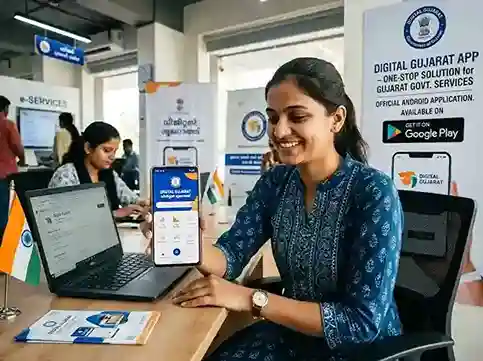
What is Sugam Digital Gujarat? (2026 Initiative)
Sugam Digital Gujarat is a major digital governance initiative launched by the Government of Gujarat on March 24, 2026, under the leadership of Chief Minister Bhupendra Patel and the Department of Science and Technology. The word Sugam (સુગમ) means "easily accessible" or "convenient" in Gujarati | and that is exactly what the initiative aims to deliver: seamless, faceless, cashless, and paperless government services for every citizen of Gujarat.
The initiative was launched at Mahatma Mandir and follows the recommendations of the Gujarat Administrative Reforms Committee (GARC). It digitises around 20 high-demand public services across five key government departments, making them available entirely online through the existing Digital Gujarat portal and mobile app | with no need to visit a government office in person.
Which Departments are Covered Under Sugam Digital Gujarat?
- ⚖️ Social Justice & Empowerment
- 📋 Revenue Department
- ⚖️ Legal Department
- 🍛 Food & Civil Supplies
- 🌿 Tribal Development
- 🆔 Aadhaar-based Authentication
- 🗂️ DigiLocker Integration
- ✍️ eSign for Documents
- 💳 UPI Payments
- 📱 WhatsApp Service Access
20 Services Digitised Under Sugam
The Sugam Digital Gujarat initiative covers the following high-transaction services that were previously handled offline:
- Revenue Department: Caste certificate, income certificate, non-creamy layer (NCL) certificate, EWS certificate, domicile certificate
- Food & Civil Supplies: Ration card (new application, member addition/deletion, corrections, duplicate card)
- Legal Department: Ready affidavits | issued directly through the portal without visiting a notary
- Social Justice & Empowerment: OBC/SEBC scholarship applications, welfare scheme registrations
- Tribal Development: Tribal area scholarship applications and welfare benefit registrations
Digital Gujarat App Download | Quick Links
The Digital Gujarat app (also referred to as the Sugam Digital Gujarat app following the March 2026 initiative) is available as a free download for Android devices on the Google Play Store. It is the official mobile application published by the Government of Gujarat.
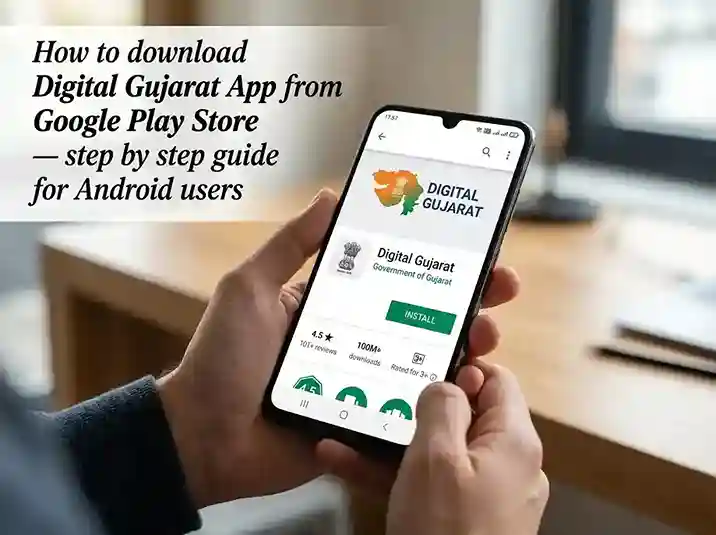
How to Download the Digital Gujarat App | Step by Step
- 1
Open Google Play Store on your Android phone
Unlock your Android smartphone and tap the Google Play Store icon. Make sure your phone is connected to the internet (Wi-Fi or mobile data). The app requires only 11.51 MB of space.
- 2
Search for "Digital Gujarat" in the Play Store
In the search bar at the top, type "Digital Gujarat" and tap the search icon. You can also search "Sugam Digital Gujarat" | both will show the same official app.
- 3
Identify the official app (com.digital.gujarat)
Look for the app published by "Government of Gujarat" with package ID com.digital.gujarat. It shows 5 Lakh+ downloads. Beware of fake apps with similar names | always check the publisher name.
- 4
Tap "Install" and wait for download
Tap the Install button. The app is 11.51 MB and installs within a few seconds on a normal connection. It is completely free | no payment required. Requires Android 4.0 or higher.
- 5
Open the app and log in or register
After installation, tap Open or find the Digital Gujarat icon on your home screen. Log in with your registered mobile number and password. First-time users: tap New User Registration to create a free account. See our registration guide for detailed steps.
Key Features of the Digital Gujarat App
The Digital Gujarat mobile application provides citizens of Gujarat with a one-stop mobile interface for accessing government-to-citizen (G2C) services across multiple state departments. Since the Sugam Digital Gujarat initiative of March 2026, the portal and app have been upgraded with enhanced service delivery, Aadhaar-based authentication, and UPI payment integration. Here are the key features:
Scholarship Applications
Apply for 33+ scholarship schemes | MYSY, Pre-Matric, Post-Matric, NMMS, Dr. Ambedkar, tribal scholarships. Track status and view payment history.
Revenue Certificates
Apply for income certificate, caste certificate, domicile certificate, EWS certificate, NCL certificate, widow certificate, character certificate. Download digitally signed copies.
Ration Card Services
Apply for new ration card, add or remove family members, get duplicate card, change address, check status | all from the app without visiting a ration office.
Land Records (7/12)
Access 7/12 Satbara Utara and other land records. View and download revenue records for your agricultural land. Available for all Gujarat districts.
Application Status Tracking
Track the real-time status of any submitted application | certificates, scholarships, ration card | directly from the app under My Services.
DigiLocker Integration
Government-issued documents are automatically pushed to your DigiLocker account linked to Aadhaar. Share certificates digitally without printing.
e-Payment via UPI
Pay government service fees online directly from the app via UPI, net banking, or debit card. No need to visit a bank or payment centre. Cashless governance under Sugam.
Employment Services
Access the Gujarat Rozgaar Portal, apply for UPSC coaching stipend, and register for shops & establishment services. Employment registration and job seeker services available.
Complete List of Services Available in the Digital Gujarat App
The Digital Gujarat app integrates services from multiple government departments. Following the Sugam Digital Gujarat initiative (March 2026), approximately 40+ services are available on mobile (vs 110+ on the full web portal). Here is a department-wise breakdown:
Digital Gujarat App | Technical Details
How to Use the Digital Gujarat App
Once you have downloaded and installed the Digital Gujarat app on your Android phone, here is how to navigate it and use its services effectively:
- 1
Log In with Your Registered Mobile Number
Open the app and enter your registered mobile number and password. If you receive an OTP, enter it to complete login. Having trouble? Try the login troubleshooting guide.
- 2
Browse the Service Dashboard
After login, you land on the home dashboard which shows service categories: Certificates, Scholarships, Ration Card, Land Records, Employment, Welfare Schemes, and more. Tap any category to expand it.
- 3
Select the Service and Fill the Form
Tap the specific service you need (e.g., "Income Certificate" or "Post-Matric Scholarship"). Read the eligibility criteria, then tap Apply. Fill in all required fields | ensure details match your Aadhaar exactly.
- 4
Upload Documents
Upload required documents as PDF or JPG files, each under 200 KB. You can use the phone's camera to capture documents directly. Ensure the images are clear and legible.
- 5
Pay Fee (if applicable) via UPI
Some services require a nominal government fee. Pay directly from the app via UPI, net banking, or debit card. Keep the payment receipt reference number.
- 6
Note the Application Reference Number
After submission, save your Application Reference Number. You will need this to track the status of your application.
- 7
Track Status and Download Certificate
Go to My Services in the app dashboard. Your application appears with its current status. Once approved (typically 7–14 working days for certificates), tap Download to get the digitally signed PDF. The certificate also appears in your DigiLocker.
Digital Gujarat App for iPhone | iOS Alternative
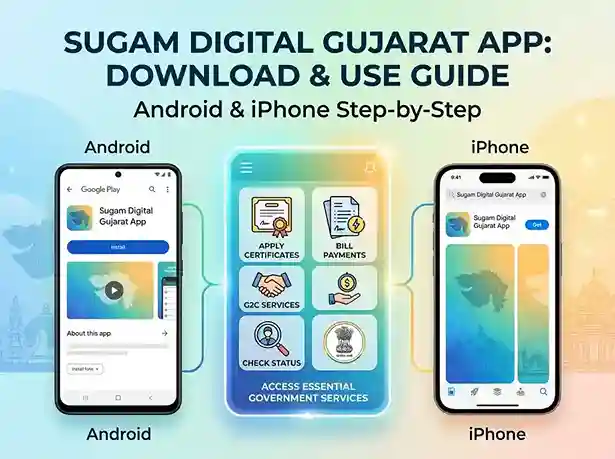
As of 2026, there is no Digital Gujarat app available on the Apple App Store for iPhone or iPad. The Government of Gujarat has not released an iOS version of the Digital Gujarat app. However, iPhone and iPad users can access all the same services through the mobile-optimised web portal.
How to Use Digital Gujarat on iPhone (Safari / Chrome)
- 1
Open Safari or Chrome on your iPhone
Go to www.digitalgujarat.gov.in in your browser. The portal is fully mobile-responsive and works well on all iPhone models.
- 2
Add to Home Screen for App-like Experience
In Safari: tap the Share button (box with arrow) → tap Add to Home Screen → tap Add. This creates a shortcut on your iPhone home screen that opens the portal like an app (PWA-style).
- 3
Log In and Use All Services
Log in with your Digital Gujarat account. All 110+ services available on the web portal | including all Sugam Digital Gujarat services | are accessible on iPhone via the browser.
Digital Gujarat App Not Working | Common Problems & Fixes
The Digital Gujarat app has a 2.9★ Play Store rating primarily because of intermittent issues. Here are the most common problems reported by users and how to fix them:
App crashes on launch or freezes
App opens and immediately closes, or hangs on loading screen.
Clear cache and update the app
Settings → Apps → Digital Gujarat → Clear Cache → Force Stop. Then open Play Store → update the app. Restart phone if needed.
OTP not received during login
Login page is stuck waiting for OTP; SMS never arrives.
Check signal, resend OTP, or use web portal
Check mobile signal. Wait 60 seconds and tap "Resend OTP." If still not received, log in at digitalgujarat.gov.in on Chrome | same credentials work.
Document upload fails | file too large
App shows error when uploading scanned documents or photos.
Compress files below 200 KB
Each document must be under 200 KB. Use a free compression app or reduce camera resolution to 2MP before taking document photos. Convert to PDF for better compression.
App shows server error / "Connection failed"
App loads but shows "Server Error" or "No Connection" even with strong internet.
Try off-peak hours or use web portal
The portal experiences heavy load during scholarship season (July–October). Try late evening (8–10pm) or early morning. Alternatively, use the web portal on Chrome desktop for best reliability.
Related Guides
Frequently Asked Questions
Sugam Digital Gujarat is an e-governance initiative launched by the Government of Gujarat on March 24, 2026, under CM Bhupendra Patel. It digitises 20 high-demand services across five departments (Social Justice, Revenue, Legal, Food & Civil Supplies, Tribal Development) for faceless, cashless, paperless delivery. There is no separate Sugam app | all Sugam services are accessed through the existing Digital Gujarat app (com.digital.gujarat) on Android or the web portal at digitalgujarat.gov.in.
To download the Sugam Digital Gujarat app (i.e., the Digital Gujarat app): (1) Open Google Play Store on your Android phone; (2) Search for "Digital Gujarat"; (3) Select the app published by Government of Gujarat (package: com.digital.gujarat); (4) Tap Install | it is free and 11.51 MB; (5) Log in with your Digital Gujarat account. All Sugam Digital Gujarat services are available after login.
Try these fixes in order: (1) Update the app | open Play Store and check for updates to com.digital.gujarat; (2) Clear cache | Settings → Apps → Digital Gujarat → Clear Cache → Force Stop; (3) Restart your phone and reopen the app; (4) Check you have a stable internet connection; (5) If still not working, use the web portal at digitalgujarat.gov.in on Chrome mobile | same login, same services, more stable. Call helpline 1800-233-5500 (Mon–Fri, 10am–5pm) for persistent issues.
Following the Sugam Digital Gujarat initiative (March 2026), some services became accessible via WhatsApp. The official Digital Gujarat helpline number is 1800-233-5500 (toll-free, Mon–Fri 10am–5pm). For WhatsApp-based service access, visit the official portal digitalgujarat.gov.in for the latest WhatsApp number, as this may change. Always use official government sources to verify contact details.
To check your application status on the Digital Gujarat app: (1) Open the app and log in; (2) Tap My Services on the dashboard; (3) Your submitted applications appear with their current status (Pending, Under Review, Approved, Rejected); (4) Tap any application for detailed status and remarks. You can also check status on the web portal at digitalgujarat.gov.in → My Services, or visit our dedicated status checker guide.
Digital Gujarat is the overall e-governance platform (portal + mobile app) by the Government of Gujarat providing 110+ citizen services since around 2016. Sugam Digital Gujarat is an initiative launched in March 2026 that enhanced this platform by digitising 20 additional high-demand services using Aadhaar, DigiLocker, eSign, and UPI for completely faceless and paperless delivery. They are not separate systems | Sugam is an upgrade to the existing Digital Gujarat platform. The same app (com.digital.gujarat) and portal (digitalgujarat.gov.in) now deliver the Sugam-enhanced services.