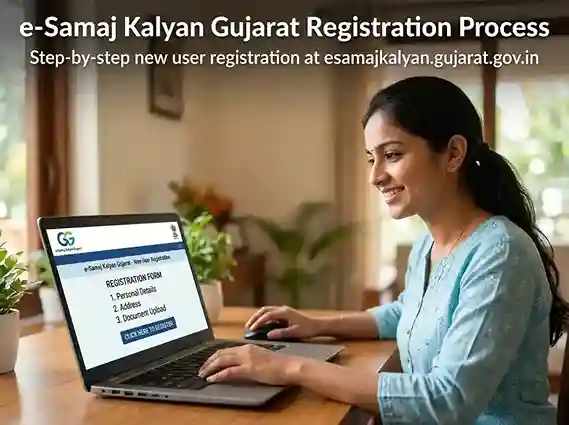
This guide covers everything about the e Samaj Kalyan Gujarat portal | from first-time registration and the e samaj kalyan gujarat gov in login process, to checking e samaj kalyan application status and understanding each major yojana. Use the table of contents to jump directly to what you need.
What is e-Samaj Kalyan Gujarat? (e Samaj Kalyan Kya Hai?)
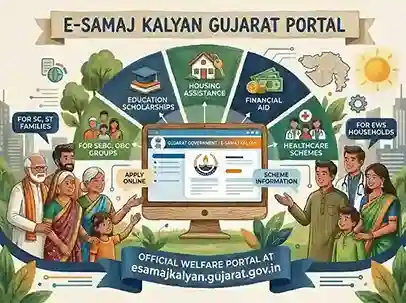
e Samaj Kalyan Gujarat (also written as eSamajKalyan, e-Samaj Kalyan, or simply Samaj Kalyan portal) is the Gujarat government's centralised online platform for social welfare services. Launched and operated by the Social Justice and Empowerment Department (SJED), the portal allows eligible citizens to apply online for a wide range of government assistance programs | without visiting a government office.
The full URL of the portal is esamajkalyan.gujarat.gov.in. This is the only official website for e Samaj Kalyan Gujarat. There is no separate e samaj kalyan Gujarat gov in login page for different categories | all citizens log in through the same portal.
Before the launch of e Samaj Kalyan, residents had to visit multiple government offices | Mamlatdar's office, District Social Welfare Office, and Taluka Development Officer | to apply for different schemes. The portal consolidates all of these into a single digital interface, dramatically reducing paperwork, waiting time, and corruption opportunities. Whether you are looking for the e samaj kalyan awas yojana for housing, the e samaj kalyan scholarship for students, or the pension for senior citizens, everything is accessible through one login.
Who Manages the e Samaj Kalyan Portal?
The portal is managed by the Directorate of Social Defence, Social Justice and Empowerment Department, Government of Gujarat. The administrative headquarters is located in Gandhinagar, Gujarat, which is why citizens sometimes search for "e samaj kalyan Gandhinagar" when looking for the nodal office. While the portal is digital, district-level offices across Gujarat handle physical grievances, document verification, and offline applications where required.
Key Highlights of the e Samaj Kalyan Gujarat Portal
| Feature | Details |
|---|---|
| Portal Name | e-Samaj Kalyan Gujarat |
| Official URL | esamajkalyan.gujarat.gov.in |
| Managed By | Social Justice & Empowerment Department (SJED), Government of Gujarat |
| Headquarters | Gandhinagar, Gujarat |
| Beneficiary Categories | SC, ST, SEBC/OBC, EWS, Minority communities |
| Number of Schemes | 100+ welfare schemes and yojanas |
| Application Mode | Fully Online (some schemes allow offline too) |
| Payment Method | Direct Benefit Transfer (DBT) | Aadhaar-linked bank account |
| Status Tracking | Online via Application ID / Reference Number |
| Helpline | 1800-233-5500 (Toll-Free) |
| Registration | Free | no charges |
e-Samaj Kalyan Gujarat Registration | How to Create an Account
Before you can log in to the e Samaj Kalyan portal Gujarat or apply for any scheme, you must complete the e samaj kalyan gujarat registration. This is a one-time process. Once registered, you can use the same account to apply for multiple schemes and track all your applications from a single dashboard.
The registration is completely free. There is no fee for creating an account on the e samaj kalyan gujarat gov in portal. Beware of touts or agents who charge money for this service | you can do it yourself in about 10–15 minutes.
Step-by-Step: e Samaj Kalyan Gujarat New User Registration
Visit the Official Portal
Open your browser and go to esamajkalyan.gujarat.gov.in. Make sure you are on the official government domain. Do not use third-party websites or agents for registration.
Click "New Registration" / "નવા નોંધણી"
On the homepage, click the "New User Registration" button (also shown in Gujarati as "નવા નોંધણી"). This opens the citizen registration form.
Fill in Your Personal Details
Enter your full name (as per Aadhaar), date of birth, gender, mobile number, and email address. All fields marked with an asterisk (*) are mandatory.
Enter Your Aadhaar Number
Provide your 12-digit Aadhaar number. This is mandatory for identity verification and DBT payments. Your name on the portal must match your Aadhaar exactly.
Select Your Caste Category
Choose your category from the dropdown: SC (Scheduled Caste), ST (Scheduled Tribe), SEBC/OBC, EWS, or Minority. The list of schemes shown to you after login depends on this selection | so choose correctly. If you make a mistake, contact the helpline for correction.
Enter Your Address Details
Fill in your full residential address including District, Taluka, Village/City, and Pin Code. For "e samaj kalyan gandhinagar" users: if your taluka is Gandhinagar, select it accordingly from the dropdown.
Upload Required Documents
Attach scanned copies of your Aadhaar card, caste certificate, income certificate, and a passport-size photo. File formats accepted: JPG, JPEG, PNG, PDF. Maximum file size is usually 200KB–500KB per document.
Verify via OTP
An OTP (One-Time Password) will be sent to your registered mobile number. Enter the OTP to verify your mobile number and activate your account.
Set Your Password & Submit
Choose a strong password for your e samaj kalyan gujarat login. Once submitted, your registration is complete. Save your User ID and password securely.
e-Samaj Kalyan Gujarat Gov In Login | Step-by-Step Guide
Once registration is complete, here is how to perform the e samaj kalyan gujarat gov in login every time you want to access your account, apply for a new scheme, or check your application status.
Go to esamajkalyan.gujarat.gov.in
Open the official portal in your browser. Bookmark it for easy future access.
Click "Citizen Login" / "નાગરિક લૉગઇન"
On the homepage, click the Citizen Login button. Do not click on "Department Login" or "Officer Login" | those are for government officials only.
Enter Username & Password
Enter your registered mobile number or User ID in the username field. Enter the password you set during registration. The login for e samaj kalyan gujarat login is case-sensitive | type your password carefully.
Enter the CAPTCHA Code
Type the CAPTCHA characters shown on screen. If the CAPTCHA is hard to read, click the refresh icon to generate a new one.
Click Login
Press the Login button. If your credentials are correct, you will be redirected to your personalised dashboard showing all schemes you are eligible for.
Common Login Errors and Solutions
| Error / Problem | Solution |
|---|---|
| Wrong username or password | Use the Forgot Password option. Your username is your registered mobile number. |
| Account locked after multiple wrong attempts | Wait 30 minutes or contact helpline 1800-233-5500 for unlock. |
| OTP not received | Check mobile signal. Ensure the number is DND-disabled for government SMS. |
| CAPTCHA not loading | Try a different browser (Chrome recommended). Clear cache and cookies. |
| Portal showing error / down | The portal may be under maintenance. Try again after 1–2 hours. |
| Scheme not visible after login | Your caste category may be incorrectly registered. Contact helpline for correction. |
e-Samaj Kalyan Application Status | How to Check Online
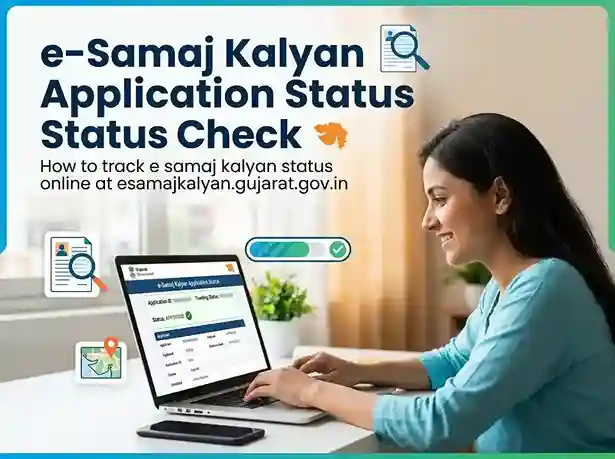
One of the most searched queries is "e samaj kalyan application status" | and with good reason. After submitting an application for any scheme, every applicant wants to know whether it has been approved, rejected, or is pending verification. The portal allows you to check your e samaj kalyan status online at any time, without visiting any office.
Method 1: Check Status After Login (Recommended)
Log in to esamajkalyan.gujarat.gov.in
Use your registered mobile number and password to access your dashboard.
Click "Application Status" in the menu
You will see an "Application Status" or "અરજી સ્થિતિ" option in the top navigation or sidebar.
Select the Scheme Name
Choose the specific scheme whose status you want to check (e.g., Kuvarbai Mameru, Old Age Pension, Scholarship, e samaj kalyan awas yojana).
View Status & Payment Details
Your current application status will be displayed | Submitted, Under Review, Approved, Payment Processed, or Rejected (with reason).
Method 2: Check Status Without Login
For the e samaj kalyan status check without logging in, some schemes allow you to track using just your Application ID / Reference Number:
- Go to esamajkalyan.gujarat.gov.in
- Look for "Application Status" or "Track Application" link on the homepage (available for certain schemes)
- Enter your Application ID / Reference Number and your Date of Birth
- Click Search / Submit
- View your current status on screen
What Do the Status Messages Mean?
| Status Message | What It Means | Next Step |
|---|---|---|
| Submitted / Pending | Application received, awaiting officer review | Wait 7–14 days |
| Under Review / In Process | Officer is verifying documents | Ensure all documents are valid |
| Approved / Sanctioned | Application approved, DBT in progress | Verify bank account is active & Aadhaar-linked |
| Payment Processed | Amount transferred to your bank account | Check bank passbook / SMS alert |
| Rejected | Application rejected (reason shown) | Fix the issue and reapply, or appeal at district office |
| Documents Pending | Additional documents required | Upload missing documents via portal |
| Returned for Correction | Errors found in application | Log in and correct the details |
e-Samaj Kalyan Yojana | List of Welfare Schemes 2026
The e Samaj Kalyan yojana list on the portal is extensive. Here are the major categories and specific schemes available through the e samaj kalyan gujarat yojana portal in 2026:
Kuvarbai Nu Mameru Yojana
₹12,000 marriage grant for daughters of SC/ST/SEBC/EWS families. Most popular scheme on the portal.
Vrudh Sahay (Senior Citizen Pension)
Monthly pension for senior citizens from SC/ST/SEBC/EWS categories aged 60 and above.
Divyang Sahay (Disability Pension)
Financial assistance for persons with disabilities (40%+ disability). Monthly disbursement via DBT.
e Samaj Kalyan Awas Yojana
Housing assistance for SC/ST/SEBC families under the e samaj kalyan awas yojana scheme.
Samaj Kalyan Scholarship
Pre-matric and post-matric scholarships for students from SC/ST/SEBC/OBC communities.
Vidhwa Sahay (Widow Assistance)
Monthly financial assistance for widows from economically weaker sections who have no income.
Sankat Mochan Yojana
Emergency financial relief for families in sudden crisis | illness, accident, or natural calamity.
Free Coaching & Tuition Assistance
Subsidised coaching for competitive examinations (UPSC, GPSC, bank exams) for SC/ST/SEBC students.
Self-Employment Loan Scheme
Loans and subsidies for starting small businesses | for SC/ST/SEBC individuals seeking self-employment.
e Samaj Kalyan Gujarat Yojana | Eligibility by Category
| Scheme Name | Eligible Categories | Benefit Amount |
|---|---|---|
| Kuvarbai Nu Mameru Yojana | SC, ST, SEBC, EWS | ₹12,000 per daughter (max 2) |
| Vrudh Sahay (Old Age Pension) | SC, ST, SEBC, EWS | ₹500–₹1,000/month |
| Divyang Sahay (Disability Pension) | All categories, 40%+ disability | ₹500–₹1,200/month |
| Vidhwa Sahay (Widow Assistance) | SC, ST, SEBC, EWS widows | ₹500–₹1,000/month |
| e Samaj Kalyan Awas Yojana | SC, ST, SEBC | Up to ₹1.5 lakh housing grant |
| Post-Matric Scholarship | SC, ST, SEBC, Minority | As per study level |
| Sankat Mochan Yojana | SC, ST, SEBC, EWS | Up to ₹2,500 per crisis |
| Self-Employment Loan | SC, ST, SEBC | Loan + subsidy |
How to Apply for Schemes on e-Samaj Kalyan Gujarat Portal
Applying for any e samaj kalyan yojana gujarat scheme follows the same general process. Once you have registered and logged in, the steps to apply for any scheme are as follows:
Log in to the Portal
Go to esamajkalyan.gujarat.gov.in → click Citizen Login → enter your username, password, and CAPTCHA → Login.
View Your Eligible Schemes
After login, your dashboard shows schemes you are eligible for based on your registered caste category. Scroll through the list or use the search bar to find a specific scheme (e.g., "awas yojana", "mameru yojana", "pension").
Click "Apply" on the Desired Scheme
Click the "Apply Now" or "અરજી કરો" button next to the scheme you want to apply for. This opens the online application form (also called the e samaj kalyan gujarat form).
Fill the Application Form
Complete all required fields. Some information (name, Aadhaar, address) may be pre-filled from your registration. Verify accuracy before proceeding. Add scheme-specific details such as marriage date, bank account number, income details, etc.
Upload Required Documents
Upload all required documents. Exact requirements vary by scheme | but most require: Aadhaar card, caste certificate, income certificate, bank passbook copy, and passport-size photo. See the Documents section below for a detailed list.
Submit & Save the Reference Number
Review the application one final time, then click Submit. You will receive an Application Reference Number on screen and via SMS. Save this number | you will need it to track your e samaj kalyan application status later.
Track Status Online
Use the Application Status feature (see Section 4 above) to monitor progress. Processing time is typically 15–45 days depending on the scheme and district workload.
Documents Required for e-Samaj Kalyan Gujarat Schemes
The documents required depend on the specific scheme. However, the following are common across most schemes on the e samaj kalyan gujarat gov in portal:
Aadhaar Card
Applicant's Aadhaar card (front and back). Must match portal registration name exactly.
Caste Certificate
Valid caste certificate from Mamlatdar / Competent Authority showing SC/ST/SEBC/OBC/EWS status.
Income Certificate
Annual family income certificate (not older than 1 year) from Mamlatdar's office.
Bank Passbook Copy
First page of bank passbook showing account number, IFSC, and account holder name. Must be Aadhaar-linked.
Passport-Size Photo
Recent passport-size photograph of the applicant (JPG/PNG, white background preferred).
Residence Proof
Ration card, voter ID, electricity bill, or any document proving Gujarat domicile.
Date of Birth Proof
Birth certificate, school leaving certificate, or Aadhaar (if date of birth is mentioned).
Marriage Certificate (if applicable)
Required for marriage assistance schemes like Kuvarbai Mameru Yojana.
Disability Certificate (if applicable)
Required for Divyang Sahay | issued by Civil Surgeon / District Medical Board.
e-Samaj Kalyan Gujarat | Offline Application Process
While the official portal encourages online applications, residents who do not have internet access or smartphones can apply offline. The e samaj kalyan gujarat government has also maintained offline channels specifically for senior citizens, persons with disabilities, and residents of remote tribal areas.
Where to Apply Offline for e Samaj Kalyan Yojana Gujarat?
- District Social Justice and Empowerment Office | present in every district headquarters across Gujarat
- Mamlatdar's Office | for income certificate and caste certificate related schemes
- Taluka Development Officer (TDO) Office | for tribal welfare schemes
- CSC (Common Service Centre / Jan Seva Kendra) | these centres can help you fill the e samaj kalyan gujarat form online for a small service fee
- Anganwadi Centre | for women and child-specific welfare schemes
When visiting in person, carry all original documents plus photocopies. Office hours are generally Monday to Friday, 10:30 AM to 6:00 PM (closed on gazetted public holidays). For the e samaj kalyan gandhinagar office (the state headquarters), the address is the Directorate of Social Defence, Gandhinagar, Gujarat.
e-Samaj Kalyan Awas Yojana | Housing Scheme Details
The e samaj kalyan awas yojana is one of the most searched schemes on the portal. Under this housing assistance scheme, eligible SC/ST/SEBC families receive financial grants to construct or repair their homes.
Key Details of e Samaj Kalyan Awas Yojana Gujarat
| Parameter | Details |
|---|---|
| Eligible Categories | SC, ST, SEBC families below poverty line |
| Purpose | New house construction or home repair/renovation |
| Maximum Grant Amount | Up to ₹1,50,000 (varies by scheme sub-category) |
| Payment Method | Direct Benefit Transfer in instalments |
| Key Documents | Aadhaar, caste cert, income cert, land ownership proof, no-objection from village panchayat |
| Where to Apply | esamajkalyan.gujarat.gov.in → Login → Awas Yojana |
| Application Deadline | Applications accepted throughout the year (subject to annual budget allocation) |
For the awas yojana, applicants must not already own a pucca (permanent) house in their name or their spouse's name anywhere in India. The grant is released in phases | the first instalment is released upon approval, subsequent instalments after verification of construction progress by the district officer.
Common Problems & Solutions on e-Samaj Kalyan Gujarat Portal
Problem 1: Portal Not Opening / Website Down
The esamajkalyan.gujarat.gov.in portal occasionally undergoes scheduled maintenance (usually on weekend nights). If the site is not opening, wait 1–2 hours and try again. Also try clearing your browser cache (Ctrl+Shift+Delete) or switching browsers. If the issue persists for over 24 hours, call the helpline.
Problem 2: Name Mismatch | Aadhaar vs Portal
If your name on the portal does not match your Aadhaar card, your application will be rejected at the verification stage. Solution: Update your Aadhaar name first through the UIDAI portal (uidai.gov.in), then update your portal registration accordingly. Alternatively, provide a notarised affidavit explaining the name variation.
Problem 3: Caste Certificate Not Accepted
Caste certificates must be issued by the competent authority (Mamlatdar or above). Certificates issued by village panchayats or local leaders are NOT accepted on the e Samaj Kalyan portal Gujarat. Get a fresh certificate from the Mamlatdar's office if rejected.
Problem 4: e Samaj Kalyan Application Status Not Updating
If your e samaj kalyan status has not changed for over 30 days, it could indicate: (a) the application is stuck with an officer due to document issues, (b) the scheme budget cycle is pending, or (c) a technical error. In this case, visit your district Social Welfare Office in person with your Reference Number, or escalate via the online grievance portal at digitalgujarat.gov.in.
Problem 5: Bank Account Not Linked to Aadhaar | Payment Failed
All DBT payments on the e Samaj Kalyan Gujarat portal require an Aadhaar-linked bank account. If your bank account is not Aadhaar-linked, visit your bank branch with your Aadhaar card and request "Aadhaar seeding". This takes 2–5 working days to activate. After seeding, inform the district welfare office to re-initiate the transfer.
e-Samaj Kalyan Portal Gujarat | Key Features & Services
The e samaj kalyan gujarat website is available in both Gujarati and English, making it accessible to a wide range of citizens. The portal also supports mobile browsers, though a dedicated app is not currently available on the Google Play Store or App Store. Citizens can access all features through the mobile browser at esamajkalyan.gujarat.gov.in.
e Suvidha Samaj Kalyan Vibhag Gujarat | What Is It?
Some citizens search for "e suvidha samaj kalyan vibhag gujarat" when looking for additional services. The "e Suvidha" portal was an earlier iteration of digital service delivery in Gujarat. As of 2026, most services have been consolidated into the main e Samaj Kalyan portal and the Digital Gujarat portal. If you encounter references to e Suvidha for Gujarat welfare, you should use esamajkalyan.gujarat.gov.in as it is the current official platform.
e-Tender Samaj Kalyan Gujarat | For Vendors & Contractors
The e tender samaj kalyan portal allows government-approved vendors, NGOs, and construction contractors to bid for welfare scheme implementation contracts. If you are a business or organisation looking to participate in government tenders related to social welfare in Gujarat, you can find tender notices at:
- The official e-procurement portal: nprocure.com (Government of Gujarat procurement)
- The Social Justice & Empowerment Department notice board at sje.gujarat.gov.in
- Jila Samaj Kalyan Board tenders | published district-wise
Note: The e-tender system is completely separate from the citizen-facing e Samaj Kalyan portal. Citizens applying for welfare schemes do not interact with the tender system.
Frequently Asked Questions | e-Samaj Kalyan Gujarat
e Samaj Kalyan Gujarat is the official online welfare portal of the Gujarat government, managed by the Social Justice and Empowerment Department (SJED). The official website is esamajkalyan.gujarat.gov.in. Citizens from SC, ST, SEBC/OBC, EWS, and minority communities can register and apply for 100+ government welfare schemes, scholarships, pensions, and financial assistance programs online | free of cost.
Visit esamajkalyan.gujarat.gov.in → Click "New User Registration" → Fill in your Aadhaar number, name, mobile number, date of birth, and caste category → Upload Aadhaar, caste certificate, and income certificate → Submit → Verify via OTP sent to your mobile → Set your password. Registration is free and takes approximately 10–15 minutes. You will receive a User ID and password for all future logins.
Log in to esamajkalyan.gujarat.gov.in → Click "Application Status" / "અરજી સ્થિતિ" in the menu → Select the scheme → View current status (Pending / Under Review / Approved / Payment Processed / Rejected). Alternatively, some schemes allow status check without login: visit the homepage → click Track Application → enter your Application Reference Number and date of birth.
Go to esamajkalyan.gujarat.gov.in → click "Citizen Login" → enter your registered mobile number and password → type the CAPTCHA → click Login. If you forgot your password, use the "Forgot Password" link and reset via OTP on your registered mobile number. New users must register first before they can log in.
The e Samaj Kalyan portal Gujarat hosts 100+ schemes including: Kuvarbai Nu Mameru Yojana (marriage grant ₹12,000), Vrudh Sahay (old age pension), Divyang Sahay (disability pension), Vidhwa Sahay (widow assistance), e Samaj Kalyan Awas Yojana (housing grant), Samaj Kalyan Scholarship (pre & post matric), Sankat Mochan Yojana (emergency relief), and self-employment loan schemes. The complete list appears after login based on your registered caste category.
The e samaj kalyan awas yojana is a housing assistance scheme under the Gujarat SJED for SC, ST, and SEBC families who do not own a pucca house. Eligible families receive a grant of up to ₹1.5 lakh for constructing or repairing their home. Eligibility conditions: Gujarat resident, eligible caste category, income below prescribed limit, no existing pucca house. Apply online at esamajkalyan.gujarat.gov.in after logging in.
Yes. e Samaj Kalyan Gujarat (esamajkalyan.gujarat.gov.in) is the Gujarat government's welfare portal for SC/ST/SEBC/OBC/EWS citizens. e Suvidha Samaj Kalyan Vibhag is a different state's portal | it belongs to Bihar, not Gujarat. Do not confuse the two. For all Gujarat welfare scheme applications, always use esamajkalyan.gujarat.gov.in.
The official toll-free helpline for e Samaj Kalyan Gujarat is 1800-233-5500. It is available Monday to Friday, 10:00 AM to 5:00 PM. For online grievances, visit digitalgujarat.gov.in/Grievance. For scheme-specific queries, you can also visit your district Social Justice and Empowerment Office in person.
Yes. Once registered, you can apply for multiple eligible schemes from your dashboard. However, some schemes have exclusivity conditions (e.g., you cannot receive old age pension if already receiving widow assistance from the same department). Always read the individual scheme rules. Each application gets its own reference number and can be tracked separately via the e samaj kalyan application status tracker.
If your e samaj kalyan status shows "Rejected", log in to your portal account and read the rejection reason provided by the officer. Common reasons include: expired income certificate, name mismatch between Aadhaar and form, incomplete documents, ineligible income, or incorrect caste category. Fix the issue, collect updated documents, and reapply. If you believe the rejection is incorrect, file an appeal or grievance at your district Social Welfare Office within 30 days of the rejection.