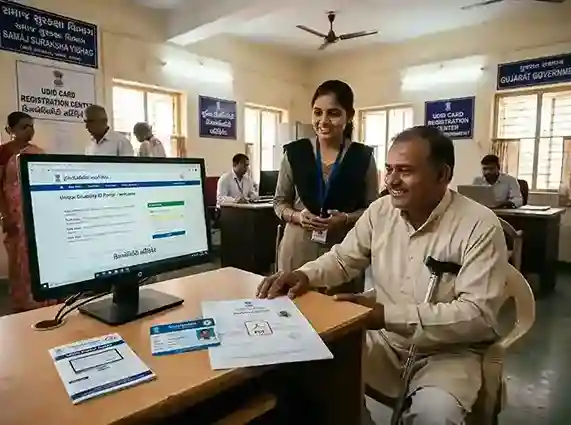
This page is a complete, verified guide to the disability certificate in Gujarat and across India. Whether you want to apply for a disability certificate online, check your disability certificate status, download your disability certificate PDF, understand the eligibility and documents, or know the benefits | everything is covered below. Use the table of contents in the sidebar to jump to any section.
What is a Disability Certificate?
A disability certificate is an official government document issued by a competent medical authority that certifies a person's type and percentage of disability. It is issued under the Rights of Persons with Disabilities (RPWD) Act, 2016 (earlier under the Persons with Disabilities Act, 1995). The certificate is the primary document that enables persons with disabilities (PwD) | also called Divyangjan | to access government benefits, reservations, concessions, and welfare schemes across India.
The Government of India has digitized the entire process of issuing disability certificates through the UDID (Unique Disability ID) Project managed by the Department of Empowerment of Persons with Disabilities (DEPwD) under the Ministry of Social Justice and Empowerment. The UDID card integrates the disability certificate with a unique identification number, making it a single, portable document accepted across the country. For Gujarat residents, the same UDID system applies, administered through government hospitals under the Health and Family Welfare Department, Government of Gujarat.
A disability certificate in Gujarat and across India is issued when the assessed disability is 40% or more. The certificate specifies the type of disability, the percentage, and whether the disability is permanent or temporary. This document is mandatory for availing reservations in government jobs, admission quotas in educational institutions, income tax benefits, concessions in public transport, and state government welfare schemes like Divyang Sahay in Gujarat.
21 Types of Disabilities Recognized Under RPWD Act 2016
Disability Certificate Eligibility Criteria
To obtain a disability certificate in Gujarat or anywhere in India, an applicant must meet the following eligibility criteria. These are governed by the Rights of Persons with Disabilities Act, 2016 and the UDID guidelines issued by DEPwD.
40% or More Disability
The assessed disability must be 40% or higher as determined by the medical board. Persons with less than 40% disability are not eligible for a disability certificate, though they may qualify for other support.
Indian Citizen
The applicant must be an Indian citizen. There is no minimum age requirement | infants, children, and adults all can apply. Parents/guardians can apply on behalf of minors.
One of 21 Recognized Disabilities
The disability must fall under the 21 specified categories recognized under the RPWD Act, 2016. This includes physical, sensory, intellectual, and multiple disabilities.
Assessment by Medical Authority
The applicant must be assessed by the designated government medical authority (Civil Surgeon, CMO, or notified specialist) who will evaluate and certify the disability percentage.
Who Can Issue a Disability Certificate?
In Gujarat, a disability certificate can be issued by the following medical authorities:
- Civil Surgeon / Chief Medical Officer (CMO) at District Civil Hospital | for most disability types
- Medical Board constituted by the State Government | for complex or high-percentage cases
- Designated Specialist Doctors | for specific disabilities (e.g., ophthalmologists for visual impairment, ENT specialists for hearing disability certificate, psychiatrists for mental illness)
- Notified hospitals under the UDID portal system | all Government Civil Hospitals in Gujarat
For a hearing impairment disability certificate, the specialist must be a qualified ENT surgeon. For low vision disability certificate or eye disability certificate, an ophthalmologist or eye specialist must assess the applicant. For physical disability certificate (locomotor), an orthopedic surgeon is the competent authority.
Documents Required for Disability Certificate
Before you apply for a disability certificate online or offline in Gujarat, ensure you have all the following documents ready. Incomplete applications are common reasons for delays in getting your disability certificate.
Aadhaar Card
Mandatory for UDID application and identity verification. Linked to DBT benefits.
Passport-size Photograph
Recent colour photograph (white/light background). 2 copies required for offline.
Date of Birth Proof
Birth certificate, school leaving certificate, or Aadhaar (if DOB is printed).
Address Proof
Aadhaar, ration card, voter ID, or utility bill showing Gujarat address.
Medical Records / Reports
Hospital discharge summary, X-rays, audiograms, or diagnostic reports related to the disability.
Referral Letter (if any)
Doctor's referral for assessment, if you have an existing medical record from a private/government hospital.
Caste Certificate (if applicable)
SC/ST/OBC certificate for category-specific schemes and benefits in Gujarat.
Mobile Number
Active mobile number linked to Aadhaar for OTP-based verification on UDID portal.
Email ID
Required for UDID online portal registration and receiving application status updates.
How to Apply for Disability Certificate Online (UDID Portal)
The disability certificate apply online process in Gujarat is done through the national UDID portal (udid.gov.in). This is the same portal used across all states. Follow the step-by-step process below to apply for disability certificate online in 2026.
-
1
Visit the UDID Portal | udid.gov.in
Go to the official UDID portal at udid.gov.in. On the homepage, click on "Register for Disability Certificate" or "Apply for Disability Certificate". This is the official portal for disability certificate online application across India including Gujarat.
-
2
Register as a New User
Click "Applicant Login" → "New Registration". Enter your name, mobile number, email ID, and create a password. Verify your mobile number via OTP. Your username will be sent to your registered mobile/email.
-
3
Fill the Disability Certificate Application Form
Log in with your credentials. Go to "Apply for Disability Certificate". Fill in personal details (name, DOB, address, gender), Aadhaar number, and select Gujarat as your state and your district. Upload your photograph and required documents.
-
4
Select Disability Type and Enter Medical Details
Select the type of disability (from the 21 categories), describe the disability, and upload any existing medical reports, diagnostic tests, or hospital records. You can select multiple disability types if you have more than one disability (for multiple disabilities or unique disability certificate purposes).
-
5
Select the Medical Authority / Government Hospital
Choose the nearest government hospital or designated medical centre in Gujarat. Common centres include the District Civil Hospital, Government Medical College hospitals, and other notified government hospitals. The system will show available centres in your district.
-
6
Submit the Application
Review all details carefully, then submit the application. You will receive an Application/Enrollment Number via SMS and email. Save this number | you will need it to check disability certificate status later.
-
7
Attend Medical Assessment at the Government Hospital
Visit the selected government hospital/medical centre on the assigned date (you may receive an appointment SMS, or you can walk in during OPD hours). The medical board/specialist will assess your disability. Carry all original documents and the application printout.
-
8
Certificate Issued & UDID Card Dispatched
After assessment, the doctor will update the system. Once approved, the e-Disability Certificate will be available for download on the UDID portal. The physical UDID card (Unique Disability ID card) will be dispatched to your address by post within 15–30 working days.
How to Check Disability Certificate Status Online
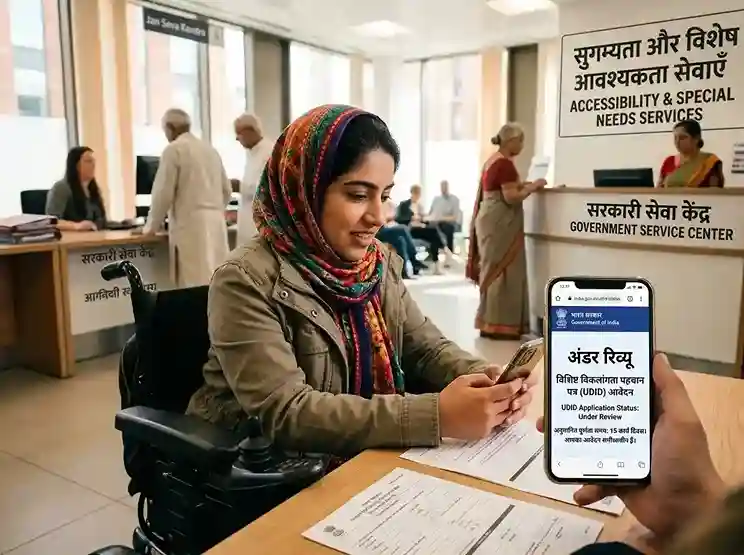
After submitting your application, you can easily check your disability certificate status online without visiting any office. The UDID portal provides real-time tracking of your application. Here is the step-by-step process for disability certificate status check:
-
1
Go to udid.gov.in
Visit the official UDID portal at udid.gov.in. On the homepage, find the "Track Your Application Status" or "Disability Certificate Status Check" option in the menu.
-
2
Enter Your Details
Enter your Enrollment Number (received after submitting the application) and your date of birth. Alternatively, log in to your applicant account and navigate to "My Application" to check the current status.
-
3
View Disability Certificate Status
The system will display the current stage of your application: Submitted → Pending Medical Assessment → Under Review → Approved / Rejected → Certificate Issued → UDID Card Dispatched. You can also check your disability certificate number here once approved.
Disability Certificate Status | What Each Stage Means
| Status Shown | Meaning | Action Required |
|---|---|---|
| Application Submitted | Your online application has been received. | Wait for appointment/visit the hospital. |
| Pending Medical Assessment | Application sent to the medical authority. Assessment not yet done. | Visit the designated hospital for assessment. |
| Medical Assessment Done | Doctor has examined and entered findings in the system. | Wait for official approval. |
| Under Review / Verification | Application is being reviewed by the CMO or medical board. | No action needed; wait for update. |
| Approved / Certificate Generated | Your disability certificate has been approved and generated. | Download the e-Disability Certificate from the portal. |
| UDID Card Dispatched | Physical UDID card has been printed and sent by post. | Track the speed post delivery to your address. |
| Rejected / Returned | Application rejected or returned for additional documents. | Check reason, submit additional docs or re-apply. |
📱 Track via UDID Mobile App
You can also check your disability certificate online check and status via the official UDID Mobile App, available on Google Play Store (search "UDID App"). Log in with your credentials to view application status, download your e-certificate, and check your disability certificate number on the go.
How to Download Disability Certificate PDF
Once your disability certificate application is approved, you can download disability certificate as a PDF directly from the UDID portal. The e-Disability Certificate is digitally signed, legally valid across India, and can be used for all government and private purposes. Here is how to download disability certificate PDF:
-
1
Log In to UDID Portal
Visit udid.gov.in and log in with your applicant credentials (username and password created during registration).
-
2
Go to "Download e-Disability Certificate"
In your applicant dashboard, click on "Download e-Disability Certificate" or navigate to "My Certificates" section. The option will be active only after your certificate is approved.
-
3
Download and Save the PDF
Click the download button. The disability certificate download PDF will be generated with your name, disability type, percentage, and a digitally signed QR code. Save the file to your device. This serves as the official disability certificate download PDF India-wide.
Disability Certificate in Gujarat | Specific Details
While the UDID portal provides a national framework, here are Gujarat-specific details for getting a disability certificate in Gujarat. The process in Gujarat is well-organized with district-level civil hospitals serving as the primary assessment centres.
Where to Apply for Disability Certificate in Gujarat (Offline)
| District | Primary Assessment Centre | Contact / CMO Office |
|---|---|---|
| Ahmedabad | Civil Hospital Ahmedabad (1200-bed) | CMO Office, Asarwa, Ahmedabad |
| Surat | New Civil Hospital Surat | CMO Office, Majura Gate, Surat |
| Vadodara | SSG Hospital (Sir Sayajirao General Hospital) | CMO, SSG Campus, Vadodara |
| Rajkot | Civil Hospital Rajkot | CMO Office, Rajkot |
| Gandhinagar | Civil Hospital Gandhinagar | CMO Office, Sector 12, Gandhinagar |
| Bhavnagar | Sir T Hospital Bhavnagar | CMO Office, Bhavnagar |
| Jamnagar | G.G. Hospital Jamnagar | CMO Office, Jamnagar |
| Junagadh | Civil Hospital Junagadh | CMO Office, Junagadh |
| Anand | District Civil Hospital Anand | CMO Office, Anand |
| Mehsana | Civil Hospital Mehsana | CMO Office, Mehsana |
Disability Certificate Validity & Renewal in Gujarat
A disability certificate can be issued as either permanent or temporary, depending on the nature of the disability:
- Permanent disability certificate: Issued when the disability is irreversible (e.g., loss of limb, blindness, congenital conditions). It does not require renewal and is valid for lifetime.
- Temporary disability certificate: Issued when the disability may change over time (e.g., post-injury, certain treatable conditions). The certificate specifies an expiry date and a disability certificate renewal date.
- Disability certificate renewal: Apply for renewal before expiry on the UDID portal. A fresh medical assessment may be required. The process is the same as the original application.
Disability Certificate Benefits in India & Gujarat
Obtaining a valid disability certificate unlocks a wide range of disability certificate benefits | from government job reservations and educational quotas to income tax deductions, railway concessions, and state government welfare schemes. Here is a comprehensive list of benefits available to persons with disabilities in India, with special emphasis on Gujarat.
Reservation in Government Jobs
4% horizontal reservation in central government jobs (increased from 3% in 2017 under RPWD Act). Gujarat state also provides reservation in state government posts.
Educational Reservation
5% reservation in central universities, IITs, NITs, and most state educational institutions for students with disability certificate (benchmark disability | 40%+).
Income Tax Deduction (Section 80U)
₹75,000 deduction for 40–79% disability; ₹1,25,000 for severe disability (80%+). Under the old tax regime as per Income Tax Act.
Railway Disability Concession
25% to 75% concession on railway travel for persons with disability and one escort. A railway disability certificate or valid UDID card is required to avail this concession.
Concession in State Bus Travel
Gujarat State Road Transport Corporation (GSRTC) provides 50% to 100% concession in bus fares for persons with valid disability certificates. The concession certificate for persons with disabilities (Divyangjan) must be shown.
Priority in Housing Schemes
Priority allotment in government housing schemes (PMAY, Gujarat Housing Board) for persons with disabilities holding a valid certificate.
Free/Subsidized Assistive Devices
Free wheelchairs, hearing aids, crutches, prosthetics, and other assistive devices under the ADIP Scheme (Assistance to Disabled Persons) managed by DEPwD.
Divyang Sahay | Gujarat State Scheme
Gujarat government's Divyang Sahay scheme provides financial assistance, free equipment, and other support to Divyangjan in Gujarat holding a valid disability certificate.
Scholarships for Students with Disabilities
National Scholarship Portal (NSP) scholarships for Divyangjan students at pre-matric and post-matric levels. Separate scholarships for students with disabilities in Gujarat via the Digital Gujarat portal.
Free Legal Aid
Persons with disabilities are entitled to free legal aid under Section 12 of the Legal Services Authorities Act. UDID card or disability certificate is accepted as proof.
Priority in Bank Loans
Priority lending under PMEGP and other government schemes for self-employment of Divyangjan. Lower interest rates and margin money subsidy for entrepreneurs with disability certificates.
Vehicle Tax Exemption
Exemption from road tax on specially-adapted vehicles for persons with disabilities in Gujarat. Motor Vehicles Act provisions apply with a valid disability certificate.
UDID Card | Unique Disability ID (Unique Disability Certificate)
The Unique Disability ID (UDID) card | also known as the unique disability certificate | is the integrated disability card issued by the Department of Empowerment of Persons with Disabilities (DEPwD), Government of India. It serves as both the disability certificate and a portable ID card for persons with disabilities across India. Here is everything you need to know:
What Information Does the UDID Card Contain?
- Name of the person with disability
- Disability certificate number (unique 18-digit UDID number)
- Type of disability (from 21 categories)
- Percentage of disability
- Date of issuance and validity period
- Photograph and QR code (for digital verification)
- Name of the issuing medical authority
- State and district of issuance
Benefits of the UDID Card Over the Traditional Disability Certificate
- Single document replacing multiple certificates across different departments
- Accepted at all government offices across India | no need for state-specific re-issuance
- Digital QR code enables instant verification by employers, educational institutions, and government offices
- Linked to the national database | can be verified online without physical document
- Eliminates fake certificates | each UDID number is unique and verifiable
- Easier to carry than multiple paper documents
- Can be used to download disability certificate PDF anytime via the UDID portal
Disability Certificate Across States | How Gujarat Compares
While the UDID portal provides a national platform for disability certificate apply online, individual state portals and offline processes differ. Here is a comparison of the disability certificate process across major states to help you understand how Gujarat's system compares:
| State | Online Portal | Key Feature | Processing Time |
|---|---|---|---|
| Gujarat | udid.gov.in + District Civil Hospital | Integrated UDID system; Divyang Sahay scheme | 15–45 days |
| Odisha | udid.gov.in (disability certificate Odisha) | Odisha state also routes through national UDID portal | 20–60 days |
| West Bengal | wbdisability.gov.in + udid.gov.in (WB disability certificate) | State portal with PWD card; integrated with UDID | 30–60 days |
| Rajasthan | sso.rajasthan.gov.in (disability certificate Rajasthan) | SSO integration; disability certificate download Rajasthan available | 20–45 days |
| Uttar Pradesh | udid.gov.in (UP disability certificate) | High volume; district-level DPO processes applications | 30–90 days |
| Bihar | udid.gov.in (Bihar disability certificate) | Government hospital-based assessment; DRDA coordination | 30–90 days |
| Haryana | udid.gov.in (disability certificate Haryana) | SARAL Portal integration in Haryana for tracking | 20–45 days |
| Maharashtra | udid.gov.in (Maharashtra disability certificate) | Maha-DBT integration for benefit delivery | 15–45 days |
| Tamil Nadu | udid.gov.in (disability certificate in Tamil Nadu) | TNSOCIALWELFARE portal for state schemes | 20–45 days |
| Telangana | udid.gov.in (disability certificate Telangana) | T-Portal for state disability welfare benefits | 20–60 days |
| Delhi | udid.gov.in (disability certificate Delhi) | District DPO offices; Delhi government supplementary schemes | 15–45 days |
| Madhya Pradesh | udid.gov.in (disability certificate MP) | MP e-Disability portal for state tracking | 30–60 days |
| Kerala | udid.gov.in (disability certificate Kerala) | CMDRF integration; quick processing in most districts | 15–30 days |
Medical Authority to Issue Disability Certificate
Understanding the medical authority to issue disability certificate is important to ensure you approach the correct doctor or board. The authority depends on the type of disability and the percentage. Here is a complete breakdown:
| Disability Type | Competent Medical Authority | Minimum Qualification |
|---|---|---|
| Locomotor / Physical Disability | Civil Surgeon, CMO, or Orthopedic Surgeon | MS/DNB Orthopedics or equivalent |
| Visual Impairment / Eye Disability Certificate | Ophthalmologist | MD/DNB Ophthalmology or equivalent |
| Hearing Impairment / Hearing Disability Certificate | ENT Specialist (Otolaryngologist) | MS/DNB ENT or equivalent |
| Intellectual Disability / Mental Disability Certificate | Psychiatrist or Neurologist | MD Psychiatry / DPM or equivalent |
| Autism Spectrum Disorder | Psychiatrist or Developmental Pediatrician | MD Psychiatry + specialized training |
| Specific Learning Disabilities (SLD) | Clinical Psychologist | M.Phil Clinical Psychology (RCI Registered) |
| Mental Illness | Psychiatrist | MD Psychiatry or equivalent |
| Cerebral Palsy | Neurologist or Physiatrist | MD Neurology or equivalent |
| Blindness | Ophthalmologist | MS/MD Ophthalmology |
| Low Vision Disability Certificate | Ophthalmologist | MS/MD Ophthalmology (trained in low vision) |
| Multiple Disabilities | Medical Board (minimum 3 specialists) | Relevant specialists for each disability type |
| One Eye Disability Certificate / One Ear Deaf | Ophthalmologist (eye) / ENT (ear) | Respective specialist |
For permanent disability certificate cases with 75% or more disability, the assessment must typically be done by a Medical Board consisting of at least two or three specialists. For a physical disability certificate or medical disability certificate up to 40–74%, a single designated specialist at a government hospital is usually sufficient.
Disability Certificate Format and Application Form
The disability certificate format is nationally standardized by the Department of Empowerment of Persons with Disabilities (DEPwD). The certificate must follow the prescribed format under the RPWD Act, 2016 and the UDID guidelines. Key details that appear on a disability certificate format PDF include:
- Name and address of the applicant
- Date of birth and age
- Type of disability (from 21 categories)
- Percentage of disability (e.g., 40%, 60%, 80%)
- Nature: Permanent or Temporary (with validity date if temporary)
- Name, designation, and signature of the issuing medical authority
- Official stamp of the hospital/medical board
- UDID number (if applied through UDID portal)
- Photograph of the applicant
- Date of issue
The disability certificate application form (Form I under the RPWD Act or the UDID online form) asks for similar information from the applicant's side. You can access the disability certificate form both online (at udid.gov.in) and offline (at CMO offices / District Civil Hospitals in Gujarat). The disability certificate meaning in Hindi is "विकलांगता प्रमाण पत्र" (Viklangataa Praman Patra) | the same document, valid across language barriers nationally.
🔤 Disability Certificate Meaning in Other Languages
Hindi: विकलांगता प्रमाण पत्र (Viklangataa Praman Patra) | Gujarati: અશક્તતા પ્રમાણપત્ર (Ashaktataa Pramanpatra) | Marathi: अपंगत्व प्रमाणपत्र (Apangatva Pramanpatra) | Bengali: প্রতিবন্ধিতা সনদ (Protibandhita Sanod) | Tamil: மாற்றுத்திறனாளர் சான்றிதழ் | Telugu: వికలాంగుల ప్రమాణపత్రం
Concession Certificate for Persons with Disabilities (Divyangjan) | Railway & Bus
One of the most utilized benefits of a disability certificate is the concession certificate for persons with disabilities (Divyangjan) for public transport. Here is everything you need to know about railway and bus concessions for Divyangjan in 2026:
Railway Disability Certificate / Railway Concession for Divyangjan
Indian Railways offers significant travel concessions to persons with disabilities. The railway disability certificate or UDID card must be presented at the time of booking or boarding. Key details:
- Concession percentage: 25% to 75% depending on the type of disability, class of travel, and type of train
- Escort concession: One escort accompanying the person with disability also gets a concession (usually 25%)
- Season ticket: Special season ticket concessions for daily commuters
- Concession is available on Rajdhani, Shatabdi, Duronto, and all mail/express trains
- To apply: Present UDID card or disability certificate at the railway booking counter or use the IRCTC website/app (concession option during booking)
- Concession certificate for persons with disabilities Divyangjan PDF format is available from Indian Railways zonal offices or can be downloaded from the UDID portal
| Category of Disability | Concession % (Passengers) | Concession % (Escort) |
|---|---|---|
| Orthopaedically Handicapped | 50–75% | 50% |
| Visually Impaired (Blindness) | 50–75% | 50% |
| Hearing Impaired (Deaf/Mute) | 50% | 50% |
| Mental Illness | 50% | 50% |
| Thalassaemia Patients | 50% | 50% |
| Cancer Patients (non-disability) | Separate scheme | Escort 50% |
Common Issues & How to Resolve Them
Many applicants face problems during the disability certificate apply online process or while checking their disability certificate status. Here are the most common issues and their solutions:
Application Stuck in "Pending Medical Assessment"
This means you need to visit the hospital for your assessment. If you have already done so and the status hasn't changed, contact the CMO/disability cell at the hospital with your application number to get the status updated.
Unable to Download Disability Certificate PDF
The download option becomes active only after approval. If your status shows "Approved" but download fails, try a different browser (Chrome/Firefox), clear cache, or use the UDID mobile app. If the issue persists, contact the UDID helpdesk.
Disability Certificate Rejected
Rejection usually happens due to incomplete documents, disability below 40%, or incorrect disability type claimed. Read the rejection reason carefully on the portal, gather additional medical evidence, and re-apply or appeal to the medical board.
Name / DOB Mismatch with Aadhaar
The name on the disability certificate application must exactly match your Aadhaar card. If there is a mismatch, correct your Aadhaar first at an Aadhaar enrolment centre, then apply for the disability certificate. This is a very common reason for application rejections.
UDID Card Not Received by Post
If the UDID card dispatch status shows but the card hasn't arrived within 30 days, log in to the portal and check the tracking number. You can request a duplicate card if the original is lost or not received. Contact the UDID helpdesk at 1800-11-4515.
Forgot UDID Portal Login Credentials
Use the "Forgot Password" option on udid.gov.in. Enter your registered mobile number or email to receive a reset link. If your mobile number has changed, contact the UDID helpdesk with your application/enrollment number for account recovery.