Marriage Function Registration Gujarat 2026 |
Apply Online @ digitalgujarat.gov.in
Everything you need to register a marriage function in Gujarat, step-by-step online application, required documents, processing time, and FAQs in one place.
Quick Answer
Marriage Function Registration in Gujarat is done online at digitalgujarat.gov.in. Log in → Request New Service → select "Online Registration for Organizing Marriage Function" → fill form → upload documents → submit. Required documents: Aadhaar cards of bride & groom, marriage invitation, venue proof, photographs. Processing time: 3–7 working days. Helpline: 1800-233-5500.
| Service Name | Online Registration for Organizing Marriage Function |
| Official Portal | www.digitalgujarat.gov.in |
| Issued By | Government of Gujarat / Local Municipal Authority |
| Application Mode | Online (Digital Gujarat Portal) or at Civic Centres |
| Applicable Acts | Gujarat Compulsory Registration of Marriage Act, 2006; Special Marriage Act, 1954; Hindu Marriage Act, 1955 |
| Processing Time | 3–7 working days after submission |
| Application Fee | Free (portal registration & submission) |
| Status Updates | SMS & Email notifications |
| Helpline | 1800-233-5500 (Toll-Free) · digitalgujarat@gujarat.gov.in |
| Apply at Least | 15 days before the marriage function date |
What Is It?
Marriage Function Registration in Gujarat | A Complete Overview
Last updated: May 2026In Gujarat, organizing a marriage function is not just a social celebration, it is also a matter of government record. The Government of Gujarat requires families to formally register marriage functions through the Digital Gujarat portal at digitalgujarat.gov.in. This online service, officially called "Online Registration for Organizing Marriage Function," ensures that local authorities are aware of large gatherings, the venue is compliant with local regulations, and the event is properly documented for any future legal requirements.
It is important to understand that marriage function registration and marriage certificate registration are two separate processes. Marriage function registration is about getting permission or officially recording the event of the wedding ceremony itself; the gathering, the venue, the date. The marriage certificate, on the other hand, is the legal document that proves a marriage has taken place, issued under the Hindu Marriage Act, 1955 or the Special Marriage Act, 1954, and obtained through the eNagar portal or sub-registrar's office.
Since the COVID-19 pandemic, the Gujarat government made online registration of marriage functions mandatory to regulate gatherings, enforce protocols, and maintain official records. Even after restrictions have been lifted in 2026, the Digital Gujarat portal continues to offer this service as part of its suite of citizen-friendly online government services.
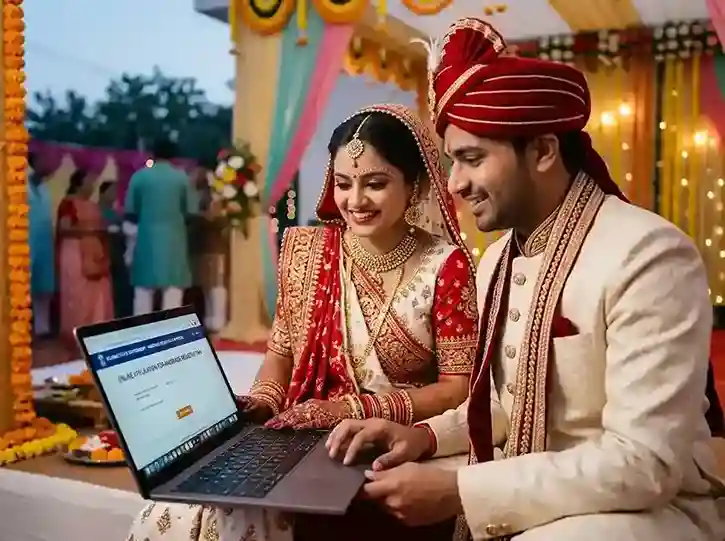
Who Needs to Register?
Who Must Register a Marriage Function in Gujarat?
The following circumstances typically require you to register your marriage function through the Digital Gujarat portal.
Banquet Hall / Venue Functions
Any marriage function organised at a licensed banquet hall, community centre, or commercial venue in Gujarat typically requires prior registration with local authorities through the Digital Gujarat portal.
Large Home / Open-Air Functions
Functions held at private residences or open grounds with expected attendance above a certain threshold set by the local municipal corporation must be registered to ensure compliance with noise, safety, and crowd regulations.
All Gujarat Residents
Any resident of Gujarat planning to organise a marriage function irrespective of religion, caste, or category can and should register through the Digital Gujarat portal. The service is open to all citizens.
For Legal & Insurance Purposes
Registration provides an official government record of the event date and venue. This can be useful in future proceedings related to marriage certificate verification, insurance claims, or dispute resolution.
Who Is the Groom/Bride Age Requirement?
For the marriage certificate (which typically follows the function), the minimum age requirement under Gujarat law is: Groom 21 years and Bride 18 years, as per the Hindu Marriage Act, 1955. A pending legislative proposal may raise the women's minimum age to 21, but as of 2026 this change has not been enacted. Both parties must give free and voluntary consent.
For NRI couples, an additional No Objection Certificate (NOC) from the respective embassy of the foreign national is required before the marriage function can proceed and be registered.
Documents Checklist
Documents Required for Marriage Function Registration in Gujarat
Prepare these documents before starting your online application. All uploads must be in PDF or JPG format, each file under 200 KB.
📄 For the Bride & Groom
🏛️ For the Marriage Function / Venue
Step-by-Step Process
How to Apply for Marriage Function Registration Online in Gujarat
Follow these 8 steps on the Digital Gujarat portal. The entire process takes approximately 15–20 minutes.
-
1
Visit the Digital Gujarat Portal
Open your browser and go to www.digitalgujarat.gov.in. This is the official Government of Gujarat citizen services portal. If you are accessing this for the first time, you will need to create an account. If you already have login credentials from a previous service (such as income certificate, caste certificate, or scholarship application), you can use the same account.
📌 Bookmark digitalgujarat.gov.in you will use this portal for all future government service applications. -
2
New Registration (First-Time Users Only)
Click the "New Registration" button on the homepage. Enter your full name, mobile number, email address, and create a secure password. An OTP will be sent to your registered mobile number. Enter the OTP to verify your account and complete registration. You will receive your login credentials via SMS and email.
📌 Your mobile number becomes your primary login ID. Use the same number that is linked to your Aadhaar card. -
3
Log In to Your Account
Click the "Login" button on the top-right of the homepage. Enter your registered mobile number or email ID and your password. Complete the CAPTCHA verification. Click "Login" to access your personal dashboard.
-
4
Complete Your Profile (If Not Already Done)
Before applying for any service, ensure your profile is complete. Click on "My Profile" from the dashboard. Fill in all mandatory fields including your personal details, Aadhaar number, and address. Upload a passport-size photograph. Click "Update Profile" and verify any OTP if prompted.
📌 An incomplete profile may prevent you from submitting service applications. Completing it takes less than 5 minutes. -
5
Click "Request New Service"
From your dashboard, locate and click the "Request New Service" link or button. A list of available government services will appear. Scroll through the categories or use the search bar to find the marriage function registration service quickly.
-
6
Select "Online Registration for Organizing Marriage Function"
From the services list, click on "Online Registration for Organizing Marriage Function". The application form for this service will open. Read all instructions carefully before proceeding. Select the applicable financial year or period if prompted.
📌 If you cannot find this service in the list, use the search box and type "marriage function" to filter results directly. -
7
Fill in the Application Form
The form will ask for the following information. Fill every field carefully and accurately:
Bride's Details: Full name, date of birth, father's name, address, Aadhaar number.
Groom's Details: Full name, date of birth, father's name, address, Aadhaar number.
Marriage Function Details: Date of marriage, time, venue name, complete venue address, district, taluka, and pin code.
Guest Count: Expected number of attendees.
Organiser Contact: Name and mobile number of the person managing the event.📌 Double-check all names and dates before moving to the upload step. Name mismatches are the #1 reason for rejection. -
8
Upload Documents, Submit & Track Status
Upload all required documents Aadhaar cards, invitation card, venue proof, and photographs in PDF or JPG format, each under 200 KB. Review your complete application once more. Check the box "I agree with the terms and conditions" and click "Submit."
You will receive an Application Reference Number on screen and via SMS. Save this number. To track your status, log back into digitalgujarat.gov.in → go to "My Applications" → check the status column. Once approved, download and print your marriage function permission letter.
📌 Keep a printed copy of the permission letter at the venue on the day of the function, as local officials may ask for it during the event.
Application Tracking
Understanding Your Application Status
After submitting, you can track your application on the portal. Here is what each status means.
Pending / Under Review
Your application has been received and is being reviewed by the relevant local authority. No action needed at this stage. Allow 3–7 working days.
Query Raised
The authority has a question or has requested additional or corrected documents. Log in immediately, check the query details on your dashboard, re-upload the correct documents, and resubmit.
Approved
Your marriage function registration is approved. Download the permission letter from your dashboard and print it. Keep it available at the venue on the function day.
Rejected
Application has been rejected. Check the reason in your dashboard. Common reasons: incorrect documents, name mismatch, expired certificates, or incomplete form. Correct the issues and reapply.
Know the Difference
Marriage Function Registration vs. Marriage Certificate | What's the Difference?
Many people confuse these two. Here is a clear comparison to help you understand what you need and when.
| Aspect | Marriage Function Registration | Marriage Certificate |
|---|---|---|
| Purpose | Registers the event/gathering with local authorities | Legal proof that a marriage has occurred |
| When to Apply | Before the marriage function (minimum 15 days in advance) | During or after the marriage ceremony |
| Portal / Office | digitalgujarat.gov.in | enagar.gujarat.gov.in or Sub-Registrar Office |
| Applicable Law | Local municipal guidelines & gathering regulations | Hindu Marriage Act, 1955 / Special Marriage Act, 1954 / Gujarat Compulsory Registration of Marriage Act, 2006 |
| Is it Mandatory? | Recommended / mandatory for large gatherings and regulated venues | Compulsory under law in Gujarat for all marriages |
| Processing Time | 3–7 working days | 7–30 working days |
| Fee | Free (portal) | Nominal stamp duty / local body fee may apply |
| Documents | Aadhaar, invitation, venue proof, photos | Age proof, address proof, witness details, marriage photos, invitation, Aadhaar |
| Output | Function Permission Letter (downloadable PDF) | Digitally signed Marriage Certificate (downloadable PDF) |
What Comes Next
After Your Marriage Function | What to Do Next
Once your marriage function registration is approved and your wedding ceremony has taken place, there are several important follow-up steps to complete. The most critical is getting your official Marriage Certificate, which is a legal requirement under the Gujarat Compulsory Registration of Marriage Act, 2006.
Step 1 Apply for Your Marriage Certificate
Within 30 days of the marriage, visit enagar.gujarat.gov.in or your local municipal corporation (Nagarpalika) to apply for the Marriage Certificate. For marriages under the Hindu Marriage Act, 1955, you apply at the Sub-Registrar's office with jurisdiction over the area where the marriage took place or where one of the parties resides.
For the Special Marriage Act, 1954, the process involves a mandatory 30-day public notice period before registration. Applications for both processes can now be initiated online through the eNagar portal.
Step 2 Update Government Documents
After receiving your marriage certificate, the bride (or either party, if applicable) may wish to update their name or address on key documents including Aadhaar Card (visit uidai.gov.in), PAN Card (visit incometax.gov.in or NSDL), Passport (via Passport Seva Portal), Bank account records, and Voter ID (via eci.gov.in).
Step 3 Joint Bank Account & Insurance
The marriage certificate enables you to open a joint bank account, update beneficiary nominations on life insurance policies, access spousal health insurance, claim pension or government benefits, and apply for spousal visa if one party is an NRI. Keep multiple certified copies of the marriage certificate for different applications.
Important: NRI Marriages in Gujarat
If one of the parties is an NRI (Non-Resident Indian), additional documentation is required both for the function registration and for the marriage certificate. You will need: a copy of the foreign passport, NOC from the relevant embassy, proof of address abroad, and in some cases, an affidavit confirming marital status. Processing times may be longer. Consult your local Sub-Registrar office for NRI-specific guidance.
Penalties for Non-Registration
Under the Gujarat Compulsory Registration of Marriage Act, 2006, failing to register a marriage within the prescribed period can attract a fine. While the authorities have generally adopted a facilitative approach rather than punitive enforcement, it is strongly advisable to register your marriage promptly to avoid any future complications in legal proceedings, property rights, or government benefit claims.
Offline Option
How to Register Your Marriage Function Offline in Gujarat
If you are unable to use the Digital Gujarat portal, you can complete the registration process in person at your local civic centre or municipal body office.
Visit Civic Centre or Municipal Office
Go to the nearest civic centre of your local body (Nagarpalika, Municipal Corporation, or Gram Panchayat). Ask for the Marriage Function Registration service counter. Carry all original documents along with self-attested photocopies.
Fill the Physical Application Form
Obtain and fill the application form at the counter. Provide all details about the bride, groom, marriage date, venue, and expected guest count. Attach all required documents Aadhaar, invitation, venue proof, and photographs.
Submit & Get Acknowledgement
Submit the completed form and documents at the counter. You will receive an acknowledgement slip with a reference number. Collect your permission letter once approved, typically within 3–7 working days, or check with the office for their specific turnaround time.
eNagar Portal (Alternative)
For marriage certificate registration (a separate process), citizens can also apply at Civic Centres using the eNagar portal (enagar.gujarat.gov.in). Civic centre staff can assist with the online filing process on your behalf.
FAQs
Frequently Asked Questions | Marriage Function Registration Gujarat
Answers to the most commonly searched questions about this service.
Marriage Function Registration in Gujarat is an online government service available at digitalgujarat.gov.in that allows families to officially register a marriage event (the ceremony/gathering) with local authorities. The service, called "Online Registration for Organizing Marriage Function," captures details such as the bride and groom's information, marriage date, venue, and expected guest count. It is separate from the Marriage Certificate, which is the legal proof of marriage obtained through the eNagar portal or sub-registrar.
As of 2026, there are no state-wide mandates specifically requiring all marriage functions to be registered. However, registration is strongly recommended for all functions, especially those held at licensed venues, banquet halls, or with large guest counts. Local municipal bodies may have their own requirements. During any declared emergency or public health situation, the Gujarat government may re-impose mandatory registration and guest-count limits. Separately, marriage certificate registration is compulsory under the Gujarat Compulsory Registration of Marriage Act, 2006.
It is advisable to apply for marriage function registration at least 15 days before the scheduled marriage date. The processing time on the Digital Gujarat portal is typically 3–7 working days, but this can vary based on the volume of applications and whether the authority raises any queries on your application. Applying early gives you enough buffer to address any issues before the function date.
Required documents include: Aadhaar Card of bride and groom, Marriage Invitation Card (showing name, date, and venue), Venue address proof (booking receipt or lease document), Passport-size photographs of bride and groom, Declaration of expected guest count, and if needed, venue owner's NOC. For NRI parties: copy of passport and NOC from their respective embassy. All documents must be in PDF or JPG format, each under 200 KB.
The Digital Gujarat portal does not charge any fee for account creation or application submission. Online registration for organising a marriage function is provided as a free citizen service. However, if your local municipal body (Nagarpalika or Municipal Corporation) charges a nominal administrative fee for issuing the permission letter, that may be payable at the civic centre. Check with your local body for any such charges. The portal itself is always free.
After submitting your application on the Digital Gujarat portal, approval typically takes 3 to 7 working days. You will receive SMS and email notifications on status updates. If the authority raises a query (requests additional or corrected documents), the clock resets after you resubmit. To avoid delays, ensure all documents are accurate and complete at the time of your first submission.
Yes, if you already have a Digital Gujarat account (used previously for scholarship applications, income certificates, or other services), you do not need to register again. Simply log in with your existing mobile number or email and password, then go to "Request New Service" and select "Online Registration for Organizing Marriage Function." Your profile details will already be saved on the portal.
If your application is rejected, log into your Digital Gujarat account and check the rejection reason listed in your application dashboard. Common reasons include: name mismatch between documents, incorrect venue details, missing documents, expired certificates, or insufficient file resolution. Correct the identified issues and reapply through the portal. For persistent issues, call the helpline at 1800-233-5500 or email digitalgujarat@gujarat.gov.in.
As of 2026, there is no state-wide restriction on guest numbers for marriage functions in Gujarat under normal civil conditions. The licensed capacity of the venue and local municipal by-laws apply. During the COVID-19 pandemic, guest counts were restricted (at various times to 50 or 400 guests); these restrictions have since been lifted. However, if the Gujarat government declares a new public health emergency or local disaster, guest count limits may be reintroduced. Always check the latest guidelines from your district administration before the function.
The official helpline for the Digital Gujarat portal is 1800-233-5500 (toll-free). For technical issues with the portal, email digitalgujarat@gujarat.gov.in. For marriage certificate related queries (eNagar portal), contact your local municipal corporation directly. You can also raise a formal grievance at digitalgujarat.gov.in/Grievance.
Related Services
Other Gujarat Government Services You May Need
These related government services are commonly required alongside marriage function registration.
Marriage Certificate Gujarat
Get your official, legally valid marriage certificate through the eNagar portal (enagar.gujarat.gov.in). Required for passport applications, name changes, visa, and joint bank accounts.
Read Full Guide →Digital Gujarat Scholarship 2026
The Gujarat government offers 33+ scholarship schemes for SC, ST, OBC, SEBC, EWS, and Minority students. Apply online at digitalgujarat.gov.in. Amounts from ₹940 to ₹2,00,000.
Read Full Guide →Income Certificate Gujarat
Apply for an income certificate (Aay Praman Patra) through the Digital Gujarat portal. Required for scholarship applications, loan schemes, and subsidised government services.
Apply at Digital Gujarat →Birth & Death Certificate Gujarat
Apply for birth and death certificates at eolakh.gujarat.gov.in. Birth registration is mandatory within 21 days. Death registration within 21 days. Both can be applied online.
Read Full Guide →Ready to Register Your Marriage Function in Gujarat?
Visit the official Digital Gujarat portal to submit your application online in under 20 minutes | completely free.
Helpline: 1800-233-5500 (Toll-Free) · Apply at least 15 days before your function date