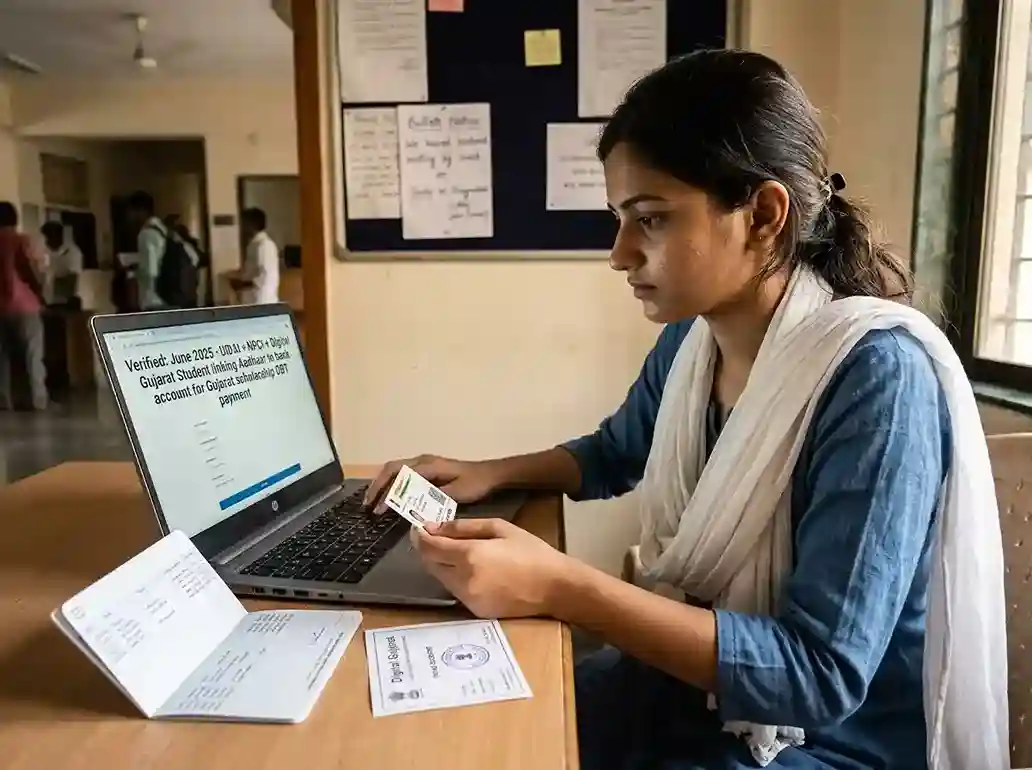
What Is NPCI Aadhaar Bank Seeding?
NPCI Aadhaar bank seeding is the process of linking your 12-digit Aadhaar number to a specific bank account. The link is registered in a central database called the NPCI mapper | maintained by the National Payments Corporation of India.
Think of the NPCI mapper as an address book. When the government wants to send money to you under any DBT scheme, it looks up your Aadhaar number in this address book and finds your bank account number. It then transfers the money to that account.
Without this mapping, the government's payment system cannot find your account | even if your scholarship was approved. The money stays with the government, not with you.
The process of creating or updating this link is called seeding. Removing the link is called de-seeding. Updating the link to a different account is called re-seeding or movement.
NPCI vs UIDAI | What Is the Difference?
UIDAI (Unique Identification Authority of India) is the body that manages your Aadhaar identity. It stores your biometrics, demographics, and linked mobile number.
NPCI (National Payments Corporation of India) manages payment systems including UPI, IMPS, and the Aadhaar Payment Bridge (APB). The NPCI mapper is what connects your Aadhaar to a bank account for payments.
UIDAI's myAadhaar portal shows your bank seeding status | but the actual data comes from NPCI's servers. Both portals show the same underlying seeding record.
Why Seeding Is Needed for Scholarship Payments
All major scholarship programs in India use Direct Benefit Transfer (DBT). DBT routes money through NPCI's Aadhaar Payment Bridge. The payment flow works like this:
Scholarship approved on portal
Your application is verified and approved by the institute and scholarship portal | Digital Gujarat, NSP, or the state social welfare department.
Payment order sent to PFMS
The portal sends a payment instruction to PFMS (Public Financial Management System). PFMS is the central government's payment backbone.
PFMS checks NPCI mapper
PFMS looks up your Aadhaar number in the NPCI mapper. It finds the bank account seeded with your Aadhaar. It sends the money to that account.
Bank credits your account
The bank receives the transfer instruction and credits your account. You get an SMS from the bank confirming the deposit.
If your Aadhaar is not seeded in the NPCI mapper, Step 3 fails. PFMS cannot find your bank. The payment is returned or held. The scholarship portal may show the status as "Payment Failed" or "DBT Error."
This is the single most common reason Gujarat scholarship students do not receive their money | even after approval.
How to Check Seeding Status | UIDAI & BASE
Check your status before you apply for any scholarship. If it is not correctly set up, fix it first. There are three ways to check.
Method 1 | UIDAI myAadhaar Portal (Recommended)
Go to myaadhaar.uidai.gov.in
Open myaadhaar.uidai.gov.in in a browser. Click Login. Enter your 12-digit Aadhaar number and the captcha code shown on screen.
Request OTP
Click Send OTP. An OTP is sent to the mobile number registered with your Aadhaar. Enter the OTP and click Login.
Click Bank Seeding Status
On your myAadhaar dashboard, look for the Bank Seeding Status option under Aadhaar Services. Click it.
Read the result
The screen shows: your bank name, seeding status (Active/Inactive), and the last update date. If it shows "Congratulations | Your Aadhaar-Bank Mapping has been done" with your bank name and Active status, you are set. If status is Inactive or no bank is shown, you need to seed.
Method 2 | NPCI BASE Portal
The BASE portal (Bharat Aadhaar Seeding Enabler) is NPCI's direct platform for seeding management. It gives more detail than UIDAI's portal and also lets you initiate seeding, de-seeding, and bank transfers.
Go to base.npci.org.in
Open base.npci.org.in. On the homepage, click the Consumer tab or look for Bharat Aadhaar Seeding Enabler (BASE).
Select Aadhaar Mapped Status
From the BASE menu, select Aadhaar Mapped Status.
Enter Aadhaar and captcha
Enter your 12-digit Aadhaar number and the captcha code. Click Check Status.
Enter OTP and confirm
Enter the OTP sent to your Aadhaar-registered mobile number. Click Confirm.
Read the mapping details
The screen shows your bank name, mapping status (Enabled for DBT or inactive), and the date of last update. You can also check Aadhaar Mapping History to see all past seeding changes.
Method 3 | USSD Code (No Internet)
If you do not have internet access, dial *99*99*1# from the mobile number registered with your Aadhaar. Follow the voice prompts. Enter your Aadhaar number when asked. The system reads back your bank seeding status.
This works on any basic phone | no smartphone or data connection needed. It is the fastest way to check on the go.
What Each Status Message Means
The status shown on UIDAI and NPCI BASE can be confusing. Here is a plain-language explanation of each message.
| Status Message | What It Means | What To Do |
|---|---|---|
| Enabled for DBT / Active | Your Aadhaar is correctly seeded with a bank account. Scholarship DBT can be sent to this account. | No action needed. Confirm the bank name shown matches your scholarship form entry. |
| Not Mapped / Not Seeded | Your Aadhaar has never been linked to any bank account in the NPCI mapper. | Visit your bank branch immediately and complete the Aadhaar seeding process. |
| Inactive / Disabled | Your Aadhaar was previously linked to a bank account, but the link is now inactive. Often because the account was closed, became dormant, or was de-seeded. | Visit your bank branch. Reactivate your account if dormant, then submit a fresh seeding request. |
| Seeding Pending | Your bank has received a seeding request but has not yet sent it to NPCI. The update is in progress. | Wait 3–7 working days. Check status again. If still pending after 7 days, follow up with your bank. |
| Name Mismatch Error | The name on your bank account does not match the name on your Aadhaar. The NPCI mapper rejected the seeding request. | Visit your bank and update your KYC so name matches Aadhaar exactly. Then re-submit the seeding form. |
How to Seed or Re-Seed Your Account
If your status shows Not Mapped or Inactive, you need to complete or redo the seeding process. There are two routes | online via BASE, or at your bank branch.
Route 1 | Fresh Seeding Online via NPCI BASE
Go to base.npci.org.in
Open the BASE portal. Click the Consumer tab. Select Bharat Aadhaar Seeding Enabler (BASE).
Select Request for Aadhaar Seeding
Click Request for Aadhaar Seeding. Under this, select Fresh Seeding if your Aadhaar has never been linked to any account.
Enter your details
Enter your Aadhaar number, bank account number, IFSC code, and mobile number. Verify with OTP sent to your Aadhaar-registered mobile.
Submit the request
Confirm the consent checkbox and submit. NPCI sends the request to your bank for processing. You will receive an SMS once the seeding is confirmed | usually within 3–7 working days.
Route 2 | Seeding at Bank Branch (Most Reliable)
Visit your home branch
Go to the branch where you have the account. Bring your original Aadhaar card and a photocopy. Also bring your bank passbook.
Ask for the Aadhaar Seeding Consent Form
At the counter, ask specifically for the Aadhaar Seeding Consent Form or DBT Linkage Form. Different banks use different names, but the form's purpose is the same.
Fill the form carefully
Write your full name exactly as on your Aadhaar. Enter your 12-digit Aadhaar number, your account number, and mobile number. Check the box that says you want the account enabled for DBT. Double-check every field before handing it in.
Submit with Aadhaar copy and get receipt
Submit the form with a self-attested copy of your Aadhaar. Ask for an acknowledgment receipt or reference number. The bank will forward your seeding request to NPCI. This takes 3–7 working days.
Check status after 7 days
Log in to myaadhaar.uidai.gov.in or BASE portal and check Bank Seeding Status. Confirm it shows Active / Enabled for DBT with your bank name.
How to Switch DBT to a Different Bank
Students often open a new bank account | a Jan Dhan account, a student savings account, or a scholarship-specific account | and want to change which account receives DBT payments.
To do this, you need to move the NPCI mapper seeding from the old account to the new one. The old account's seeding does not cancel automatically when you open a new account.
Option A | Movement Online via BASE
Go to base.npci.org.in. Under Request for Aadhaar Seeding, select either Movement within the same bank (switching from one account to another at the same bank) or Movement from one bank to another (changing banks entirely).
Enter your Aadhaar number and new account details. Verify with OTP. Submit. Processing takes 3–7 working days. The new seeding overrides the old one automatically.
Option B | Visit New Bank Branch
This is the more reliable option. Visit the branch of the new bank where you want DBT payments. Fill the Aadhaar seeding consent form for the new account. The new bank sends a seeding request to NPCI. Once processed, your NPCI mapper updates to the new account.
You do not need to visit the old bank to de-seed it. The new seeding request automatically overrides the previous one.
Common Problems and Exact Fixes
Below are the five most common seeding problems students face | and exactly how to fix each one.
Problem 1 | Scholarship Approved But Money Not Received
Check two things in sequence. First, go to the Digital Gujarat portal and check your scholarship payment status. If it shows "Payment Initiated" or "Sent to Bank," the issue is at the bank end. Second, check your NPCI seeding status at myaadhaar.uidai.gov.in. If status is Inactive or Not Mapped, that is why the payment failed.
Fix: Complete or redo Aadhaar seeding at your bank branch. Then contact the Digital Gujarat helpline at 1800-233-5500 and ask them to re-initiate the failed payment after your seeding is confirmed.
Problem 2 | Aadhaar Seeded with a Different Bank
Many students have Aadhaar seeded with an old bank account | often their parents' bank, a cooperative bank, or a rural bank from their home village | and enter a different account in the scholarship form.
Fix: Switch your NPCI seeding to the same account you entered in the scholarship form. Use BASE online or visit the new bank branch. Both the NPCI mapper and the scholarship portal must show the same bank and account number.
Problem 3 | Seeding Request Stuck in Pending
After submitting the seeding form at a bank branch, some banks take longer than 7 working days to forward the request to NPCI. This can happen at cooperative banks or rural branches with limited digital infrastructure.
Fix: Follow up at the branch with your acknowledgment slip. Ask them to confirm the seeding request was sent to NPCI. If they cannot confirm within 10 working days, submit the request again. Alternatively, use the BASE online self-service portal to submit the seeding request directly.
Problem 4 | Multiple Accounts Causing Confusion
If you have seeded your Aadhaar with more than one account at different times, only the most recent seeding is active for DBT. Earlier accounts are automatically overridden. But students sometimes assume money will go to the account they "think" is primary.
Fix: Go to BASE portal → Aadhaar Mapping History to see all past seeding events. Confirm which account is currently active. If the active one is not the account on your scholarship form, switch the seeding.
Problem 5 | Aadhaar eKYC Not Done for Some Schemes
Some scholarship schemes | including PM-KISAN and certain state schemes | require Aadhaar eKYC (electronic Know Your Customer verification) in addition to bank seeding. Without eKYC, the payment system cannot verify your identity even if seeding is complete.
Fix: Log in to the specific scholarship portal. Look for an eKYC section. Complete eKYC using Aadhaar OTP or biometric authentication at a Common Service Centre (CSC). For Gujarat scholarships, check Digital Gujarat portal for any pending eKYC steps under your profile.
Name Mismatch | Step-by-Step Fix
A name mismatch is one of the most stubborn seeding problems. It happens when your name in the bank's records does not exactly match the name on your Aadhaar. Even small differences can block seeding.
Examples of mismatches that cause failures:
- Aadhaar: "RAMESH KUMAR PATEL" | Bank: "RAMESH K. PATEL"
- Aadhaar: "PRIYA DEVI" | Bank: "PRIYA D/O MOHAN LAL"
- Aadhaar: "ARUN BHAI PATEL" | Bank: "ARUNBHAI PATEL" (spacing difference)
- Aadhaar: "FATIMA SHAIKH" | Bank: "FATIMA BANO SHAIKH"
The NPCI mapper does an exact or near-exact name comparison. Any difference can flag a mismatch and reject the seeding request silently.
How to Fix a Name Mismatch
Decide which document to update | your bank records or your Aadhaar. Generally, it is faster to update your bank name than to update Aadhaar. Update whichever has the wrong version.
Confirm which name is "correct"
Use the name exactly as it appears on your Class 10 or 12 marksheet | this is the document most scholarship portals also use to verify your name. Your Aadhaar and bank should both match this name.
Update your bank name (if bank is wrong)
Visit your bank branch. Ask for a KYC Name Correction form. Submit it with your Aadhaar, PAN, and your Class 10 certificate as proof of correct name. The bank updates your records in 3–5 working days.
Update your Aadhaar name (if Aadhaar is wrong)
Go to myaadhaar.uidai.gov.in → Update Demographics → Name. Submit with a supporting document | school leaving certificate, PAN card, or passport. Aadhaar name updates take 5–10 working days to reflect.
Re-submit Aadhaar seeding after name update
Once your bank and Aadhaar show the same name, visit your bank branch again. Fill a fresh Aadhaar seeding consent form. Wait 3–7 working days. Check status on BASE or UIDAI to confirm it is now Active.
Also update name in scholarship portal
If your scholarship application already has the wrong name, contact the portal helpdesk to correct it. Your Aadhaar name, bank KYC name, and scholarship application name must all match for DBT to succeed.
Dormant Account | How to Reactivate
A bank account becomes dormant when no financial transaction has occurred in it for a continuous 12-month period. This is a Reserve Bank of India (RBI) guideline followed by all scheduled banks.
Once dormant, the account cannot receive any incoming transfers | including DBT scholarship payments. If the government sends money to a dormant account, the bank rejects it. The funds are returned to the government. They do not wait and retry automatically.
How to Tell If Your Account Is Dormant
Check your passbook or bank statement. If the last transaction date is more than 12 months ago, your account may already be classified as dormant or inoperative. You can also call your bank's customer care number or visit the branch and ask.
How to Reactivate a Dormant Account
Visit your bank branch
Go to the home branch where the dormant account was opened. Bring your Aadhaar card, PAN card, and original passbook or account statement.
Submit an account reactivation request
Ask the bank for an Account Reactivation Form. Fill it and submit it with your KYC documents. The bank verifies your identity and marks the account as operational in its system.
Complete one financial transaction
Deposit any amount | even Rs 10 or Rs 100 | into the account. This is the simplest and fastest way to reactivate it. The transaction confirms the account is operational.
Resubmit Aadhaar seeding
After reactivation, submit a fresh Aadhaar seeding consent form at the branch. Even if your Aadhaar was previously seeded with this account, dormant account periods sometimes break the NPCI link. A fresh seeding request restores it.
Check seeding status after 7 days
Check at myaadhaar.uidai.gov.in or BASE portal. Confirm status is Active / Enabled for DBT before you contact the scholarship helpdesk to request payment re-initiation.
Aadhaar Seeding for Gujarat Scholarship Portals
Gujarat scholarship payments use the Digital Gujarat portal for disbursement and PFMS (Public Financial Management System) for the actual transfer. Here is how Aadhaar seeding connects to each Gujarat scholarship.
| Scholarship | Payment Route | Aadhaar Seeding Required | Portal Bank Match Required |
|---|---|---|---|
| MYSY Scholarship | Digital Gujarat → PFMS → DBT | Yes | must be Enabled for DBT | Yes | account in portal must match NPCI seeded account |
| Post-Matric SC/ST/OBC/SEBC | Digital Gujarat → PFMS → DBT | Yes | Yes |
| NSP Minority Scholarship | NSP portal → PFMS → DBT | Yes | Yes | update bank at scholarships.gov.in profile |
| Pre-Matric SEBC/SC/ST Scholarship | Digital Gujarat → PFMS → DBT | Yes | Yes |
| Central Sector Scholarship (CSSS) | NSP portal → PFMS → DBT | Yes | Yes |
Steps to Verify Your Setup for Gujarat Scholarships
Check NPCI seeding status
Go to myaadhaar.uidai.gov.in → Bank Seeding Status. Confirm it shows Active with the correct bank name. If not, seed your account at the bank branch first.
Check bank details in Digital Gujarat portal
Log in at digitalgujarat.gov.in. Go to your profile or the scholarship application. Confirm the bank account number and IFSC code entered there match the account seeded with your Aadhaar in NPCI.
Confirm Aadhaar is linked to the bank in the portal
Some scholarship portals verify Aadhaar-bank linking as a pre-submission check. If the portal shows a warning like "Bank not Aadhaar-linked," go to your bank branch to seed the account before submitting the application.
Ensure your account is not dormant
Make at least one transaction in your bank account before the scholarship period. This keeps it active and eligible to receive DBT transfers.
Keep your mobile number active on Aadhaar
Scholarship portals use your Aadhaar-linked mobile number for OTP-based authentication. If this number is inactive or has changed, update it at myaadhaar.uidai.gov.in before applying.
What to Do If Your Payment Shows "Failed" on Digital Gujarat
Log in to digitalgujarat.gov.in. Go to Scholarship Services → Application Status. If it shows "Payment Failed" or "DBT Error," note the exact error message or reason code shown.
Then fix the specific issue | dormant account, name mismatch, or wrong bank details. After fixing, call the Digital Gujarat helpline at 1800-233-5500 (Mon–Fri, 10:30 AM–6:10 PM) and ask them to re-initiate your failed payment. Provide your application reference number, Aadhaar number, and the correction you made.
For NSP scholarships, contact the NSP helpdesk at 0120-6619540 or email helpdesk@nsp.gov.in.
Related Guides
Frequently Asked Questions
NPCI Aadhaar bank seeding is the process of linking your 12-digit Aadhaar number to a specific bank account in the NPCI (National Payments Corporation of India) mapper. Once seeded, government scholarship and welfare payments can be routed directly to that bank account via DBT (Direct Benefit Transfer). Only one account can be active in the NPCI mapper for DBT at any time. All other linked accounts are overridden by the most recent seeding.
Two ways. First: go to myaadhaar.uidai.gov.in, log in with your Aadhaar number and OTP, and click Bank Seeding Status. If it shows Active with your bank name, you are set. Second: go to base.npci.org.in, click Consumer, select Bharat Aadhaar Seeding Enabler (BASE), click Aadhaar Mapped Status, enter your Aadhaar number and OTP. If Mapping Status shows Enabled for DBT, your scholarship payment can proceed. If there is no internet access, dial *99*99*1# from your Aadhaar-registered mobile number.
Check three things: (1) Go to digitalgujarat.gov.in and check your scholarship payment status | look for any error message. (2) Go to myaadhaar.uidai.gov.in and check Bank Seeding Status | it must show Active. (3) Confirm the bank account number and IFSC you entered in the scholarship form exactly matches the account seeded with your Aadhaar in NPCI. If the seeding is inactive or the accounts do not match, fix those first, then call the Digital Gujarat helpline at 1800-233-5500 and request re-initiation of the payment.
Visit your bank branch with your Aadhaar card and ask for a KYC Name Correction form. Update your bank records so the name matches exactly what is on your Aadhaar. If the Aadhaar name itself is wrong, update it at myaadhaar.uidai.gov.in under Update Demographics using your Class 10 certificate or PAN card as proof. Once both show the same name, submit a fresh Aadhaar seeding consent form at your bank. Check status after 7 working days at myaadhaar.uidai.gov.in.
DBT payments are rejected when sent to a dormant account. The bank returns the funds to the government | they do not wait in a queue or retry automatically. You need to reactivate your account by visiting your bank branch and making one transaction of any amount. After reactivation, submit a fresh Aadhaar seeding request. Then contact the scholarship portal helpdesk to request re-initiation of the failed payment. A bank account becomes dormant after 12 consecutive months of no transactions.
Yes. Visit the new bank branch and fill an Aadhaar seeding consent form for the new account. The new seeding overrides the old one in the NPCI mapper within 3–7 working days. You must also update your bank account details in the scholarship portal | Digital Gujarat or NSP | so both the NPCI mapper and the portal records show the same account. If they do not match, payment fails.
The NPCI BASE portal (Bharat Aadhaar Seeding Enabler) is at base.npci.org.in. It is a self-service platform where citizens can: check which bank account is currently seeded with their Aadhaar (Aadhaar Mapped Status), view the full history of all past seeding changes (Aadhaar Mapping History), request fresh Aadhaar seeding for a new account, transfer seeding from one account to another within the same bank, and transfer seeding from one bank to a completely different bank. It is the most detailed public resource for managing Aadhaar-bank DBT links.
After submitting the Aadhaar seeding form at your bank branch, the bank typically sends the request to NPCI within 1–3 working days. NPCI updates the mapper within 1–2 working days after receiving the bank's request. Total time is usually 3–7 working days. After 7 days, check status at myaadhaar.uidai.gov.in or NPCI BASE. If still not updated, follow up with your bank and confirm they actually submitted the request to NPCI.
The Digital Gujarat scholarship helpline is 1800-233-5500 (Toll-Free). It is available Monday to Friday, 10:30 AM to 6:10 PM. For NSP (National Scholarship Portal) issues, call 0120-6619540 or email helpdesk@nsp.gov.in. When calling, keep your application reference number, Aadhaar number, and bank account details ready. Tell the agent the specific error message shown on your scholarship status page.