Every address in Gujarat has a 6-digit pin code assigned by India Post. You need this number when filling in government forms — from the Digital Gujarat portal and scholarship applications to Aadhaar updates, voter ID registration, and bank KYC. Getting the pin code wrong causes form errors, address mismatches, and sometimes outright rejection.
This guide answers every question about Gujarat's 6-digit pin codes. You will find the code for your district, learn how each digit works, know where it is required, and fix common errors step by step.
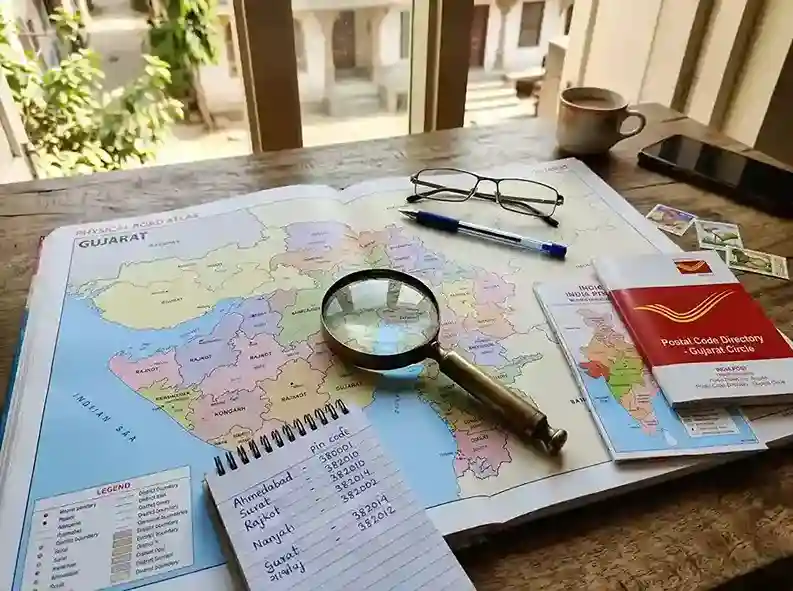
What Is a 6-Digit Pin Code and Why Does Gujarat Need It?
PIN stands for Postal Index Number. India Post introduced the PIN system on 15 August 1972. Every post office in India has its own unique 6-digit PIN code. The code tells India Post which region, sub-region, sorting district, and delivery office your mail should go to.
But today, pin codes do much more than route letters. Every government digital form asks for a 6-digit pin code as part of your address. Without it, the system cannot validate your location. A missing or incorrect pin code blocks the form — or sends your application to the wrong district office.
What Each Digit Means in a Gujarat Pin Code
Take the Ahmedabad pin code 380001 as an example. Here is what each digit represents:
Western India
Gujarat
Ahmedabad area
zone
office
identifier
- Digit 1 (always 3 for Gujarat): Indicates Postal Zone 3, which covers Western India. Gujarat, Rajasthan, and Maharashtra all fall in this zone.
- Digit 2: Identifies the sub-region within Postal Zone 3. For Gujarat, this digit is typically 6, 7, 8, or 9, depending on the area of the state.
- Digit 3: Points to the sorting district — the main post office hub for that district.
- Digits 4, 5, 6: Together identify the exact delivery post office or locality within that sorting district.
How to Find the 6-Digit Pin Code for Your Area in Gujarat
There are four reliable ways to find your exact pin code. Use the first method if you already have documents. Use the India Post website if you need to verify or look up an unfamiliar area.
-
1
Check your existing documents
Your Aadhaar card, bank passbook, electricity bill, or voter ID card already shows your address with the 6-digit pin code. This is the most accurate source because it is officially tied to your registered address. Look for the 6-digit number near your city or village name.
-
2
Use the India Post website
Go to indiapost.gov.in/vas/pages/findpincode.aspx. Select Find Pincode. Choose Gujarat as the state. Enter your district name and the name of your area, village, or locality. Click Search. The result shows the 6-digit pin code for that delivery office and the post offices it covers.
-
3
Search your area name online
Type your village, town, or locality name followed by "pin code Gujarat" in any search engine. For example: Narol Ahmedabad pin code Gujarat. The top result almost always shows the 6-digit postal code. Cross-check with one more source before entering it in a government form.
-
4
Ask your nearest post office
Your delivery post office (the branch that brings mail to your house) has a specific 6-digit pin code. Walk in and ask the postmaster for the pin code of your locality. This is the most reliable source for rural villages and new residential areas that may not appear in online databases yet.
-
5
Check the Digital Gujarat profile page
If you already have a Digital Gujarat account, log in at digitalgujarat.gov.in, go to My Profile, and look at your saved Current Address or Permanent Address. The pin code entered there during registration is already tied to your record. Verify that it matches your actual address.
Gujarat District-Wise 6-Digit Pin Code Range
Gujarat has 33 districts. Each district has a range of pin codes covering its towns, talukas, and villages. The table below shows the main city pin code and the range for each district. Use this as a quick reference — then verify the exact code for your specific locality using the India Post tool.
| District | Main City Pin Code | Pin Code Range | Postal Division |
|---|---|---|---|
| Ahmedabad | 380001 | 380001–382870 | Ahmedabad City |
| Gandhinagar | 382010 | 382007–382870 | Gandhinagar |
| Surat | 395001 | 394101–395010 | Surat City |
| Vadodara | 390001 | 390001–391780 | Vadodara City |
| Rajkot | 360001 | 360001–363650 | Rajkot |
| Bhavnagar | 364001 | 364001–364730 | Bhavnagar |
| Junagadh | 362001 | 362001–362650 | Junagadh |
| Jamnagar | 361001 | 361001–361310 | Jamnagar |
| Anand | 388001 | 388001–388640 | Anand |
| Mehsana | 384001 | 384001–384460 | Mehsana |
| Banaskantha | 385001 | 385001–385575 | Palanpur |
| Kachchh (Kutch) | 370001 | 370001–370665 | Bhuj |
| Patan | 384265 | 384001–384275 | Patan |
| Sabarkantha | 383001 | 383001–383460 | Himmatnagar |
| Kheda | 387001 | 387001–387630 | Nadiad |
| Navsari | 396445 | 396310–396590 | Navsari |
| Valsad | 396001 | 396001–396590 | Valsad |
| Bharuch | 392001 | 392001–393145 | Bharuch |
| Narmada | 393001 | 393001–393155 | Rajpipla |
| Tapi | 394001 | 394001–394365 | Vyara |
| The Dangs | 394710 | 394710–394730 | Ahwa |
| Surendranagar | 363001 | 363001–363660 | Surendranagar |
| Porbandar | 360575 | 360575–360590 | Porbandar |
| Amreli | 365601 | 365220–365660 | Amreli |
| Gir Somnath | 362268 | 362268–362620 | Veraval |
| Botad | 364710 | 364710–364750 | Botad |
| Morbi | 363641 | 363641–363660 | Morbi |
| Devbhoomi Dwarka | 361335 | 361325–361345 | Dwarka |
| Aravalli | 383315 | 383001–383460 | Modasa |
| Mahisagar | 388255 | 388001–388640 | Lunawada |
| Chhota Udaipur | 391165 | 391001–391780 | Chhota Udaipur |
| Panchmahal | 389001 | 389001–389390 | Godhra |
| Dahod | 389151 | 389001–389390 | Dahod |
Where Is the 6-Digit Pin Code Required in Gujarat?
A pin code appears in almost every official form and digital portal. Here is where you will specifically need it in Gujarat:
Digital Gujarat Portal – My Profile
When you create or update your citizen profile on the Digital Gujarat portal, you fill in both a Current Address and a Permanent Address. Each requires a 6-digit pin code. The portal uses this pin code to route your application to the correct district office. If your pin code does not match your district, the system may flag your profile as incomplete or route your request to the wrong taluka.
To complete your profile correctly: log in at digitalgujarat.gov.in, click My Profile, scroll to address details, enter your full address including the 6-digit pin code, and click Update Profile. Enter the OTP sent to your registered mobile to confirm the update.
Scholarship Applications (All Schemes)
Every Digital Gujarat scholarship application — whether pre-matric, post-matric, MYSY, or any other scheme — captures your address with a pin code. It must match the address on your Aadhaar and income certificate. A mismatch between your scholarship application's pin code and your Aadhaar address is one of the reasons applications get flagged during district verification.
Aadhaar Card – Address Field
Your 12-digit Aadhaar number is linked to an address that includes a 6-digit pin code. When government services verify your address through Aadhaar authentication, they check whether the pin code matches. If you have moved to a new area and not updated your Aadhaar address, the pin code on your Aadhaar may differ from the one you enter in a new form. This causes an address mismatch.
Income Certificate and Caste Certificate
Applications for an income certificate or caste certificate through the Digital Gujarat Revenue services also require your full address with pin code. The Mamlatdar's office uses this to assign your application to the right taluka. Wrong pin codes lead to the application going to an incorrect jurisdiction.
Voter ID (EPIC) Registration
New voter registration through the Electoral Roll or the Voter Helpline App requires a 6-digit pin code as part of your address proof. The pin code helps the Election Commission assign you to the right polling booth and constituency.
Bank Account KYC and DBT
When you open a bank account or update your KYC, you provide your address with a pin code. For Direct Benefit Transfer (DBT) scholarships and government subsidies, the bank uses your Aadhaar-linked address. An outdated pin code in your bank records can, in some cases, cause DBT address verification mismatches.
Other Common Uses
- PAN card application or correction
- Driving licence and vehicle registration (Parivahan portal)
- e-Shram card registration for unorganised sector workers
- PM Kisan and other farmer welfare scheme registrations
- National Scholarship Portal (NSP) profile for ST students
- PMAY housing scheme applications
- Online shopping and e-commerce delivery addresses
What to Do If You Entered the Wrong Pin Code
Entering a wrong pin code is one of the most common form errors. It usually happens when you type from memory, copy a neighbour's code without checking, or move to a new area and forget to update the code. Here is how to fix it across the main Gujarat government platforms.
Fix a Wrong Pin Code on the Digital Gujarat Portal
-
1
Log in to your account
Go to digitalgujarat.gov.in. Enter your mobile number or email ID, password, and captcha. Click Login.
-
2
Open My Profile
After login, click My Profile from the top menu or your dashboard. This opens your citizen profile page where all your personal and address details are stored.
-
3
Update the address fields
Scroll to the Current Address and Permanent Address sections. Find the pin code field. Delete the wrong code. Enter the correct 6-digit pin code for your area. Also check that your state (Gujarat), district, and taluka fields are correctly filled.
-
4
Save and verify with OTP
Click Update Profile. Enter the OTP sent to your registered mobile number. Click Confirm. Your updated address with the correct pin code is now saved. Note: if your Aadhaar-linked details are changed, your profile may become temporarily unverified until the system re-checks the Aadhaar data. Re-verify when prompted.
Fix a Wrong Pin Code on Aadhaar
If the pin code on your Aadhaar card is wrong or outdated, update it through the UIDAI (Unique Identification Authority of India) portal or at an authorised Aadhaar Seva Kendra.
-
1
Online update at myaadhaar.uidai.gov.in
Go to myaadhaar.uidai.gov.in. Log in with your Aadhaar number and OTP (sent to the mobile linked to your Aadhaar). Select Update Address Online. Enter your full corrected address including the right 6-digit pin code. Upload a valid address proof document (electricity bill, bank statement, rental agreement). Submit and note your Update Request Number (URN) for tracking.
-
2
Offline update at Aadhaar Seva Kendra
If you cannot update online (mobile number not linked to Aadhaar, or biometric issues), visit your nearest Aadhaar Seva Kendra or Common Service Centre. Fill the Aadhaar Update/Correction form. Write the correct address and pin code in the PIN CODE field. Submit the form with an address proof document. Pay the update fee (₹50 as of 2026). Collect your acknowledgement slip with the URN.
Fix a Wrong Pin Code on a Bank KYC Form
Visit your bank branch with a valid address proof that shows the correct pin code. Ask the branch officer to update your address and pin code in their system. For most banks, this takes one to three working days. Once updated, any DBT or government payment linked to your account will use the corrected address going forward.
What to Do If Your Mobile Number Has Changed
The mobile number registered on the Digital Gujarat portal is central to everything — OTPs for login, application verification, scholarship status updates, and grievance notifications. If you changed your number and cannot receive OTPs, you are effectively locked out of the portal.
This is different from the pin code issue, but it often happens together — students update addresses and realise their old number no longer works. Here is how to fix it.
If You Still Have Access to the Old Number
-
1
Log in with the old mobile number
Go to digitalgujarat.gov.in. Log in using the old mobile number, password, and captcha. The OTP will go to the old number — enter it to get into the portal.
-
2
Update your mobile number in My Profile
Go to My Profile. Find the mobile number field. Enter your new active number. Save changes. The portal sends an OTP to the new number for verification. Enter it to confirm the update. Your account now sends all future OTPs to the new number.
If You No Longer Have Access to the Old Number
This is where most students get stuck. The portal requires OTP verification on the registered number — and if that number is disconnected or belongs to someone else, you cannot receive the OTP to log in or make changes.
- Call the helpline at 1800-233-5500 (Monday to Friday, 10 AM to 5 PM). Explain that your registered mobile number is no longer active. The support team can raise a mobile number change request on your behalf after verifying your identity (usually your Aadhaar number and date of birth).
- Visit an e-Gram Seva Kendra or Common Service Centre (CSC) in your area. The operator there can help verify your identity and submit a number change request through official channels.
- Email digitalgujarat@gujarat.gov.in with your name, Aadhaar number, old mobile number (last 4 digits), new mobile number, and a brief explanation. Attach a copy of your Aadhaar as identity proof. This creates a written record and is useful if the helpline call does not resolve the issue.
- Visit the nearest Digital Seva Kendra (DSK). Staff there can assist with account recovery and mobile number updates under official protocol.
If Your Aadhaar Mobile Number Has Also Changed
Your Aadhaar-linked mobile number is separate from your Digital Gujarat portal mobile number. If you want to update the mobile number on your Aadhaar, you must visit an Aadhaar Seva Kendra in person. Mobile number updates on Aadhaar cannot be done online — UIDAI requires biometric verification at a physical centre for this specific change. Visit appointments.uidai.gov.in to book an appointment at the nearest centre.
Why Do Government Forms Show "Invalid Pin Code"?
You entered a pin code, but the form shows "Invalid Pin Code" or "Pin code does not match". This happens more often than you would think. Here are the reasons and how to fix each one.
Reason 1 – You Typed a 5-Digit Code Instead of 6
All Indian pin codes are 6 digits. There is no valid 5-digit postal code in India. If you typed 38001 instead of 380001, the form rejects it immediately. Check: count the digits before submitting. Gujarat codes start at 360001 — six digits, always.
Reason 2 – You Used a Code From Another State
Gujarat codes all start with 3. Codes from Maharashtra start with 4, from Rajasthan with 3 (but in a different sub-range). If you accidentally enter a non-Gujarat code in the Gujarat state address field, the form rejects it. Check the first digit — it must be 3 for Gujarat.
Reason 3 – The Pin Code Is Not in the Portal's Database
Some newly assigned pin codes for recently established post offices take time to appear in government portal databases. If your area's pin code was recently assigned, the Digital Gujarat portal or the Aadhaar update system may not recognise it yet. In this case, use the pin code of the nearest well-established post office that covers your area. Verify this at your local post office.
Reason 4 – District and Pin Code Don't Match
Government forms cross-check the pin code against the district you selected. If you selected Rajkot as your district but entered a Surat pin code (395001), the system flags it as a mismatch. Always make sure your district selection and pin code refer to the same area.
Reason 5 – Typo in the Pin Code Field
A single wrong digit makes the whole code invalid. Typing 389001 instead of 380001 sends your address to a completely different district. Double-check the code digit by digit before clicking Submit.
Common Real Situations — What to Do
I Moved to a New City in Gujarat. Which Pin Code Do I Use?
Use the pin code for your current address — the place you actually live now. Look it up using the India Post website or check a utility bill for your new residence. Update both your Digital Gujarat profile and your Aadhaar address to reflect the new location. Scholarship applications should use the same address as your Aadhaar to avoid mismatches during district verification.
I Live in a Village. How Do I Find My Exact Pin Code?
Villages in Gujarat are served by a specific post office — usually in the nearest town or taluka headquarters. That post office's 6-digit code is your village's pin code. Go to indiapost.gov.in, enter your district and the name of your village or nearest town. If the village name does not appear, search for your taluka name. The post office that appears covers your area. You can also ask a neighbour who receives post — their code is your code.
My Scholarship Was Rejected Because of Address Mismatch. Pin Code Was Wrong. What Now?
First, correct your pin code in your Digital Gujarat profile under My Profile. Then check if the scholarship application can be edited — log in and see if the form allows corrections. If the correction window is open, fix the address in the application. If the application is already under verification, call the helpline at 1800-233-5500 and explain the address mismatch. They may be able to raise a correction request. If rejected, file a formal grievance at digitalgujarat.gov.in/Grievance. Read our grievance guide for the full escalation path including DSWO escalation.
I Do Not Know My Pin Code and I Have No Documents Right Now
Use the India Post search tool or type your area name followed by "pin code" in a search engine. You can also call your local post office — they will tell you the 6-digit code over the phone. As a last resort, ask a friend, family member, or neighbour from your area who has received recent mail. Their code is the same as yours if you live in the same postal delivery zone.
The Portal Accepts My Pin Code But My District Office Is Wrong
This happens when a pin code spans more than one taluka or when a new district was carved out and postal boundaries have not updated. The solution: confirm your correct taluka with the Mamlatdar office, then update your full address in My Profile with the correct district, taluka, and pin code together. Do not change just the pin code — all three fields must be consistent.
Best Practices When Using a Pin Code in Government Forms
- Verify before entering. Never type a pin code from memory. Check your Aadhaar card or a recent utility bill each time.
- Keep your address consistent. Use the same address and pin code across all government records — Aadhaar, Digital Gujarat, income certificate, and scholarship application. Inconsistency is a leading cause of verification failure.
- Update Aadhaar first if you move. The Digital Gujarat portal and most government services validate your address against Aadhaar. Update your Aadhaar address and pin code before applying for any new service after you move.
- Double-check district and pin code together. Before submitting any form, confirm that the district name you selected matches the pin code you entered. Use the district table on this page as a quick reference.
- Save a note of your pin code. Write your 6-digit postal code on a small card or save it in your phone notes. You will need it repeatedly for different forms and applications.
- Do not leave the pin code field blank. Leaving it empty causes immediate form rejection on all government digital portals. The field is mandatory.