You applied for a Digital Gujarat scholarship. Weeks passed. Still no payment, or your application got rejected without a clear reason. You do not know what to do next.
This guide walks you through every step — from a quick helpline call to filing an online grievance, escalating to the District Social Welfare Officer (DSWO), and writing a formal complaint letter. Follow the steps in order. Most issues get resolved at Step 2 or 3.
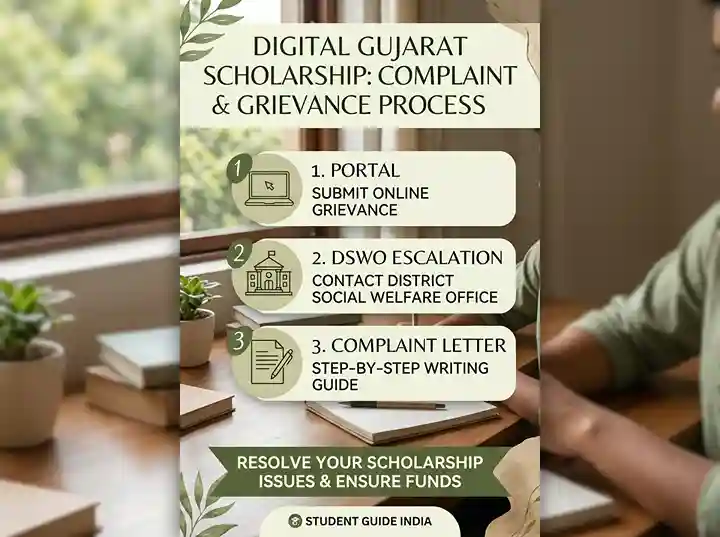
Before You File a Complaint — Do These Checks First
Filing a grievance works only when you have the right information in hand. Many issues get resolved without a formal complaint once you look at these things first.
Check Your Application Status
Log in to digitalgujarat.gov.in. Go to your scholarship dashboard. Note the exact status shown — it could be Draft (not yet submitted), Pending at Institute, Under Verification, Approved, Rejected, or Payment Released. The status tells you exactly where the problem is.
If your status still shows Draft, your application was never submitted. Click Submit before the deadline. No grievance is needed for this.
If status shows Pending at Institute, your college has not verified your application yet. Contact your institution's scholarship coordinator first. Most delays at this stage are the college's responsibility, not the portal's.
Check Payment Status on PFMS
If your status shows Payment Released but money has not arrived, check the Public Financial Management System (PFMS). Go to pfms.nic.in, click Know Your Payments, enter your bank account number and bank name, verify via OTP, and check the result.
- If PFMS shows Payment Successful but money is not in your account, visit your bank branch with the PFMS reference number. The bank can confirm if the credit was received and reversed.
- If PFMS shows Payment Failed or Returned, the issue is usually a wrong account number, inactive account, or Aadhaar not linked to your bank account.
- If PFMS shows No Record, payment has not been initiated yet. Give it more time or file a grievance if the sanction is older than 45 days.
Common Issues and Self-Fix Checklist
- Wrong bank account number or IFSC: Update at your bank branch and inform the scholarship helpline. Wrong details cause payment failure every time.
- Aadhaar not linked to bank account: Visit your bank branch and request Aadhaar seeding. DBT transfers require this for all government scholarship payments.
- Name mismatch between Aadhaar and bank account: Correct the name at your bank to match your Aadhaar exactly — including spelling and spacing.
- Inactive or zero-balance account: Activate your account at your bank branch and ensure it has been operational in the last 12 months.
- Documents rejected by portal: Log in, go to your application, read the rejection note, fix the document, and reupload before the correction window closes.
Official Contact Channels for Digital Gujarat Scholarship
Use the right channel for your type of issue. Calling the helpline is fastest for urgent queries. Email creates a written record. The grievance portal is for formal tracking.
| Channel | Contact | Best For | Hours |
|---|---|---|---|
| Helpline (Toll-Free) | 1800-233-5500 | Quick queries, payment status, login issues, document rejections | Mon–Fri, 10 AM–5 PM |
| Scholarship Email | scholarships-dg@gujarat.gov.in | Written complaints, payment disputes, formal requests | Replies in 3–7 working days |
| Technical Portal Email | digitalgujarat@gujarat.gov.in | Portal login errors, OTP not received, technical bugs | Replies in 3–7 working days |
| Online Grievance Portal | digitalgujarat.gov.in/Grievance | All formal complaints with tracking and reference number | 24/7 (review Mon–Fri) |
| DSWO Office (District) | Visit your district's DSWO office in person | Escalation when online grievance is unresolved after 15 days | Mon–Fri, office hours |
How to File a Scholarship Grievance Online at digitalgujarat.gov.in/Grievance
This is the recommended first formal step. You get a grievance reference number that you can use to track progress and for future escalation.
-
1
Log in to the Digital Gujarat Portal
Go to digitalgujarat.gov.in. Enter your User ID and password. If you have forgotten your password, use the Forgot Password option to reset it via your registered mobile number. See our portal login guide for detailed steps.
-
2
Navigate to the Grievance Section
After logging in, look for the Grievance or Helpdesk option in the top navigation bar or in your citizen dashboard. You can also go directly to digitalgujarat.gov.in/Grievance.
-
3
Select the Service Category
From the dropdown menu, select Scholarship Services as the department. Then choose the specific scheme for example, Post-Matric Scholarship SC, ST Post-Matric, MYSY, Pre-Matric OBC, or whichever scheme your application is under. Selecting the correct scheme ensures your complaint reaches the right team.
-
4
Enter Your Application Details
Type your Application ID (found in your scholarship dashboard). Enter your full name, registered mobile number, and the academic year (e.g., 2026–27). These details help the officer locate your file without delay.
-
5
Describe the Problem Clearly
Write a clear, factual description of your issue. Stick to facts: what happened, when it happened, and what you expected instead. For example: "My scholarship application (ID: XXXXXXX) under ST Post-Matric scheme for AY 2026–27 was approved on [date]. Status on PFMS shows Payment Initiated since [date]. No amount has been credited to my account. My Aadhaar is linked to the bank account. Request review and re-initiation of payment." Avoid vague language like "nothing is happening."
-
6
Attach Supporting Documents
Attach scanned copies of your bank passbook (showing account number and IFSC), Aadhaar card, and a screenshot of your scholarship dashboard status. If your complaint is about rejection, attach the rejection notice. File size limit is typically 200 KB per file; use PDF format.
-
7
Submit and Save Your Grievance Reference Number
Click Submit. A Grievance Reference Number will appear on screen. Screenshot or write down this number immediately. You need it to track your complaint, follow up by phone, and use in any future escalation. You should also receive an SMS confirmation on your registered mobile.
How to Send a Scholarship Complaint by Email
An email complaint creates a written record with a timestamp. It is useful when you want a paper trail or when the portal's grievance form is unavailable.
Send your email to scholarships-dg@gujarat.gov.in. For technical issues (OTP not received, login failures, form not loading), write to digitalgujarat@gujarat.gov.in instead.
What to Include in Your Email
- Subject line: Scholarship Grievance – [Scheme Name] – Application ID [XXXXXXX]
- Your full name as per Aadhaar
- Application ID and academic year
- Scheme name and category (SC, ST, OBC, MYSY, etc.)
- Current status shown on the portal
- Description of the problem in 3–5 clear sentences
- What you are requesting (re-initiation of payment, status update, appeal against rejection)
- Attachments: bank passbook copy, Aadhaar card, dashboard screenshot
Keep your email to one page. A short, clear email gets faster responses than a long one. Do not send the same email multiple times in quick succession — it slows down the queue.
Escalation Path — What to Do If Your Grievance Is Not Resolved
Most scholarship issues get resolved at the helpline or portal level. But if they do not, there is a clear escalation path. Move to the next level only after giving each level adequate time to respond.
Level 1 – Helpline and Portal (Day 1–2)
Call 1800-233-5500 or file a complaint at digitalgujarat.gov.in/Grievance. This resolves most issues — login errors, payment status queries, document re-uploads, and basic rejections. Response time: same day to 3 working days for simple issues.
Level 2 – Email to Scholarship Department (Day 3–7)
Send a written email to scholarships-dg@gujarat.gov.in with your application ID, scheme name, and a clear description. Include the grievance reference number from Level 1. Email creates a formal written record and often triggers faster internal action. Expected response: 3–7 working days.
Level 3 – District Social Welfare Officer – DSWO (Day 15+)
If the portal grievance is unresolved after 15 working days, visit or write to your district's DSWO office. The DSWO is the district-level nodal authority for all scholarship schemes — SC, ST, OBC, Minority, and SEBC. Your application's verification journey goes through this office. Carry printed copies of your application, grievance reference number, Aadhaar, income certificate, bank passbook, and a written complaint letter (see template below).
Level 4 – Director of Social Welfare, Gujarat (Day 30+)
If the DSWO does not act within 15 days of your visit or letter, write directly to the Director of Social Welfare, Government of Gujarat, Gandhinagar. Address your letter to the Director's office, mention the DSWO complaint date and reference, and attach all previous correspondence. This level is for persistent cases involving wrongful rejection, large payment amounts, or systemic delays.
Level 5 – RTI Application (Day 45+)
File an application under the Right to Information Act, 2005 addressed to the Central Public Information Officer (CPIO) of the concerned scheme department — the Department of Social Justice and Empowerment, Gujarat. Ask for: current status of your application, reason for non-disbursement, date when funds were forwarded to PFMS, and name of the approving authority. RTI responses are legally required within 30 days. This step creates official pressure and a government record.
How to Find Your District DSWO Office in Gujarat
Every district in Gujarat has a District Social Welfare Officer (DSWO) office. This office handles verification, approval, and disbursement coordination for pre-matric and post-matric scholarship schemes for SC, ST, OBC, SEBC, Minority, and other welfare categories.
To find your district DSWO office:
- Visit the Gujarat government social welfare department website or search "[your district] DSWO Gujarat contact".
- On the National Scholarship Portal, the nodal officer directory lists district-level contacts by scheme at scholarships.gov.in/districtNodelOfficerDetails.
- Call the helpline at 1800-233-5500 and ask for your district's DSWO contact details.
When you visit the DSWO office, go between 10 AM and 5 PM on a working day. Carry two copies of every document — one to submit and one to keep. Ask for a written acknowledgement with the date of submission and the officer's stamp.
Scholarship Complaint Letter Template – Ready to Use
Use this template for a written complaint to the DSWO or the Director of Social Welfare. Replace the fields in brackets with your actual details. Keep the language formal and factual.
Date: [DD Month YYYY]
To,
The District Social Welfare Officer (DSWO),
[Your District], Gujarat.
Subject: Complaint Regarding Non-Receipt of Scholarship Amount / Rejection Without Reason — Application ID [Your Application ID]
Respected Sir/Madam,
I am [Your Full Name], a student of [Name of College/School], currently enrolled in [Course Name, Year/Class]. I am a permanent resident of [Your Village/City, District], Gujarat.
I applied for the [Scheme Name — e.g., Post-Matric Scholarship for SC Students] on the Digital Gujarat Portal (digitalgujarat.gov.in) for the academic year [2026–27]. My Application ID is [XXXXXXXXXXXXXXXX] and my registered mobile number is [XXXXXXXXXX].
The current status of my application on the portal is [e.g., Approved / Payment Released / Rejected]. Despite this status, [describe the problem clearly — e.g., "no scholarship amount has been credited to my bank account (Account No. XXXXXXXXXX, IFSC: XXXXXXXXXX) as of [date]." OR "my application was rejected on [date] with the reason shown as [reason], which I believe is incorrect because [brief explanation]."]
I have already taken the following steps to resolve this matter:
- Called the helpline at 1800-233-5500 on [date]. Outcome: [what was told to you].
- Filed a grievance on digitalgujarat.gov.in/Grievance on [date]. Grievance Reference Number: [XXXXXXXXX]. No resolution received as of today.
- Sent an email to scholarships-dg@gujarat.gov.in on [date]. No response received.
I respectfully request your office to:
- Investigate the status of my application file in your district records.
- [Choose one: "Initiate or re-initiate the scholarship payment to my bank account." OR "Provide a written explanation for the rejection and advise on the appeal process." OR "Update the application status and forward approval to the state level."]
I have attached the following documents for your reference:
- Copy of Digital Gujarat Portal — Application Status Screenshot
- Copy of Aadhaar Card
- Copy of Bank Passbook (first page showing Account Number and IFSC)
- Copy of PFMS Payment Status (if applicable)
- Grievance Reference Number Screenshot
- Income Certificate and Caste Certificate
I trust that your office will resolve this matter at the earliest. I am available on [Your Mobile Number] for any additional information.
Yours faithfully,
[Your Full Name]
[Your Address]
[Your Mobile Number]
[Your Email Address]
Common Scholarship Issues — What Went Wrong and What to Do
Scholarship Approved but No Payment Received
Check PFMS first. If PFMS shows no record, the state department has not released funds yet — this can happen weeks after portal approval. If PFMS shows payment failed, fix your bank account issue first (link Aadhaar, correct account number, activate the account). Then file a grievance asking for re-initiation of the payment with your PFMS reference.
Application Status Stuck at "Pending at Institute"
Your college has not verified your application. This is very common. Visit your institution's scholarship coordinator or accounts department. Show them your application ID. They can log in to the institute portal and complete verification. If the college refuses or delays beyond two weeks, file a grievance at the portal level and mention that the institute has not completed verification.
Application Rejected Without Clear Reason
Log in and check the rejection note in your dashboard — sometimes the reason is written there. Common reasons include: income certificate expired or income above the limit, wrong category selected, Aadhaar-bank link missing, or document quality too poor to read. If the reason shown is incorrect, file a grievance with your Application ID and explain why the rejection is wrong. Attach the correct documents.
Wrong Bank Account Details Submitted
You cannot edit a submitted application directly. Call the helpline at 1800-233-5500 and explain the situation. They may raise a correction request on your behalf. In some cases, you need to visit the DSWO office with a bank passbook copy and a written correction request. Act quickly — bank corrections must go through the department before payment is processed.
Application Not Visible in Dashboard After Submission
Log in and check if the application shows as Draft. If it does, it was saved but not submitted. Click Submit. If the application is simply missing, try a different browser or clear your cache. If the problem persists, call the helpline — there may be a technical error in the submission record. Email digitalgujarat@gujarat.gov.in with a screenshot and your Application ID.
OTP Not Received on Registered Mobile
Wait two minutes and retry. Check if your mobile number is active. If you have changed your number, update it through the portal's profile settings before requesting a new OTP. For persistent OTP failures, email digitalgujarat@gujarat.gov.in with your registered email and User ID.
Scheme-Specific Notes on Grievance Filing
Some schemes have additional contacts or parallel portals. Keep these in mind when filing complaints.
MYSY Scholarship
The Mukhyamantri Yuva Swavlamban Yojana (MYSY) is handled by the Gujarat Education Department. For MYSY-specific issues, file your portal grievance under the Education category. See our MYSY scholarship guide for the scheme-specific helpline and process.
ST Post-Matric Scholarship
ST Post-Matric scholarships under the Ministry of Tribal Affairs require One-Time Registration (OTR) on the NSP portal. If your complaint is about central fund transfer, you may also need to contact the NSP grievance system at scholarships.gov.in in addition to the Digital Gujarat portal.
SC, OBC, SEBC, and Minority Post-Matric Scholarships
These are primarily state-funded and managed through the Digital Gujarat portal. The district DSWO is the correct escalation authority for all of these. File your grievance at digitalgujarat.gov.in/Grievance first, then escalate to the DSWO if unresolved.
Pre-Matric Scholarships (Std 1–10)
For pre-matric scholarships, the school is the first verification authority. If your school has not forwarded the application, speak to the headmaster or school principal first. Then contact the Block Education Officer (BEO) for your area before approaching the DSWO.