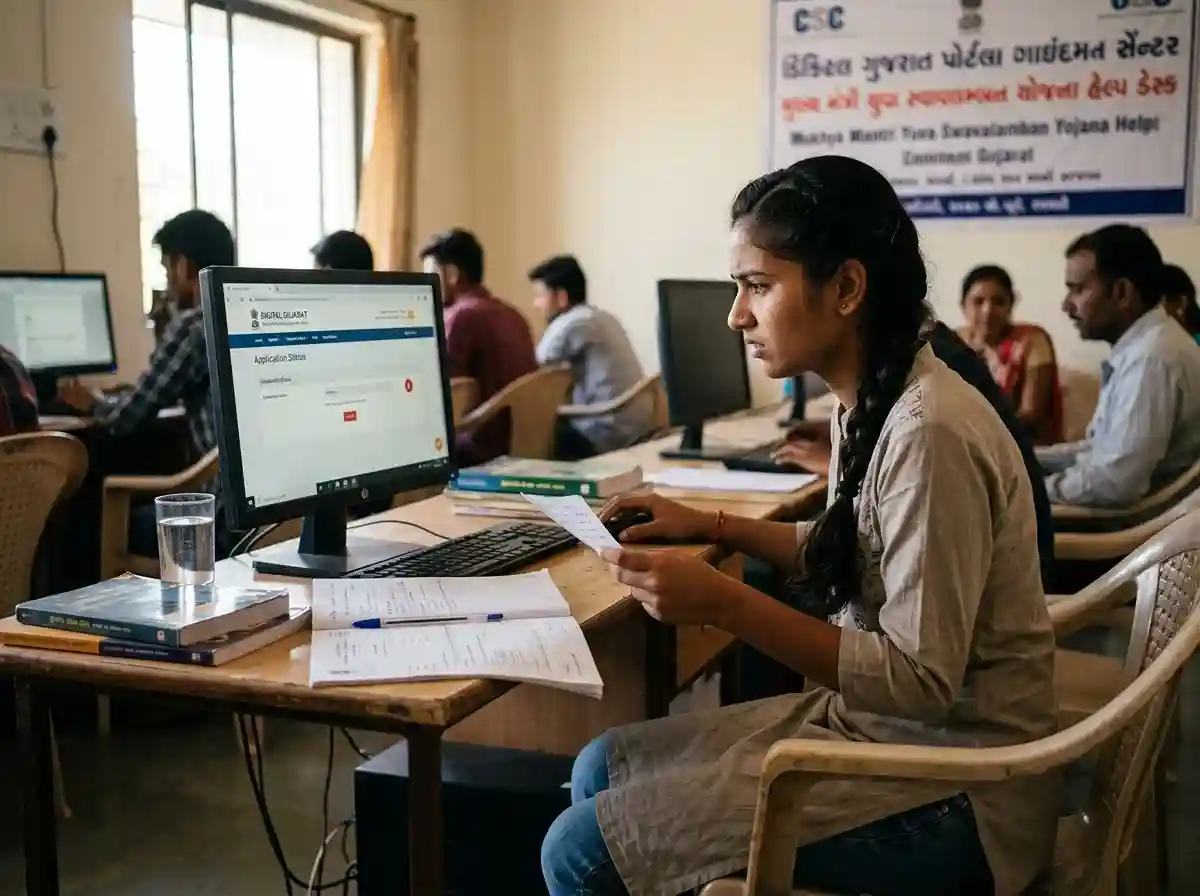
Why You Must Check Your Status Regularly
Most students submit their scholarship form and wait. That is the single biggest mistake.
The Digital Gujarat scholarship system moves through multiple verification levels. Your application goes from you to your institution, then to the district office, then to the government department. At any stage, a document can be flagged, a query can be raised, or the application can be returned.
The government will not call you or send a text if there is a problem. No reminder, no alert. If you do not check and correct the issue in time, your application closes without payment.
Check your status at least once every two weeks after submission. During peak processing months (October to February), check weekly.
How to Check Scholarship Status on Digital Gujarat Portal
Follow these steps exactly. Use Google Chrome or Mozilla Firefox for best results.
-
1Open the official portal
Go to digitalgujarat.gov.in. Do not use third-party sites. Only the official portal shows real-time status.
-
2Log in with your credentials
Click "Sign In." Enter your registered mobile number or email ID, your password, and the captcha code. Click Login.
-
3Go to Service Request section
After login, scroll down on your dashboard. Find the "Service Request" section. Your submitted scholarship applications appear here.
-
4Find your scholarship application
Click on the scholarship scheme you applied for. You will see the current status listed under the Status column.
-
5Read the status message carefully
The status message tells you exactly where your application is. Use the decoder table in the next section to understand what each message means.
Write down your application reference number. You will need it if you contact the helpline or file a grievance.
Status Decoder: What Every Message Means
This is the most important section. Each status message has one specific meaning and one specific action required from you.
| Status Message | What It Means | Action Required | Urgency |
|---|---|---|---|
| Application Submitted / In Progress | Your form is saved but not yet sent to the institution for verification | No action needed. Wait for institution to pick it up | Low |
| Received by Principal | Your application has reached your college principal or school head. Verification is pending at their end | No edits needed. Follow up with your institution if it stays here beyond 7 days | Watch |
| Pending at Institution | The school or college has not verified your application yet | Contact your nodal officer or principal. Ask them to log in and verify | Act Now |
| Pending at District Officer | Institution has verified. District office is reviewing it | No action. Check again in 5–7 working days | Wait |
| Application Pending at Office Level | Application moved to the district office from college level. Under review | No action. Processing is in progress at government level | Wait |
| Query Raised | A document or detail needs correction. Raised by institution or district officer | Log in immediately. Read the query. Upload correct documents or fix the detail and resubmit | Urgent |
| Approved | All levels of verification are complete. Scholarship is sanctioned | Wait for payment. Track on PFMS at pfms.nic.in | Done |
| Payment Processed / Payment Sent | Funds have been released via DBT to your Aadhaar-linked bank account | Check your bank account. If not credited in 7 days, track on PFMS | Check Bank |
| Reject | Close / Cancel by Citizen | You or someone with your login cancelled the application | If you did not cancel it, contact helpline immediately. Someone may have accessed your account | Contact Support |
| Reject | Close / Cancel by Office | The district office or department rejected your application. Usually due to ineligibility | Log in and check the rejection reason. See the Rejected section below for next steps | Review Reason |
| Blank / No Status | Application is still being filled or saved as draft. Not submitted yet | Complete and submit your application before the deadline | Submit Now |
Portal Login and Technical Errors | Fixes
Technical problems on the Digital Gujarat portal are common, especially during peak application and renewal periods. Here is how to fix the most frequent ones.
The portal requires a password change every 90–180 days. Old passwords stop working automatically.
Fix: Click "Forgot Password" on the login page. Enter your registered mobile number. An OTP will arrive. Reset your password. Make sure it has 8–20 characters, one number, one uppercase letter, and one special character from @, #, ?, $.
Mobile network issues, DND settings, or an incorrect mobile number on file.
Fix: Wait 60 seconds and click "Resend OTP." If still not received, check your mobile number in your profile. DND deactivation may be needed. Try logging in via email ID instead.
Browser cache, extensions like ad-blockers, or high server traffic during deadlines.
Fix: Clear browser cache with Ctrl+Shift+Delete. Disable all browser extensions. Switch to Google Chrome in incognito mode. Try on mobile data instead of Wi-Fi.
Captcha image is case-sensitive. Browser compatibility issues also cause this.
Fix: Click the refresh icon next to the captcha to get a new one. Enter it exactly as shown, including uppercase letters. Switch to Chrome if using another browser.
Server sync delays after submission. Sometimes takes a few hours to appear.
Fix: Wait 2–3 hours and check again. If still missing after 24 hours, call the helpline with your application reference number. Do not submit a duplicate application.
The portal logs you out after a period of inactivity to protect your data.
Fix: Always click "Save as Draft" after every section. Do not leave the form idle for more than 10 minutes. Complete one section at a time.
Document Upload Problems and Rejections
Document errors are the most common reason for query-raised status and delays. The portal is strict about file format, size, and clarity.
Common Document Problems and How to Fix Them
| Problem | Cause | Fix |
|---|---|---|
| File too large to upload | Each file must be under 200KB (some schemes allow up to 1MB) | Compress the file using ILovePDF (for PDF) or TinyPNG (for images). Scan at 150 DPI instead of 300 DPI |
| Wrong file format rejected | Portal accepts JPG, JPEG, and PDF only. PNG or DOCX files will fail | Convert images to JPG. Convert Word documents to PDF before uploading |
| Blurry or unreadable document | Poor camera quality or dark lighting when scanning | Photograph documents in bright natural light. Keep the camera still. All text must be clearly readable |
| Expired certificate | Income certificate, caste certificate, or residence proof is out of date | Renew certificates from the competent authority. Income certificates must be issued for the current academic year |
| Name mismatch across documents | Spelling differs between Aadhaar, caste certificate, and bank account | Correct the name in the weaker document (usually bank records or older certificates). All names must match exactly |
| Wrong certificate uploaded | Caste certificate uploaded in the income field or vice versa | Delete and re-upload to the correct field. Read each upload label carefully |
Checklist Before You Upload Documents
- File size is under 200KB per document
- Format is JPG or PDF (not PNG, DOCX, or HEIC)
- All text in the document is clearly readable
- Name matches exactly across Aadhaar, bank account, and all certificates
- Income certificate is valid for the current academic year
- Caste certificate is from the correct issuing authority
- Domicile or residence proof shows a Gujarat address
- Bank passbook shows your current active account number and IFSC
Status Stuck at Institution | What to Do
This is one of the most frustrating problems. Your application is complete. You submitted everything correctly. But the status has not moved past the institution level for weeks.
This happens when your institution's nodal officer has not logged in to verify and forward applications. Some institutions are slow. Others wait until the last day and then rush through hundreds of applications.
Steps to Take When Status Is Stuck at Institution
-
1Go to the scholarship office in person
Do not rely on phone calls alone. Visit the college scholarship cell or student welfare office. Ask who the nodal officer is for the Digital Gujarat portal.
-
2Give them your application reference number
The nodal officer can search your application on their institutional login using your reference number. Ask them to verify and forward it that day.
-
3Get a written acknowledgement
Ask the officer to sign and date a note confirming they have verified your application. This protects you if the deadline passes without action.
-
4Escalate to district office if ignored
If the institution does not act within 3 working days, contact your District Social Welfare Officer (DSWO) or the District Supply Office. Provide your reference number and institution name.
-
5Call the helpline as a last resort
Call 1800-233-5500. Explain that your application has been stuck at institution level for more than 7 days. They can flag the case to the district nodal team.
Application Rejected | Causes and Next Steps
A rejection message is not always final. First, find out why. Then decide if you can fix it.
Most Common Rejection Reasons
| Rejection Reason | What It Means | Can You Fix It? |
|---|---|---|
| Not eligible for selected scheme | You applied for a category you do not belong to (example: applied under ST but belong to SC) | Apply under the correct category. Some portals allow same-year resubmission |
| Name mismatch | Aadhaar and bank | Name on Aadhaar differs from bank account name | Yes | correct in bank records and reapply if window is open |
| Income over the scheme limit | Family income certificate shows a figure above the scheme's income ceiling | No | you must fall under the limit. Check other schemes you may qualify for |
| Marks below minimum | Academic percentage in previous year was below the scholarship's minimum | No | improve performance and reapply next year |
| Duplicate application | Already holds a scholarship under another scheme in the same year | No | one scholarship per student per year applies in overlapping schemes |
| Institution not recognised | Your college or school is not approved by the relevant government authority | Check with your institution whether they are registered on the portal |
| Incomplete or expired documents | One or more uploaded documents were missing, blurry, or outdated | Yes | reupload correct documents if the portal allows correction |
| Wrong scheme selected | You chose the wrong scheme code for your category or course | Yes | check the correct scheme for your category and reapply |
After Rejection | What to Do
-
1Log in and read the exact rejection reason
The dashboard shows the specific reason. Do not guess. Read it word for word.
-
2Check if resubmission is allowed
Some rejection reasons allow you to correct and resubmit within the same academic year. The portal will show a "Resubmit" or "Edit" option if this is possible.
-
3Contact the district office if the reason is unclear
If the rejection reason listed is vague, visit the District Social Welfare Office with your application printout and ask for a written explanation.
-
4Apply again in the next cycle if needed
If you cannot fix the rejection this year, note the reason, correct the problem, and apply again when the next academic year's window opens.
Payment Not Received | PFMS Tracking and Fixes
Your status shows "Approved" or "Payment Processed." But money has not appeared in your bank account. This is one of the most common complaints from scholarship holders across Gujarat.
Scholarship payments go through PFMS | the Public Financial Management System of the Government of India. The portal pushes the payment, PFMS routes it, and your bank receives it. Any failure in this chain causes a delay.
How to Track Payment on PFMS
-
1Open the PFMS portal
Go to pfms.nic.in | the official Government of India payment portal.
-
2Click "Know Your Payment" or "Track NSP Payments"
This option is on the homepage. It lets you check payment status without logging in.
-
3Enter your bank details
Enter your bank account number, Aadhaar number, or NSP/scholarship application ID. Select your bank name from the dropdown.
-
4Complete captcha and click Search
The results show payment status: Processing, Success, or Failed. If Success, note the UTR number and check your bank.
PFMS Payment Status Meanings
| PFMS Status | What It Means | Action |
|---|---|---|
| Under Process | Payment file is being validated at the PFMS backend | Wait 7–10 working days. Check again |
| Payment Sent to Bank | PFMS forwarded the payment to your bank | Check bank account. May take 2–5 business days to credit |
| Success / Transferred | Bank confirmed receipt of funds | Check your account. If not credited, note UTR number and visit bank branch |
| Failed | Payment could not be processed. Usually Aadhaar-bank mismatch or inactive account | Fix bank details (see next section). Contact PFMS helpline |
| No Record Found | PFMS has not created a payment record yet | Payment not initiated yet. Check again in a few days. Verify Aadhaar-bank linking |
Bank Account and Aadhaar Mismatch Problems
This is the most frequent reason for payment failure across all scholarship schemes in Gujarat. The scholarship amount flows through DBT | Direct Benefit Transfer | which routes money to the bank account linked with your Aadhaar. If the details do not match, the transfer fails.
Common Bank and Aadhaar Problems
Your name on Aadhaar (example: "Riya Ben Patel") differs from your bank account name (example: "Riya Patel").
Fix: Visit your bank branch with your Aadhaar card. Ask them to update your account name to match Aadhaar exactly. Alternatively, correct the name on Aadhaar via the UIDAI portal.
Your bank account exists but Aadhaar has not been seeded to it. DBT requires this link.
Fix: Visit your bank branch with your Aadhaar card. Ask them to link (seed) your Aadhaar to your account. Confirm the seeding is complete before leaving.
An incorrect IFSC code was entered during form submission. Payment cannot reach the right branch.
Fix: Log in to the portal. If the correction window is open, update the IFSC code. Otherwise, contact the district office and ask them to correct it in the backend.
Bank accounts with no transactions for 12+ months become dormant. Transfers to dormant accounts fail.
Fix: Visit your bank branch and make a small deposit or withdrawal to reactivate the account. Then verify Aadhaar seeding is still active.
NPCI (National Payments Corporation of India) maps your Aadhaar to a bank account for DBT. If you changed banks, the old mapping may still be active.
Fix: Visit your new bank branch. Ask them to update your Aadhaar-NPCI mapping to the new account. This can also be done through internet banking in some banks.
PFMS shows "Success" but the credit has not appeared. Bank processing delay or account number error.
Fix: Note the UTR/transaction reference number from PFMS. Visit your bank branch with this number. The bank can trace the transfer and confirm or reverse it.
NSP Scholarship Status Issues | Separate Guide
Students who applied through the National Scholarship Portal (scholarships.gov.in) need to check status there | not on the Digital Gujarat portal. NSP handles central government schemes like the Central Sector Scholarship, Post-Matric for Minorities, and various minority welfare scholarships.
How to Check NSP Scholarship Status
-
1Go to scholarships.gov.in
Open the NSP portal. Click "Login" and enter your Application ID (OTR ID) and password.
-
2Check your dashboard
Go to "Check Your Status" on the dashboard. Your application status will show at each verification level.
-
3Track payment separately on PFMS
NSP status and PFMS payment status are separate. After approval on NSP, go to pfms.nic.in and use "Track NSP Payments" to confirm payment processing.
NSP Status Meanings
| NSP Status | What It Means |
|---|---|
| Submitted | Application submitted. Awaiting institute verification |
| Pending at Institute | Institute has not verified the application yet |
| Pending State Verification | State authority is reviewing the application |
| Defective | Document or detail issue flagged by institute or nodal officer. Log in and correct it |
| Approved | All verification levels cleared. Payment being processed |
| Sent to PFMS | Payment request forwarded to PFMS for fund release |
| Rejected | Application not accepted. Check reason on dashboard |
Still Stuck? Check Your Status Right Now
Log into the Digital Gujarat portal to see exactly where your application is and what action is needed.
Go to Digital Gujarat PortalHow to File a Grievance
If you have tried all the steps above and your problem is still not resolved after 15 days, file a formal grievance. This creates a paper trail and forces the system to respond.
Grievance on Digital Gujarat Portal
-
1Log in to the Digital Gujarat portal
Go to digitalgujarat.gov.in and log in with your credentials.
-
2Find the Grievance section
Look for "Citizen Grievance" or "Complaint" in the services menu or footer of the portal.
-
3Fill the grievance form
Enter your application ID, describe the problem clearly, state what steps you already took, and upload any supporting screenshots or documents.
-
4Save your grievance ID
After submitting, you get a grievance reference number. Save it. Use it to track the complaint and follow up if needed.
Grievance on NSP Portal
For NSP-related issues, log in at scholarships.gov.in and go to the "Grievance Registration" section. Select your issue type | payment failure, verification delay, or technical error. Upload supporting documents and submit. Track using the grievance ID provided.
Helpline Numbers and Contacts
Call the right number for your specific problem. Do not call a general helpline for a PFMS payment issue | use the PFMS helpline directly.
Before You Call | Have These Ready
- Your scholarship application reference number
- Your registered mobile number or email ID
- The exact status message shown on the portal
- Your Aadhaar number (last 4 digits may be enough)
- Your bank account number and IFSC code
- Academic year of the application (e.g., 2026–27)
Frequently Asked Questions
Sources and References
- Digital Gujarat Official Portal | digitalgujarat.gov.in
- Gujarat State Scholarship Portal (GSSP) | digitalgujarat.gov.in/GSSP
- National Scholarship Portal | scholarships.gov.in
- Public Financial Management System | pfms.nic.in
- National Food Security Act / DBT Bharat | dbtbharat.gov.in
- UIDAI Aadhaar Services | uidai.gov.in
Last reviewed: June 2026. This is an independent informational guide. Always verify current deadlines and requirements on the official government portals.