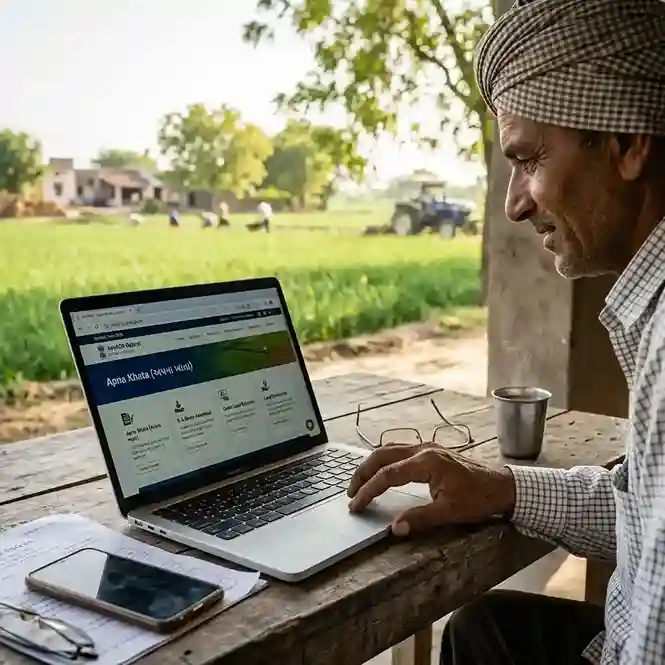
What Is Apna Khata Gujarat?
In Gujarat, Apna Khata literally means "your own account." For land records, it refers to the 8-A Khata | officially called Village Form No. 8A (VF-8A). This is the land revenue account maintained by the Gujarat Revenue Department for every landowner in each village.
The document is also called Khata Nakal, 8A Utara, or Khatavahi in common usage. It shows every piece of land you or your family officially own in a specific village | not just one plot, but all of them under one account.
Think of it as a bank statement for your land. A bank statement lists all your transactions and the total balance. The 8-A Khata lists all your land parcels and the total land area under your name in one village. Just as you check your bank statement before taking a loan, banks and government offices check your 8-A Khata before processing land-related applications.
The 8-A Khata is maintained by the Talati-cum-Mantri (village revenue officer) of each gram panchayat. It is updated every time land changes hands through sale, inheritance, gift, or court order | a process called mutation (Ferfar). You can view and download the current version free at anyror.gujarat.gov.in.
Note: Gujarat uses the term Apna Khata informally to mean the same as Rajasthan's e-Dharti portal name. They are different systems. This guide covers Gujarat's 8-A Khata specifically, available through the AnyROR portal.
What Is a Khata Number in Gujarat?
A Khata Number (Khata Kramank in Gujarati) is a unique identification number the Revenue Department assigns to each landowner in a village. It is also called the account number for land purposes.
Every person who owns land in a village gets one Khata Number for that village. If the same person owns land in two different villages, they will have two separate Khata Numbers | one in each village's revenue records.
The Khata Number groups all land owned by one person in one village under one record. If you own Survey No. 45, Survey No. 112, and Survey No. 203 in the same village, all three appear under your single Khata Number.
This is why finding your Khata Number is the starting point for viewing your 8-A Khata. Once you know your Khata Number, you can pull up your complete land portfolio in that village instantly.
What 8-A Khata Shows | Every Field Explained
The 8-A Khata document has a fixed format set by the Gujarat Revenue Department. Here is a plain-language explanation of every major field.
District, Taluka, Village
The three location identifiers at the top. They specify exactly which revenue records this Khata belongs to. All land listed under this Khata is in this village only.
Khata Number (ખાતા ક્રમાંક)
The account number for this landowner in this village. Every entry in the 7/12 of linked survey numbers will show this same Khata Number in the Khate Kramank field.
Khatedar Name (ખાતેદારનું નામ)
The registered landowner(s) under this Khata. For joint families, multiple names appear. Each name may have a listed share percentage of ownership.
Survey Numbers Listed
All survey numbers owned by this Khatedar in this village. Each survey number links to a separate 7/12 Satbara record for that specific plot's detailed information.
Land Area (Total)
The total land area held under this Khata, in Hectares and Ares. It is the combined area of all listed survey numbers minus Pot Kharab (unusable land portions).
Land Classification
Whether the land is agricultural, residential, or wasteland. Agricultural land is categorized as Jirayat (rain-fed) or Pivat (irrigated). This affects loan eligibility and income calculations.
Revenue Assessment (Malguzari)
The annual land revenue (tax) assessed on this Khata by the Revenue Department. It shows what the landowner owes to the government. Outstanding revenue dues appear here.
Mutation Reference (Ferfar)
The most recent mutation number tied to this Khata. Each ownership change (sale, inheritance, gift) is recorded as a Ferfar in the VF-6 register and referenced here.
8-A Khata vs 7/12 Satbara | Key Differences
These two documents confuse most people. Both come from the same Revenue Department. Both appear on AnyROR. But they serve completely different purposes.
| Feature | 8-A Khata (VF-8A) | 7/12 Satbara (VF-7 + VF-12) |
|---|---|---|
| Perspective | Owner-centric | covers one person's all land in one village | Plot-centric | covers one specific survey number only |
| What it shows | All survey numbers owned by one Khatedar, total area, revenue account | One plot's ownership, area, crop details, loans, court orders |
| Search input | Khata Number or owner name | Survey Number or owner name |
| Best analogy | Your complete land portfolio in one village | One stock's detail from that portfolio |
| Contains crop info? | No | crop data is in VF-12 (lower half of 7/12) | Yes | Form 12 portion covers crops and irrigation |
| Contains loan/Boja info? | Indirectly, through linked survey numbers | Yes | Boja field shows loans against that specific plot |
| Used for bank loans? | Yes | shows total landholding for credit assessment | Yes | shows specific plot details and existing loans |
| Used for income cert? | Yes | shows total land area for farming income calculation | Also used | shows plot-level crop and irrigation details |
| Download from | AnyROR → Rural → VF-8A Khata Details | AnyROR → Rural → VF-7 Survey No. Details |
For most land transactions, you need both documents together. The 8-A Khata proves total ownership. The 7/12 Satbara proves the specific plot's details. Banks, courts, and government offices typically ask for both.
Read the full guide on the 7-12 Utara Gujarat download process if you need the Satbara alongside your 8-A Khata.
How to Find Your Khata Number in Gujarat
If you do not know your Khata Number, you need to find it before you can download the 8-A Khata. There are three ways to do this.
Method 1 | AnyROR "Know Khata by Owner Name" (Fastest)
Go to anyror.gujarat.gov.in
Open the AnyROR portal. Click View Land Record – Rural.
Select "Know Khata by Owner Name"
From the "Select Any One" dropdown at the top, choose "Know Khata by Owner Name" (ખાતેદારના નામ પરથી ખાતુ જાણવા).
Enter the landowner's name, district, and village
Type the full name of the landowner | as it appears in the revenue records. Select your District, Taluka, and Village. Enter the captcha code.
View the matching results
The system shows all Khata Numbers that match the name in that village. Select the correct one. Note the Khata Number displayed | you will use it to download the full 8-A Khata record.
Method 2 | From Existing 7/12 Document
If you have a 7/12 Satbara for any of your plots, look for the field labeled Khate Kramank or Khata Number. This is the same Khata Number that links to your 8-A Khata.
Method 3 | Visit Talati Office or E-Dhara Kiosk
If neither of the above works | for example, if the online name search returns too many results or no results | visit your village Talati's office or the E-Dhara kiosk at the Taluka office. Show your Aadhaar and any old revenue document. The Talati can look up your Khata Number from the physical register.
How to Download 8-A Khata via AnyROR
The download process is free and takes under 5 minutes. No account or login required for the basic reference copy. Have your Khata Number or owner name ready.
Open anyror.gujarat.gov.in
Go to the official AnyROR portal. Do not use third-party sites that charge fees. The government portal is free. It works on both mobile phones and desktop computers.
Click View Land Record – Rural
On the homepage, click "View Land Record – Rural". If your land is in a city or town (urban area), click "View Land Record – Urban" instead and look for the Property Card option.
Select VF-8A Khata Details
From the "Select Any One" dropdown menu, choose "VF-8A Khata Details" (ગામ નમૂના નં. ૮અ ની વિગતો). This is the 8-A Khata Utara option.
Select District, Taluka, and Village
Choose your District from the first dropdown. The second dropdown then narrows to Talukas in that district. Choose your Taluka. Then choose your Village. Make sure you select the correct village | some names are similar across districts.
Enter Khata Number
Type your Khata Number in the input box. If you do not know it, see the section above to find it first. Click the "Get Record Detail" button after entering the captcha.
View the 8-A Khata record
Your 8-A Khata appears on screen. It shows the Khatedar name, all listed survey numbers, total land area, and revenue details. Review each field carefully.
Save as PDF
Press Ctrl + P on Windows or Cmd + P on Mac. In the print dialog, choose "Save as PDF" as the destination. This saves a reference copy on your device. This copy is for personal use only | it is not legally valid for courts or banks in its plain downloaded form.
Digitally Signed 8-A Khata | When and How
The free reference copy from AnyROR is not accepted for official purposes | bank loans, court cases, or government scheme applications. For those, you need the Digitally Signed RoR version of the 8-A Khata.
The digitally signed copy has an official digital signature from the Revenue Department and a QR code. Any person or institution can scan the QR code to verify the document instantly. It carries the same legal weight as a physically issued copy from the Talati office.
How to Get the Digitally Signed 8-A Khata
Go to anyror.gujarat.gov.in
On the homepage, click "Digitally Signed RoR". This redirects you to the Digital Gujarat portal.
Log in with your mobile number
Enter your mobile number and verify with OTP. If you are new to the Digital Gujarat portal, register first | it takes under 5 minutes and is free.
Select Village Form 8A
Choose Village Form No. 8A from the document type dropdown. Select your District, Taluka, Village, and Khata Number. Confirm.
Pay Rs 15
Pay the fee of Rs 15 per document via UPI, debit card, or net banking through the government e-payment gateway.
Download the signed PDF
After payment, the digitally signed 8-A Khata PDF is ready for download. It has an official signature and QR code. This is the version accepted by banks, courts, and government offices.
8-A Khata for Bank Loans and Agricultural Credit
Banks and financial institutions treat the 8-A Khata as the primary proof of a farmer's total land ownership. It is required for several types of credit applications.
Agricultural Loans and Kisan Credit Cards (KCC)
When a farmer applies for a crop loan, a Kisan Credit Card, or any agricultural loan from a bank or cooperative, the bank asks for the 8-A Khata. The bank uses it to verify:
- That the applicant legally owns agricultural land in their name
- The total land area | this determines the loan limit
- Whether any existing loans are already secured against the same land (cross-checked with the 7/12's Boja field)
For KCC applications, most banks accept a plain AnyROR printout of the 8-A Khata during the initial application stage. But the final sanction typically requires the digitally signed RoR version or a certified copy from the Talati office.
Housing and Personal Loans Using Land as Collateral
If you are using agricultural land as collateral (mortgage) for a housing loan or personal loan, the bank needs both the 8-A Khata and the 7/12 Satbara for each plot being mortgaged. The 8-A Khata proves you own the land. The 7/12 confirms the specific plot details and shows whether any prior loan already exists against it.
PM Fasal Bima Yojana (Crop Insurance)
For crop insurance enrollment under PMFBY, the 8-A Khata is used to verify total cultivated land area. Insurance premiums and coverage amounts are calculated based on the total area shown in the Khata.
NABARD and Government Credit Schemes
Various NABARD-linked credit schemes, the Gujarat government's agricultural subsidy programs, and the PM Kisan Samman Nidhi scheme use the 8-A Khata to verify farmer status and land ownership before disbursement.
8-A Khata for Income Certificate Applications
For farming families in Gujarat, the 8-A Khata plays a key role in the income certificate application process at the Mamlatdar office.
When a farmer or agricultural family applies for an income certificate through the Digital Gujarat Government Services portal or at the Mamlatdar office, the income from farming is based on the land they own. The Mamlatdar uses the 8-A Khata to verify:
- Total land area owned by the family in their village
- Land classification | irrigated or rain-fed, agricultural or other
- Whether all survey numbers listed in the application match the actual Khata record
The income calculation for agricultural land follows the state-set land productivity rates per acre or hectare. A larger irrigated landholding results in a higher computed income | which affects scholarship eligibility, since most Gujarat scholarships have income ceilings of Rs 1.5 lakh to Rs 6 lakh per year.
Documents to Submit at Mamlatdar Along with 8-A Khata
- 8-A Khata Nakal (digitally signed or Talati-certified copy)
- 7/12 Satbara for each plot (shows crop details and irrigation)
- Aadhaar card of the applicant
- Self-declaration of annual income from all sources
- Any additional income proofs | salary slips, bank statements, business documents
Common Errors in Khata and How to Fix Them
Wrong Name on Khata
This is the most common problem. The name in the Khata may be misspelled, shortened, or recorded differently from current ID documents. This creates issues during loan applications and income certificate requests.
Fix: Visit your village Talati office. Submit a written request for name correction with supporting documents | Aadhaar card, school leaving certificate, and any old revenue document showing the correct name. The Talati forwards it to the Mamlatdar for approval. Updates typically take 15–30 days.
Missing Survey Number from Khata
Sometimes a plot you legitimately own does not appear in your 8-A Khata. This usually happens after a land purchase where the mutation (Ferfar) was not completed or is still pending.
Fix: File for land mutation Gujarat online at the AnyROR portal or at the Talati office. Attach the registered sale deed or inheritance document. Once the mutation is approved, the survey number updates in your Khata automatically.
Old Owner's Name Still Showing
After purchasing land, the previous owner's name may still appear in the 8-A Khata if the mutation has not been completed. Banks and government offices will not process applications until the Khata shows your name as the current owner.
Fix: Apply for mutation using the E-Dhara Gujarat portal or through the AnyROR mutation system. Once the Mamlatdar approves the mutation, the Khata updates to your name. Track the status online using the Ferfar number given at the time of application.
Area Mismatch Between Khata and 7/12
The total area shown in your 8-A Khata should equal the combined area of all listed survey numbers in their individual 7/12 records. If there is a discrepancy, it could indicate an error in records or an unrecorded sub-division of land.
Fix: Visit the Talati office with both documents and request a physical verification. If needed, a re-survey can be initiated through the District Collector's office. This is a longer process | typically 2–6 months.
Other Land Records Linked to 8-A Khata
The 8-A Khata does not stand alone. It connects to several other Gujarat land records that together give a complete picture of any landholding.
| Record | Official Name | What It Covers | AnyROR Option |
|---|---|---|---|
| 7/12 Satbara | VF-7 + VF-12 | One specific plot | ownership, crop, loans, area | VF-7 Survey No. Details |
| Mutation Register | VF-6 Ferfar | Full history of ownership changes for one survey number | VF-6 Entry Details |
| Encumbrance / Boja | 135-D Notice | Official loan or lien record on a survey number | 135-D Notice for Mutation |
| Property Card | City Survey Card | Urban land ownership | used instead of 7/12 for city plots | View Land Record Urban |
| E-Chavdi | E-Chavdi | Digital village register | public record of all village land entries | E-Chavdi option on AnyROR |
For a complete land due-diligence check before buying rural land in Gujarat, you need to review:
- The seller's 8-A Khata | confirm the specific survey number appears here
- The 7/12 Satbara for each plot | check name, area, and Boja (existing loans)
- The VF-6 mutation history | trace an unbroken title chain from original owner to current seller
- The E-Dhara or AnyROR Encumbrance Certificate | confirm no ongoing court disputes
Read the complete Gujarat land records guide for how all these documents interconnect. You can also use the Gujarat property tax portal to verify whether property taxes on a plot are clear before purchase.
Related Guides
Gujarat Land Records 7-12
All records hub
7-12 Utara Gujarat
Satbara download guide
E-Dhara Gujarat
Land mutation portal
Land Mutation Gujarat
Ferfar online apply
Property Tax Gujarat
Online payment guide
Government Services
All citizen services
Frequently Asked Questions
Apna Khata Gujarat refers to the 8-A Khata (VF-8A or Village Form 8A) | the official land ownership account maintained by the Gujarat Revenue Department for each landowner in a village. It lists all land parcels owned by one person in one village, along with total area, Khata number, revenue details, and linked survey numbers. It is owner-centric | unlike the 7/12 Satbara which covers just one plot. Download it free at anyror.gujarat.gov.in.
A Khata number is a unique account number assigned to each landowner in a village by the Revenue Department. To find your Khata number, go to anyror.gujarat.gov.in, click View Land Record Rural, choose 'Know Khata by Owner Name' from the dropdown, enter the landowner's name, district, taluka, and village, fill the captcha, and click search. The system shows matching Khata numbers. Alternatively, check any existing 7/12 document | the Khate Kramank field shows your Khata number.
The 7/12 Satbara (VF-7) is plot-centric | it covers one specific survey number and shows that plot's ownership, area, crop details, and any loans. The 8-A Khata (VF-8A) is owner-centric | it lists every land parcel owned by one person in one village, with total area and revenue account details. Use the 7/12 to verify one specific plot. Use the 8-A Khata to see someone's complete land portfolio in a village. Banks usually need both documents together for agricultural loans.
Go to anyror.gujarat.gov.in. Click View Land Record Rural. From the Select Any One dropdown, choose VF-8A Khata Details. Select District, Taluka, and Village. Enter your Khata Number and the captcha. Click Get Record Detail. Your 8-A Khata appears on screen. To save: press Ctrl+P and choose Save as PDF. This gives a free reference copy. For a legally valid signed copy, use the Digitally Signed RoR section on the AnyROR homepage | a fee of Rs 15 applies per document.
Yes. Banks require the 8-A Khata for agricultural loans, Kisan Credit Cards, and any loan where agricultural land is used as collateral. Banks use it to confirm total land holdings and assess loan limits. For formal loan applications, you need the digitally signed version from the AnyROR portal (Rs 15) | a plain printout is not accepted. The 8-A Khata is reviewed alongside the 7/12 Satbara for each mortgaged plot.
Yes. For farming families, the 8-A Khata is submitted to the Mamlatdar office as part of the income certificate application. The Mamlatdar uses it to verify total land area and calculate agricultural income based on state productivity rates. This income calculation determines whether a family qualifies for scholarships and welfare schemes with income-based eligibility criteria. Always submit a digitally signed or Talati-certified copy to the Mamlatdar.
This usually happens when a land purchase mutation (Ferfar) has not been completed. Apply for land mutation at the AnyROR portal or visit your Talati office with the registered sale deed or inheritance document. Once the Mamlatdar approves the mutation, the survey number will update in your Khata record automatically. Track the mutation status online using the Ferfar number given at the time of application. See the Land Mutation Gujarat guide for step-by-step mutation application steps.
The basic reference view and printout at anyror.gujarat.gov.in is completely free. No login, no payment required. For a digitally signed, legally valid RoR copy of the 8-A Khata, the fee is Rs 15 per document. Pay online via UPI, debit card, or net banking through the Digital Gujarat payment gateway. The digitally signed copy is required for bank loans, court cases, and official government applications.
In the 7/12 Satbara, the Khata Number (Khate Kramank) field links that specific plot to the owner's 8-A Khata account. It tells you which landowner's account this plot belongs to in the village revenue records. If you know the Khata Number from a 7/12, you can use it directly to download the complete 8-A Khata for that landowner | which shows all their other land parcels in the same village.