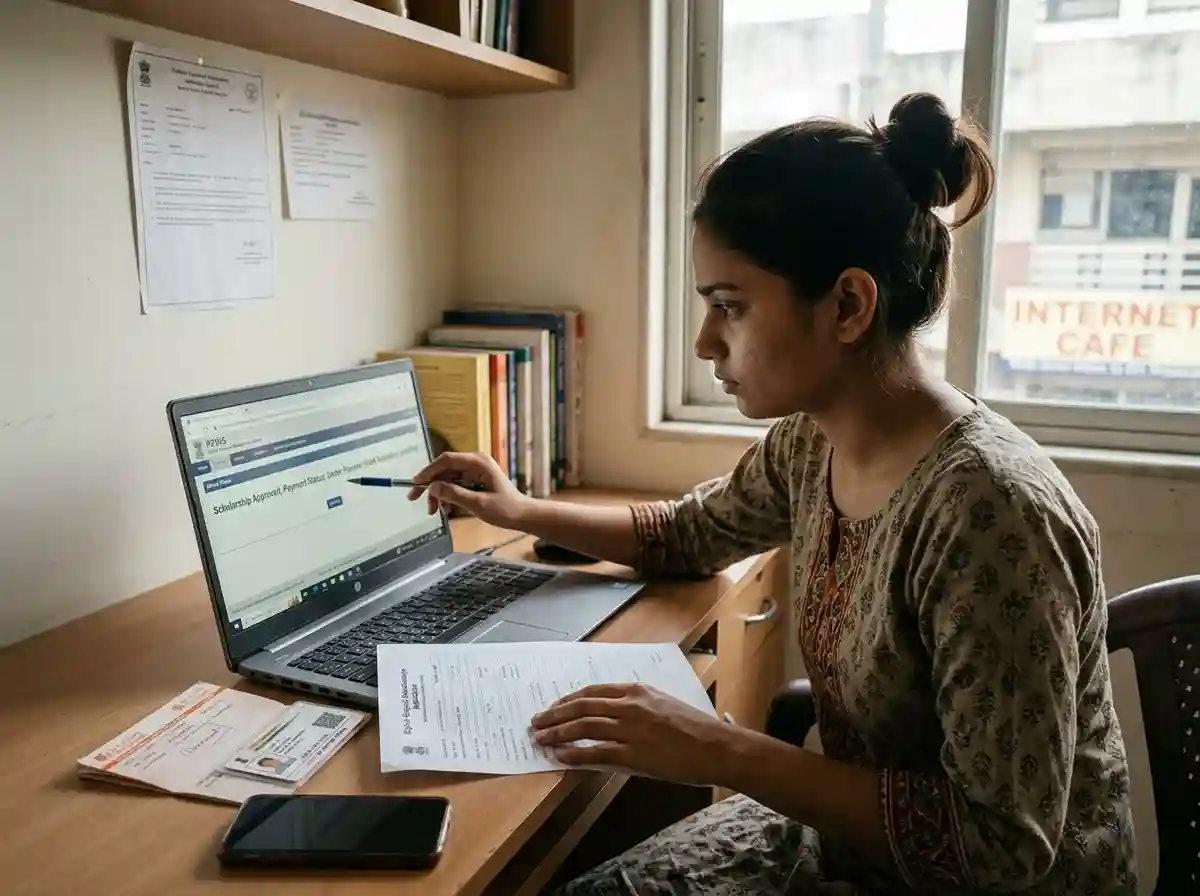
Why Digital Gujarat Scholarship Money Does Not Arrive
Getting the "approved" status on the Digital Gujarat portal feels like the finish line. It is not. Several steps happen between approval and money reaching your bank. Any one of them can silently fail without sending you a notification.
The Government of Gujarat disburses all scholarship payments through DBT | Direct Benefit Transfer. This means the money goes from the government treasury → PFMS (Public Financial Management System) → NPCI mapper → your Aadhaar-linked bank account. Every step in that chain must work correctly.
Most students assume approval on the portal equals money in the bank. But the portal only shows government-side approval. It does not track whether NPCI routing or your bank accepted the transfer.
The four most common failure points are:
Status stuck at "Sanctioned" | not "Disbursed"
The scholarship is approved but the payment order has not been processed through PFMS yet. This can sit for 15 to 45 days at the district or state level.
Check portal status carefully. "Sanctioned" is not the same as "Disbursed".NPCI Aadhaar seeding not done or inactive
Your bank linked your Aadhaar for KYC | but never pushed it to the NPCI mapper. Without NPCI seeding, DBT has no valid destination and the payment returns to government.
Dial *99*99# or visit your bank branch to confirm and activate NPCI seeding.Bank account dormant, frozen, or closed
Accounts with no transaction for 12 months become dormant. Banks freeze accounts for KYC lapses. DBT credits into a dormant account either bounce back or stay in limbo.
Visit your bank branch, complete KYC, and reactivate the account.Name or Aadhaar mismatch between application and bank
Even small differences | "Priya" vs "Priya S" | cause DBT authentication to fail at the NPCI matching stage.
Confirm the name on your bank account exactly matches your Aadhaar and the scholarship application.Wrong bank account or IFSC in the application
A single digit wrong in the account number or IFSC sends payment to a different account or causes transfer failure at PFMS.
Log in to the portal and verify the bank details saved in your profile under My Account.Application stuck at institute or district verification
Your application never reached "Sanctioned" because the institute coordinator or district officer has not acted on it.
Check portal status. If stuck at institute or district level, contact your college's scholarship coordinator.Step 1 | Check Your Portal Status on Digital Gujarat
Before doing anything else, confirm exactly what your portal status says. Do not rely on memory or a screenshot from weeks ago. Log in fresh and read the current status.
- 1
Log in to digitalgujarat.gov.in
Go to digitalgujarat.gov.in in Google Chrome. Enter your mobile number and password. Complete OTP verification.
Open Digital Gujarat Portal - 2
Go to Scholarship Services → Status
On your dashboard, click Scholarship Services. Find your scheme for the current financial year. Click the Status or View Application button next to it.
- 3
Read the exact current stage
The application moves through these stages. Find yours below and follow the action for that stage.
Your application is waiting for your college to verify it.
Action neededContact your college scholarship coordinator. Ask them to log in and verify your application. This is the most common early-stage delay.
College has verified. Waiting for District Social Welfare Officer approval.
In progressNormal processing time. If stuck here for more than 30 days, contact the DSWO helpline at 1800-233-5500.
An officer flagged a problem with your documents or details.
Action requiredLog in immediately. Read the query. Upload the corrected document or update the detail asked for. Respond before the correction window closes.
Scholarship amount officially approved. Payment order issued but not yet sent to PFMS.
Wait 15–30 daysThis stage is normal. The payment is queued at the state or district level. If it stays here for more than 30 days, proceed to the PFMS check below.
Payment has been sent from the government side via PFMS.
Payment sentIf you see "Amount Disbursed" and the money has still not arrived, proceed immediately to the PFMS check in Step 2 below. The problem is now on the bank or NPCI side.
Step 2 | Check PFMS: Confirm the Payment Was Sent
PFMS | the Public Financial Management System at pfms.nic.in | is the central Government of India platform that tracks all DBT payments. When the Digital Gujarat portal shows "Amount Disbursed," the payment has been handed to PFMS. You can confirm this independently on the PFMS portal.
You do not need to create a login. The Know Your Payments feature is free and open to all citizens.
- 1
Go to pfms.nic.in
Open pfms.nic.in in Google Chrome. Do not use any other URL | the official portal ends in .nic.in only.
Open pfms.nic.in - 2
Hover over "Payments" → click "Know Your Payments"
On the PFMS homepage, move your mouse over the Payments tab in the top menu. A dropdown appears. Click Know Your Payments. On mobile, tap the menu icon, find Payments, and tap Know Your Payments.
- 3
Select "Search by Account Number"
Three search options appear. Choose Search by Account Number. This is the most reliable method for scholarship payment tracking.
- 4
Enter your bank name and account number
Select your bank name from the dropdown. Type your account number exactly as it appears on your passbook. Retype it in the confirmation field. Enter the captcha code shown. Click Search.
Keep your bank passbook open while doing this | one wrong digit shows no results, which students often misinterpret as "payment not sent."
- 5
Read the results | understand each status
If payments have been processed, a list appears showing scheme name, amount, date, and status. Match the scholarship scheme name and academic year to your application.
| PFMS Status | What It Means | What to Do |
|---|---|---|
| Payment Successful | Money left PFMS and was credited via NPCI to your bank account. | Check your bank passbook or bank app. If still not showing, wait 3 to 7 working days. Then visit the bank branch with the PFMS Payment Reference ID. |
| Payment Initiated / In Process | PFMS has queued the payment. It has not yet reached your bank. | Wait 3 to 5 working days. Check again. If it stays "Initiated" for more than 7 days, contact your bank's NPCI seeding desk. |
| Payment Failed / Returned | The bank or NPCI rejected the transfer. Money returned to government. | Most common cause: NPCI Aadhaar seeding inactive or account dormant. Fix the NPCI issue (Step 3) or reactivate the account (Step 4), then ask the DSWO to re-initiate the payment. |
| No Record Found | Either (a) the payment has not yet been sent from the government side, or (b) the account number you entered does not match what is on record. | Verify the account number on your scholarship application profile. If the portal shows "Amount Disbursed" but PFMS shows No Record, contact 1800-233-5500 and report the discrepancy. |
Step 3 | Check and Fix NPCI Aadhaar Seeding
This is the step most students skip | and it is the most common hidden cause of scholarship non-receipt. You must confirm your Aadhaar is seeded in the NPCI mapper specifically for DBT, not just linked to your bank for KYC.
Understanding the difference: KYC linking vs NPCI seeding
When you submitted your Aadhaar at the bank for account opening or KYC, the bank recorded your Aadhaar in its internal database. This satisfies RBI's identity verification rules. It does NOT automatically register your account in the NPCI mapper.
The NPCI mapper is a separate central database run by the National Payments Corporation of India. When the government sends a DBT payment using your Aadhaar, NPCI mapper looks up which bank account to credit. If your account is not in the NPCI mapper, the payment has nowhere to go and bounces back.
Method 1 | Check NPCI seeding status by phone (no internet needed)
- 1
Dial *99*99# on your Aadhaar-registered mobile
Use the mobile number that is registered with your Aadhaar. This works on any phone | smartphone or basic phone | without internet. The call uses the USSD protocol.
- 2
Select Option 1 | Check Aadhaar NPCI mapper status
A menu appears on screen. Select Option 1 for checking Aadhaar-bank linking status in the NPCI mapper.
- 3
Enter your Aadhaar number and confirm last 4 digits
Type your 12-digit Aadhaar number when prompted. Confirm the last 4 digits when asked. The system checks the NPCI mapper and displays the result.
- 4
Read the result
If the result shows your bank name and confirms seeding is active | your NPCI seeding is fine. The payment problem is elsewhere.
If the result shows "Not Seeded" or "No record found" | your NPCI seeding is missing or inactive. Proceed to fix it using the steps below.
Method 2 | Check NPCI seeding via UIDAI website
- 1
Go to myaadhaar.uidai.gov.in
Open myaadhaar.uidai.gov.in. Log in with your Aadhaar number and OTP sent to your registered mobile.
- 2
Go to "Bank Seeding Status" or "Aadhaar Bank Linking Status"
Find the section that shows your bank account mapping. The portal shows which bank your Aadhaar is currently seeded with in the NPCI mapper.
How to fix NPCI seeding if it is inactive or missing
- 1
Visit your bank branch in person
Go to the branch where your scholarship account is held. Carry your Aadhaar card (original or e-Aadhaar printout) and bank passbook. Ask specifically for NPCI Aadhaar seeding for DBT. Use these exact words | some bank staff confuse it with regular Aadhaar KYC linking.
- 2
Fill the Aadhaar seeding form and submit
The bank provides a one-page form. Fill your Aadhaar number, bank account number, name, and sign the consent declaration. The bank officer will verify and process it.
- 3
Wait 2 to 5 working days for NPCI mapper to update
After the bank submits your seeding request, the NPCI mapper updates within 2 to 5 working days. You will receive an SMS on your Aadhaar-registered mobile confirming the seeding is active.
- 4
Re-check using *99*99# after 5 days
Dial *99*99# again to confirm the seeding is now active. Then contact your DSWO office to ask for re-initiation of the failed payment.
Step 4 | Check Your Bank Account Status
Even with NPCI seeding active and PFMS showing "Payment Successful," the money might not appear if your bank account has a problem. Here are the most common account-side issues.
Dormant account
A bank account becomes dormant if there are no customer-initiated transactions for 12 consecutive months. Banks are required to freeze such accounts under RBI guidelines. A dormant account cannot receive new credits | including DBT payments. Some DBT payments queue up; others bounce back.
To reactivate: Visit the bank branch with Aadhaar card and complete a fresh KYC. The bank reactivates the account. This process usually takes 24 to 48 hours.
Account closed or changed
Some students close a bank account after graduation or switch banks | but forget to update the scholarship portal profile. The payment goes to the closed account and is returned to government.
To fix: Log in to digitalgujarat.gov.in and update your bank account details in My Profile before the next payment cycle. If the payment has already failed, you must contact the DSWO to re-initiate with the correct account.
KYC not updated | account frozen
Banks freeze accounts when annual or periodic KYC updates are not completed. Frozen accounts cannot receive or send money. Check your bank app or passbook | a frozen account typically shows a "Frozen" or "Dormant" indicator.
To fix: Visit the bank branch with Aadhaar, PAN (if applicable), and a recent photograph. Complete the KYC update form. Accounts are usually unfrozen within 1 to 2 working days.
Checking your bank account status
- Log in to your bank's mobile app | the account status shows on the main screen
- Try making any small transaction (even Rs 1 transfer) | if it fails, the account is restricted
- Check the last transaction date in your passbook | if more than 12 months ago, visit the branch
- Call your bank's customer care and ask for the account status | give your account number and registered mobile OTP
Name Mismatch | A Specific Cause That Gets Missed
The DBT payment system validates the account holder's name against the Aadhaar during NPCI routing. Any discrepancy | even initials vs full name | can cause payment to fail silently.
Common name mismatch patterns:
- Bank account shows "Ravi S. Patel" | Aadhaar shows "Ravi Suresh Patel"
- Bank account shows a maiden name | Aadhaar was updated with married name (or vice versa)
- Application form entered name differently from both Aadhaar and bank
- Bank account is in a parent's name | scholarship requires a student account in the student's own name
To fix a name mismatch: Visit your bank branch and request a name correction on the account to exactly match your Aadhaar. Bring the Aadhaar original and a written request. Alternatively, update your Aadhaar name to match the bank record at a UIDAI Aadhaar Seva Kendra. Once both match, re-seed NPCI and ask the DSWO to re-initiate the payment.
Step 5 | Escalation Path to DSWO and Beyond
If you completed Steps 1 through 4 and the money is still not received, you need to escalate formally. The escalation path has clear levels | each one gets you closer to resolution.
-
1
Call the Digital Gujarat Helpline: 1800-233-5500
This toll-free number is available Monday to Friday, 10:30 AM to 6:10 PM. Call with your application reference number, Aadhaar number, and bank account number ready. The helpline can check application status, confirm PFMS payment status, and escalate internally to the district.
Note the call date, time, and the name of the officer you spoke with. Keep this for your records if further escalation is needed.
Level 1 | Start Here -
2
Email the Social Justice and Empowerment Department
For written escalation, email the Department of Social Justice and Empowerment, Government of Gujarat at the contact found at sje.gujarat.gov.in/Contact.
Subject line: "Scholarship Payment Not Received | [Your Application ID] | [Your District]". Attach your application reference number, screenshot of "Amount Disbursed" status, screenshot of PFMS check result, and your Aadhaar-bank details (redacted to last 4 digits of each).
Level 2 | Written Complaint -
3
Visit DSWO | District Social Welfare Officer office
This is the most effective step for payment re-initiation. The DSWO is the district-level authority responsible for scholarship approvals and payments in your district.
Bring these documents to the DSWO office:
- Application reference number (printed or on phone)
- Screenshot of current portal status showing "Amount Disbursed"
- Screenshot of PFMS result showing "Payment Failed" or "No Record"
- Screenshot of *99*99# NPCI seeding confirmation (if fixed)
- Bank passbook copy showing account is active
- Aadhaar copy
- Written complaint letter (one page, addressed to DSWO)
The DSWO can verify the payment status on the government side and initiate a re-disbursement request. For SC/ST students, the relevant officer is the District SC/ST Welfare Officer. For OBC/SEBC students, it is the District Backward Classes Welfare Officer. Find contacts at sje.gujarat.gov.in.
Level 3 | Most Effective -
4
File an RTI (Right to Information) request
If the DSWO does not resolve the issue within 30 days of your visit, file an RTI under Section 6(1) of the RTI Act 2005. Address it to the Public Information Officer of the Social Justice and Empowerment Department, Government of Gujarat.
In the RTI, ask: "What is the current payment status of scholarship application number [your ID]? Was a payment order issued? If yes, on what date and for what amount? If payment was returned to treasury, what is the re-disbursement process?"
RTI responses are legally mandated within 30 days. This creates a paper trail and usually prompts action before the RTI reply deadline.
Level 4 | Legal Right -
5
Gujarat State Grievance Portal (Jan Sunvai)
File an online complaint at jan.gujarat.gov.in. This is the Chief Minister's portal for public grievances. Complaints registered here are tracked with a ticket number and routed to the concerned department head.
Include your application ID, the complete sequence of steps you have taken, and attach all screenshots as evidence. This escalation typically generates a response within 15 working days.
Level 5 | Chief Minister's Portal
What If Your Application Is Not Yet Approved?
Some students reach this page not because payment failed | but because their application is still sitting at the district or state level without approval. This is a different problem with different solutions.
Check the portal status. If it shows Institute Verified or District Pending and the application was submitted more than 45 days ago, do these three things:
- Contact your college scholarship coordinator and confirm they have verified and forwarded your application to the district
- Call the helpline at 1800-233-5500 and ask for the reason for delay at the district level
- If the application deadline for corrections is still open, check if there is a "Query Raised" status you may have missed | some students miss correction requests because they did not re-check the portal
Related Guides
Frequently Asked Questions
Follow these steps in order. First, log in to digitalgujarat.gov.in and check if the status says "Amount Disbursed" | not just "Sanctioned by Authority." If disbursed, go to pfms.nic.in → Know Your Payments → enter your bank account number to confirm PFMS sent the payment. Then dial *99*99# from your Aadhaar-registered mobile to check NPCI seeding is active. Finally, visit your bank branch to confirm the account is not dormant or frozen. If all four checks pass and money is still absent, visit your district DSWO office in person with a written complaint and evidence from each check.
"Sanctioned by Authority" means the scholarship amount has been officially approved by the district or state authority. A payment order has been issued. However, the money has not yet been transferred to PFMS for disbursement. This stage normally takes 7 to 30 days to move to "Amount Disbursed." If it remains at "Sanctioned by Authority" for more than 30 days, call the helpline at 1800-233-5500 and ask about the payment processing timeline for your scheme.
NPCI Aadhaar seeding is the process of registering your Aadhaar number with the National Payments Corporation of India mapper so government DBT payments know which bank account to credit. It is separate from Aadhaar-bank KYC linking. Without NPCI seeding, your Digital Gujarat scholarship payment fails even when the application is approved, because the government's payment system has no valid destination for your Aadhaar number. Check seeding status by dialling *99*99# from your Aadhaar-registered mobile. Fix it by visiting your bank branch and requesting NPCI Aadhaar seeding for DBT.
Payment Failed on PFMS means the payment was initiated but rejected by the bank or NPCI mapper. The money returned to the government treasury. The most common reasons are: NPCI Aadhaar seeding inactive, account dormant or frozen, name mismatch between Aadhaar and bank account, or wrong account number on the scholarship application. Fix the underlying issue first, then contact your DSWO office and ask them to re-initiate the payment with the corrected bank details.
After the portal shows "Amount Disbursed," the money typically reaches your bank account within 3 to 7 working days via the PFMS-DBT system. Some payments arrive within 24 hours; others take up to 10 working days depending on bank processing. If the money does not arrive within 10 working days of the disbursed status appearing, check PFMS at pfms.nic.in to confirm payment was sent.
Visit the District Social Welfare Officer office in your district. You can find district-wise contact information at sje.gujarat.gov.in. For SC/ST students, contact the District SC/ST Welfare Officer. For OBC/SEBC students, contact the District Backward Classes Welfare Officer. Bring your application reference number, PFMS screenshot, NPCI seeding status, bank passbook copy, and Aadhaar. The Digital Gujarat toll-free helpline is 1800-233-5500, available Monday to Friday 10:30 AM to 6:10 PM.
You can update your bank account details in your profile on digitalgujarat.gov.in under My Account before final submission. After locking and submitting the application, bank detail changes require contacting your college coordinator or the District Social Welfare Office. You cannot change bank details yourself after final submission. For this reason, double-check your account number and IFSC code before clicking Submit | one wrong digit will direct the payment to the wrong account.
Log in to digitalgujarat.gov.in immediately. Find the query details under your application. The portal specifies exactly which document or detail needs correction. Upload the corrected document or update the detail within the correction window. If the correction window has closed, call 1800-233-5500 and ask if it can be reopened. Acting quickly on queries is critical | unanswered queries lead to rejection, not automatic delay.