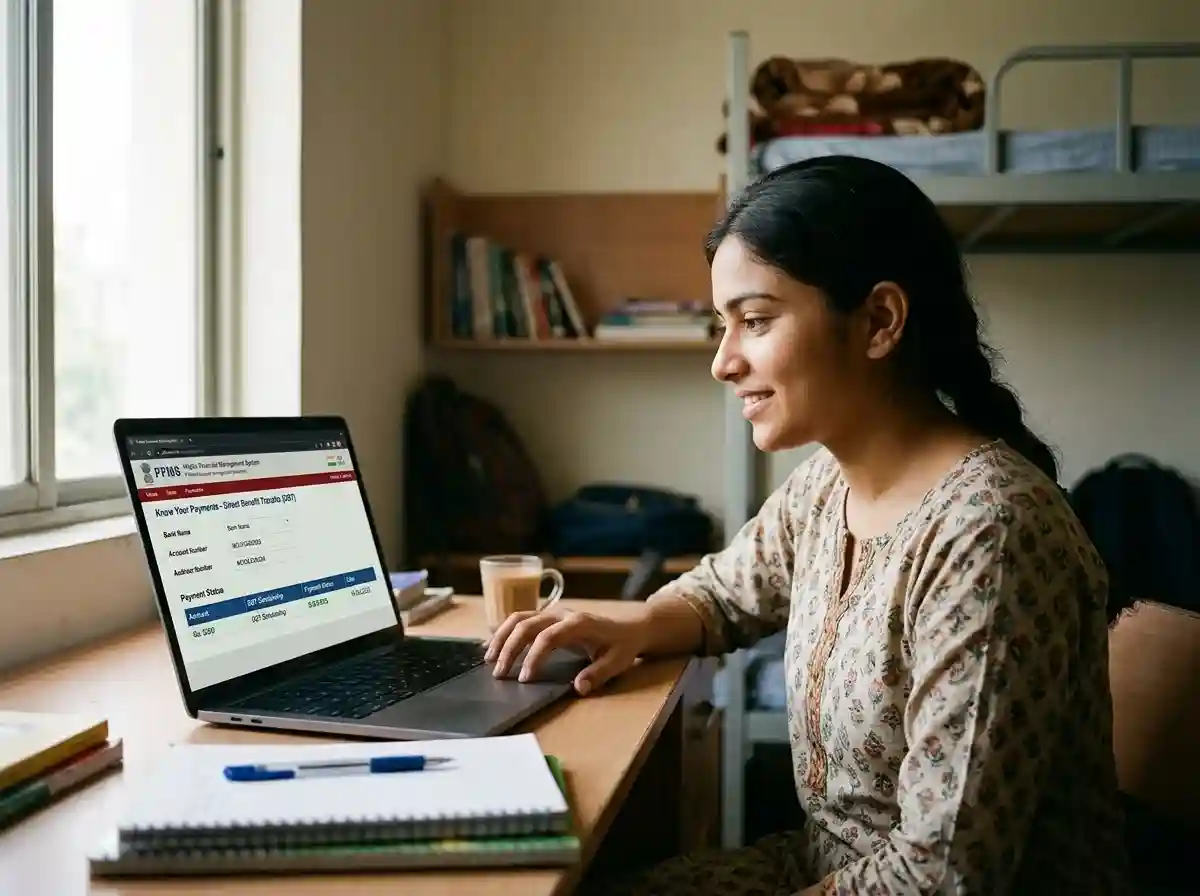
Every central and state scholarship eventually flows through PFMS | the Public Financial Management System. Whether you applied on NSP, the Gujarat scholarship portal, or any other state platform, your payment passes through pfms.nic.in before it reaches your bank account. This guide covers how to check that payment, what each status message means, and exactly what to do when something goes wrong.
What Is PFMS and Why Does It Matter for Scholarships
PFMS stands for Public Financial Management System. The Controller General of Accounts (CGA) under the Ministry of Finance runs it. Every government payment under the Direct Benefit Transfer (DBT) framework passes through PFMS before reaching a beneficiary's bank account.
NSP (National Scholarship Portal) is where you apply for scholarships. PFMS is where those scholarships actually get paid. Think of NSP as the application window and PFMS as the payment window. They are connected but separate systems. A scholarship approved on NSP does not mean the money has moved | it means the payment file has been sent to PFMS for validation and transfer.
PFMS serves over 4 crore scholarship students annually. This includes pre-matric, post-matric, merit-cum-means, and minority scholarships under central government schemes.
PFMS vs NSP vs DBT | What Each One Does
| System | What It Handles | Where to Check |
|---|---|---|
| NSP | Scholarship applications, approvals, institute verification | scholarships.gov.in |
| PFMS | Actual payment transfer from government treasury to your bank | pfms.nic.in → Know Your Payments |
| DBT | Policy framework under which direct payments flow to Aadhaar-linked accounts | Tracked via PFMS and NPCI |
| NPCI / APBS | Routes the payment to the correct bank account using your Aadhaar number | Visit your bank branch for seeding status |
How to Use pfms.nic.in Know Your Payments | Step by Step
The Know Your Payments feature lets you see all government payments sent to your bank account. Here is the exact process for 2026.
-
1
Open pfms.nic.in | verify the URL
Go to pfms.nic.in in your browser. Always confirm the URL ends in .nic.in. Fake sites with similar names exist. The NIC domain is the only legitimate portal.
-
2
Click "Know Your Payments" in the top menu
On the homepage, look at the top navigation bar. Hover over the Payments section and click Know Your Payments. This opens the public payment tracking interface | no account needed.
-
3
Select your bank name from the dropdown
A dropdown lists all supported banks | SBI, PNB, Bank of India, Canara Bank, HDFC, ICICI, Axis, all regional rural banks, and cooperative banks. Choose your bank exactly. If your bank is not in the list, contact the PFMS helpdesk.
-
4
Enter your bank account number twice
Type your full account number in the first field. Enter it again in the second confirmation field. These must match exactly. Even one digit wrong will show no records. Do not copy-paste from a screenshot | type it manually and double-check.
-
5
Complete the CAPTCHA verification
Type the characters shown in the image box. This is case-sensitive. If the CAPTCHA is unclear, click the refresh icon to generate a new one. Click Search.
-
6
Verify with OTP (if prompted)
Some searches require an OTP sent to your bank-registered mobile number. Enter the OTP within the time limit. If the OTP goes to a number you no longer use, contact your bank to update your registered mobile before searching again.
-
7
Read your payment records
The portal shows all DBT and government payments to your account. Each entry shows: scheme name, payment date, amount, and status. Note the Payment Reference ID for any payment showing issues | you will need it when contacting your bank or the nodal officer.
Searching by NSP Application ID (for scholarship-specific tracking)
If you want to track a specific scholarship payment rather than all DBT credits, use the NSP Application ID route. On the PFMS homepage, look for Track DBT Details. Select the scheme type, choose "NSP" as the source system, and enter your NSP Application ID. This shows the exact status of that one scholarship payment from sanction to credit.
PFMS Payment Status Meanings | What Each One Tells You
PFMS shows a status for every payment. Each status puts the payment at a different stage in the pipeline. Here is what every status means and what you should do.
| Status Shown | What It Means | What to Do |
|---|---|---|
| Sanctioned | Your scholarship has been approved by the scheme authority. The payment file has not yet been submitted to PFMS for transfer. | Wait. The Programme Authority (your scholarship department) must submit the file to PFMS. If this status has not changed in 4 weeks, contact your district scholarship officer. |
| Validated | PFMS has confirmed your bank account details match the records. Payment is approved and queued for transfer but not yet sent to the bank. | No action needed. Payment will be initiated in the next processing cycle | usually 3 to 5 working days. |
| Payment Initiated / Payment Under Process | PFMS has sent the payment instruction to your bank. The money is on its way but has not been credited yet. | Wait 3 to 7 working days. Check your bank passbook or mobile banking app for a credit entry labelled DBT or PFMS. During March and September, allow up to 7 days due to high transaction volume. |
| Payment Successful | The government released the funds successfully. This confirms the payment left the treasury. | Check your bank account. The money may take 24 to 48 more hours to appear in your statement. If it does not appear after 7 working days, proceed to the troubleshooting steps below. |
| Account Validation Failed | Your bank account details in the scholarship application do not match what PFMS found in the bank records. This is the most common payment failure reason. | Contact your institution's scholarship nodal officer immediately. They must correct your bank details in the beneficiary database. Once corrected, the scheme authority re-initiates payment in the next cycle. Do not delay | the financial year closes in March. |
| Rejected by Bank | PFMS sent the payment but the bank returned it. Reasons include: dormant account, KYC pending, IFSC code changed, account closed, or Aadhaar seeding inactive. | Visit your bank branch. Carry your Aadhaar and passbook. Ask the reason for rejection. Activate the account, complete KYC, or update Aadhaar seeding. Then inform your nodal officer to request re-initiation. |
| Bank Not Mapped | PFMS cannot find a valid route to send money to your bank. Usually caused by: outdated IFSC code, cooperative bank not fully integrated, or Aadhaar-NPCI mapping inactive. | Visit your bank. Ask for Aadhaar seeding form. Submit it and wait 7 to 10 working days. Then check PFMS status again. |
| No Record Found | Either the payment has not been initiated yet, or you have entered the wrong account number. | First re-check the account number. If correct, check NSP for approval status. If NSP shows Sanctioned but PFMS shows no record, the bottleneck is with the scheme's Programme Authority | contact your district scholarship office. |
PFMS Shows Paid | But Bank Not Credited. What to Do
This is the most common complaint students raise. PFMS shows Payment Successful but the bank account has no credit. Here is a clear plan to fix it.
First, understand what Payment Successful actually means. It means the government treasury released the funds. It does not always mean the money has hit your account. There are two layers between that PFMS status and your passbook | the NPCI mapper and your bank's internal processing.
Step 1 | Wait the standard window first
After PFMS shows Payment Successful, give it 3 to 7 working days. During high-volume months like March and September, it can take the full 7 days. Do not go to your bank on Day 1 | it will not help. The bank simply has not received the funds yet at that stage.
Step 2 | Check all your bank accounts
PFMS routes payments via your Aadhaar number to whichever bank account is currently seeded in the NPCI mapper. If you have multiple accounts, the payment may have gone to a different one than you are checking. Open every bank account you have and look for a credit entry labelled DBT, APBS, or PFMS.
Step 3 | Check NPCI mapper seeding
This is the most important check. Visit your bank branch with your Aadhaar card and passbook. Ask the staff to run an Aadhaar NPCI seeding status check. They will tell you which bank account is currently mapped to your Aadhaar in the NPCI DBT mapper. If it is the wrong account, or no account is mapped, that is why the payment did not arrive. See the NPCI section below for how to fix this.
Step 4 | Go to the bank with PFMS payment reference ID
Get your PFMS Payment Reference ID from the payment record. Visit your bank branch and ask the nodal officer or PFMS desk to trace that specific transaction. Banks have a PFMS nodal officer | ask specifically for them. They can confirm whether the payment was received and why it was rejected internally.
Step 5 | Contact your scholarship nodal officer
If the bank confirms they never received the payment despite PFMS showing Success, the problem is between the government treasury and NPCI. Contact your institution's scholarship nodal officer or the district scholarship officer. Give them the PFMS Payment Reference ID and the PFMS status screenshot. They can escalate with the Programme Authority (the scholarship department) to investigate the specific transaction.
Aadhaar seeded to wrong account
Payment went to an old bank account. Check the NPCI mapper at your bank. Update seeding to your current active account.
- Visit bank branch
- Request Aadhaar seeding form
- Update to correct account
- Wait 7–10 working days
Account dormant or KYC pending
Bank blocked the incoming payment because the account has been inactive or KYC documents expired.
- Visit branch to activate account
- Submit updated KYC documents
- Ask nodal officer to re-initiate
IFSC code changed (bank merger)
Several bank mergers happened in 2020–2022. Old IFSC codes for Dena Bank, Vijaya Bank, Andhra Bank, and others are now invalid.
- Get updated IFSC from your bank
- Ask nodal officer to update in system
- Get payment re-initiated
Payment reference not found at bank
PFMS shows Success but the bank has no record of the transaction. Contact the PFMS helpdesk with the reference ID and your bank statement.
- PFMS helpdesk: 1800-11-6446
- File RTI if not resolved in 30 days
NPCI Seed Check | Why It Matters and How to Fix It
NPCI maintains a central database called the Aadhaar Payment Bridge System (APBS). This database links your Aadhaar number to exactly one bank account for receiving government DBT payments. When PFMS sends your scholarship money, it does not use your account number directly. It sends the funds to your Aadhaar number. NPCI then routes the money to whatever account is currently mapped in the APBS.
This matters because:
- Your Aadhaar can only be seeded to one account at a time for DBT
- If you opened a new account, your old account may still be mapped
- If you never seeded any account, your payment will bounce every time
- Bank KYC linking (when you gave Aadhaar to open the account) is not the same as NPCI seeding for DBT
How to Check Your NPCI Aadhaar Seeding Status
There are two ways to check:
Method 1 | At your bank branch (most reliable): Visit any branch of your bank with your Aadhaar card. Ask the staff to run a DBT seeding status check or Aadhaar NPCI mapper check. They can tell you instantly which account is mapped and whether seeding is active.
Method 2 | Via UIDAI self-service: Go to resident.uidai.gov.in and check your Aadhaar-linked bank under the Banking section. This shows which bank currently holds your NPCI DBT mapping, though not the specific account number.
How to Fix NPCI Seeding | Fresh Seeding or Migration
-
1
Decide which account should receive your payments
Choose one active account with a zero balance or regular transactions. Dormant or joint accounts can cause repeated rejections. Your Aadhaar must be linked to this account for identity (KYC) first.
-
2
Visit your preferred bank branch
Carry your original Aadhaar card (or Aadhaar letter or DigiLocker Aadhaar), your bank passbook, and a filled Aadhaar seeding request form. Ask specifically for the NPCI mapper seeding form for DBT. Banks are legally required to process this within 10 working days per RBI guidelines.
-
3
Submit the form and note the acknowledgement
The bank assigns a reference number. Keep this reference. It is your proof that you requested seeding. If the payment fails again after 15 days, show this reference when complaining to the bank.
-
4
Wait 7 to 10 working days and re-verify
The NPCI mapper update takes time to propagate. After 10 working days, visit your branch again and ask them to confirm the seeding is now active in the NPCI system. Do not assume | confirm.
-
5
Inform your scholarship nodal officer
After seeding is confirmed, tell your institution's scholarship nodal officer that your NPCI seeding is now updated. Ask them to request re-initiation of the failed payment from the Programme Authority. The payment will be re-sent in the next processing cycle.
NSP Shows Approved but PFMS Shows Nothing | Why This Happens
This is a common source of confusion. Students see their scholarship as Sanctioned on NSP and expect to see the same on PFMS immediately. But there is a gap between the two.
NSP approves your scholarship. After approval, the scholarship department (the Programme Authority) must compile a payment file and submit it to PFMS. This does not happen automatically. The department manually batches payments and sends them to PFMS for processing. This step can take anywhere from a few days to several weeks depending on the department's workload, fund availability, and the state government's budget release schedule.
If NSP shows Sanctioned but PFMS shows no record after more than 4 weeks, the delay is with the Programme Authority | not PFMS. The right contact is your district scholarship officer or the state's scholarship nodal agency.
If you want to escalate, file an RTI (Right to Information) application to the Public Information Officer of the concerned scholarship department. Ask: (1) the date on which your PFMS payment file was submitted, (2) your PFMS reference number, and (3) the reason for any delay beyond the scheme's SLA. RTI requests legally require a response within 30 days. Mentioning RTI often accelerates the process without needing to actually file.
PFMS Helpdesk and Escalation Contacts
If you have exhausted the self-service options and the payment is still unresolved, these are the right contacts.
| Contact | Details | Use When |
|---|---|---|
| PFMS Helpdesk | 1800-11-6446 (toll-free) pfms-doea@gov.in |
Payment reference shows Success on PFMS but bank has no record. Technical issues on the portal. |
| NSP Helpline | 0120-6619540 helpdesk@nsp.gov.in |
Application approved but payment file not submitted to PFMS. NSP status not updating after institute verification. |
| Your Bank's PFMS Nodal Officer | Ask at your bank branch | Payment shows Rejected by Bank. Bank not crediting despite PFMS Success. Tracing a specific payment reference ID. |
| Institute Scholarship Nodal Officer | Your college or school scholarship coordinator | Correcting bank details. Requesting re-initiation of a rejected payment. Checking institute verification status on NSP. |
| District Scholarship Officer | Your district social welfare or education office | Payment stuck at Sanctioned on NSP for more than 4 weeks. Escalating after institute and bank attempts failed. |
Common PFMS Errors and How to Fix Each One
Wrong Account Number in Scholarship Application
If you entered the wrong bank account number when applying for the scholarship, PFMS will mark it Account Validation Failed. You cannot fix this yourself. Contact your institution's scholarship nodal officer and ask them to update the bank details in the beneficiary database. After correction, the scheme authority re-initiates payment.
Aadhaar Linked to an Account You Never Check
Many students link Aadhaar to their first account at a nationalised bank, then open a new account elsewhere. The NPCI mapper still points to the old account. The payment goes there silently. Check all your accounts before concluding the money has not arrived.
Dormant Account
An account that has had no transactions for 12 months is flagged as dormant by the bank. Incoming DBT payments get rejected for dormant accounts. Visit your branch, make a small transaction to reactivate, and confirm Aadhaar seeding is still active after reactivation.
Joint Account as Scholarship Account
Several scholarship schemes and DBT protocols flag joint accounts during validation. Use a single-holder account in your own name for scholarship payments. If your current account is joint, open a fresh individual account and update NPCI seeding.
Bank Name Mismatch in PFMS Search
Some students search under the wrong bank. For example, searching for a Punjab National Bank account but selecting Oriental Bank of Commerce (which merged into PNB). After the 2020 mergers, several banks consolidated. Search under the current merged bank name.
Scholarship Payment Journey | Typical Timeline
Understanding the full timeline helps you know when to act and when to wait. Here is what typically happens from application to credit.
| Stage | Where to See It | Typical Duration |
|---|---|---|
| Student applies on NSP or state portal | NSP / State scholarship portal | Day 0 |
| Institute verifies application | NSP | Institute Verified | 1 to 4 weeks |
| District / State authority verifies and approves | NSP | Approved / Sanctioned | 1 to 3 weeks after institute step |
| Programme Authority submits payment file to PFMS | PFMS | Sanctioned (status appears) | Days to weeks after approval |
| PFMS validates bank account | PFMS | Validated | 1 to 3 days |
| Payment initiated to bank | PFMS | Payment Initiated | 3 to 5 days after validation |
| Bank credits the account | Your bank passbook / app | 3 to 7 working days after initiation |
Total from NSP approval to bank credit: typically 4 to 8 weeks under normal conditions. During peak months (October–November for first disbursement, February–March for second), timelines can stretch to 10 to 12 weeks.
Related Scholarship Guides
Frequently Asked Questions
Go to pfms.nic.in. Click Know Your Payments under the Payments menu. Select your bank from the dropdown. Enter your account number in both fields. Complete the CAPTCHA. Click Search. If prompted, enter the OTP sent to your bank-registered mobile. Your payment history appears | no login or registration needed.
First wait 3 to 7 working days. PFMS marking a payment Successful means the government released the funds, but your bank still needs to process the credit. If it still has not arrived after 7 working days: (1) Check all your bank accounts | the payment may have gone to a differently seeded account. (2) Visit your bank branch and ask them to run an NPCI Aadhaar seeding status check. (3) Ask the bank to trace the specific PFMS Payment Reference ID. If the bank has no record, contact your scholarship nodal officer with the reference ID and PFMS screenshot.
NPCI maintains the Aadhaar Payment Bridge System (APBS). This maps your Aadhaar number to exactly one bank account for DBT payments. When PFMS sends your scholarship money, it routes it via your Aadhaar number. NPCI then delivers it to the account currently mapped in the APBS. If the wrong account is mapped | or nothing is mapped | the payment fails. An NPCI seed check at your bank branch tells you which account is currently linked to your Aadhaar for DBT payments. Submitting an Aadhaar seeding form at your preferred bank updates this mapping within 7 to 10 working days.
NSP (National Scholarship Portal at scholarships.gov.in) is where you apply for central scholarships and where verification and approval happens. PFMS (Public Financial Management System at pfms.nic.in) is the payment system that transfers the approved scholarship money from the government treasury to your bank. NSP tells you your scholarship is approved. PFMS tells you whether the money is actually moving. You need both to confirm successful payment.
Account Validation Failed means the bank details you entered in your scholarship application do not match PFMS records. You cannot fix this yourself. Contact your institution's scholarship nodal officer and ask them to correct your bank account number or IFSC code in the beneficiary database. Once corrected, the scheme authority will re-initiate payment in the next processing cycle. Every day of delay matters | this must be resolved before the financial year ends on March 31.
Once PFMS shows Payment Initiated, money typically arrives in 3 to 7 working days. During high-volume months (March, September), allow the full 7 days. If more than 10 working days have passed since Payment Initiated, check your NPCI Aadhaar seeding status at your bank branch. Then contact your scholarship nodal officer with the PFMS Payment Reference ID.
Yes. The Know Your Payments feature at pfms.nic.in is publicly accessible. No account, registration, or login is needed. You only need your bank name and account number (and an OTP to your bank-registered mobile for verification in some searches).
NSP approval (Sanctioned) does not automatically trigger a PFMS payment. The Programme Authority | your state or central scholarship department | must manually compile and submit a payment file to PFMS. This step can take days to weeks depending on budget releases and departmental workload. If NSP shows Sanctioned but PFMS has no record after 4 weeks, contact your district scholarship officer. If you get no response, file an RTI to the PIO of the concerned scholarship department asking for the PFMS submission date and payment reference number.
Visit your new preferred bank branch. Carry your original Aadhaar card and passbook. Ask for the Aadhaar NPCI DBT seeding form. Fill and submit it. The bank is required to process this within 10 working days. Once done, your Aadhaar is automatically de-seeded from the old bank and all future DBT payments go to the new account. Confirm seeding is active after 10 days before asking for any payment re-initiation.